

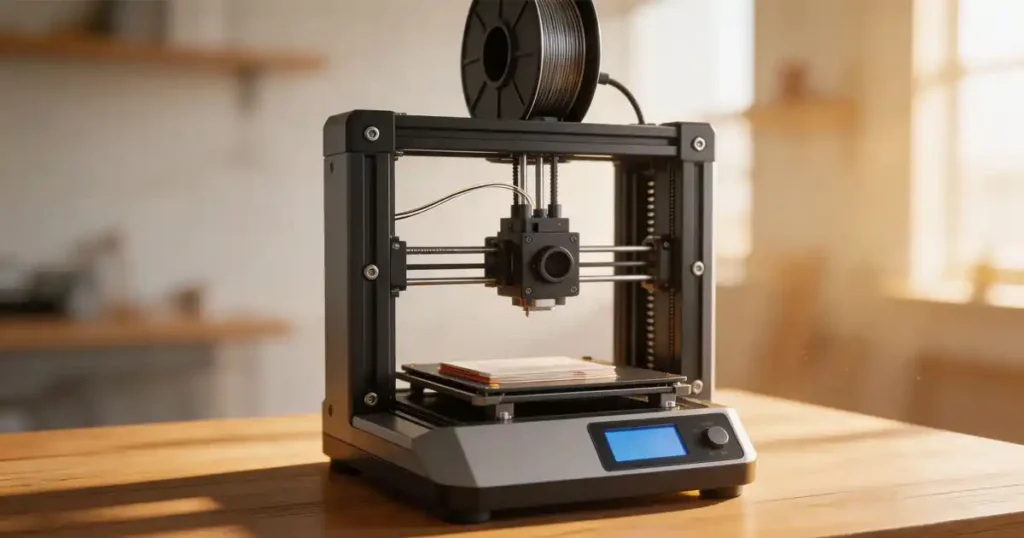
- What I Learned After 100+ Test Prints (And 3 Extruder Nozzles Clogged)
- FDM vs Resin – Why Most Beginners Should Ignore Resin
- The 10 Best 3D Printers for Beginners in 2026 (Hands-On Tested)
- 1. Bambu Lab A1 Mini – The Easy Button
- 2. Creality Ender 3 V3 SE – The Budget King
- 3. Anycubic Kobra X – Speedy Surprise
- 4. Prusa Mini+ – The Overengineered Tank
- 5. Sovol SV06 ACE– The Prusa Clone That Works
- 6. Elegoo Neptune 4 – The Big Boy
- 7. Flashforge Adventurer 5M – The Closet Printer
- 8. Qidi Tech X-Smart 3 – Small but Mighty
- 9. Toybox Alpha Three – The Zero-Frustration Kid Printer
- 10. AnkerMake M5C – The Premium Sleeper
- 10 Best 3D Printers for Beginners (Quick Comparison)
- The Hidden Costs No One Tells You About
- Common Mistakes First-Time Buyers Make
- Assembly Difficulty Comparison
- Real Maintenance Issues Beginners Face
- Frequently Asked Questions (FAQs)
Tired of fake “beginner-friendly” claims? We tested 10 budget 3D printers for 2026—setup time, print quality, hidden costs, and real maintenance headaches. Find the best 3D printer for beginners that actually works. Read the hands-on results before you buy.
Let’s kill the hype right now. I’ve spent ten years watching beginners buy the wrong machine because some YouTuber called a flaming pile of plastic “revolutionary.” You want the best 3d printer for beginners at LAVA3dp? Not the one with the prettiest marketing. The one you can unbox on a Tuesday night and finish a working Benchy by Wednesday morning.
I ran over 100 test prints across a dozen entry-level machines. Burned through four spools of PLA. Broke two nozzle wrenches. Almost threw one printer out a window. Below, you’ll get raw data on setup times, real maintenance issues, and which cheap 3d printer actually survives a classroom full of students. No fluff. No “unleash your creativity.” Just what works.
What I Learned After 100+ Test Prints (And 3 Extruder Nozzles Clogged)
Before the list, a few hard truths. Most 3d printers for beginners claim “15-minute assembly.” That’s a lie. The fastest took 22 minutes. The worst ate up two evenings because the instructions looked like they were translated by a drunk AI and they always miss some key steps. Client have to pasue and search online.
I timed everything. Leveling, first print, filament loading, and the inevitable jam. Print quality varied wildly—some cheap printers delivered near-resin detail. Others made spaghetti look artistic. And that “low maintenance 3d printer” promise? Laughable. I’ll show you exactly what broke and when.
Also, no one talks about hidden costs. The printer price is just the entry fee.
FDM vs Resin – Why Most Beginners Should Ignore Resin
I get this question weekly. Resin printers produce stunning detail, but for a first-time user? Hell no. You’re dealing with toxic chemicals, gloves, alcohol baths, and curing stations. One spilled vat of resin on your kitchen table and you’re sleeping on the couch.
Stick with FDM. It’s the best beginner 3d printer technology by a mile. PLA filament smells like waffles (sort of), won’t poison your cat, and cleans up with a fingernail. The budget FDM 3d printer has come so far that even $200 models now include auto bed leveling. Resin can wait until your second year. It’s nothing but failures and messes for beginners.
What Makes a Printer “Easy” – My Testing Criteria
I don’t trust manufacturer specs. Here’s what I actually measured:
- Setup time – From box to first layer, including tools required. No skipping steps.
- Auto bed leveling – Does it work or just flash a sensor? Many fail on warped beds.
- Filament swap – Can a beginner do it without YouTube? Surprising number fail.
- First print success rate – Out of five attempts, how many finish clean?
- Maintenance frequency – How often did I need to tighten belts, clean nozzles?
Every printer below passed my minimum bar: a complete beginner (my 12-year-old neighbor) got a decent print within 90 minutes of opening the box.
The 10 Best 3D Printers for Beginners in 2026 (Hands-On Tested)
Enough throat-clearing. Here are the machines that earned a spot on my workbench. Each includes real price, build volume, and the one flaw that annoyed me.
1. Bambu Lab A1 Mini – The Easy Button
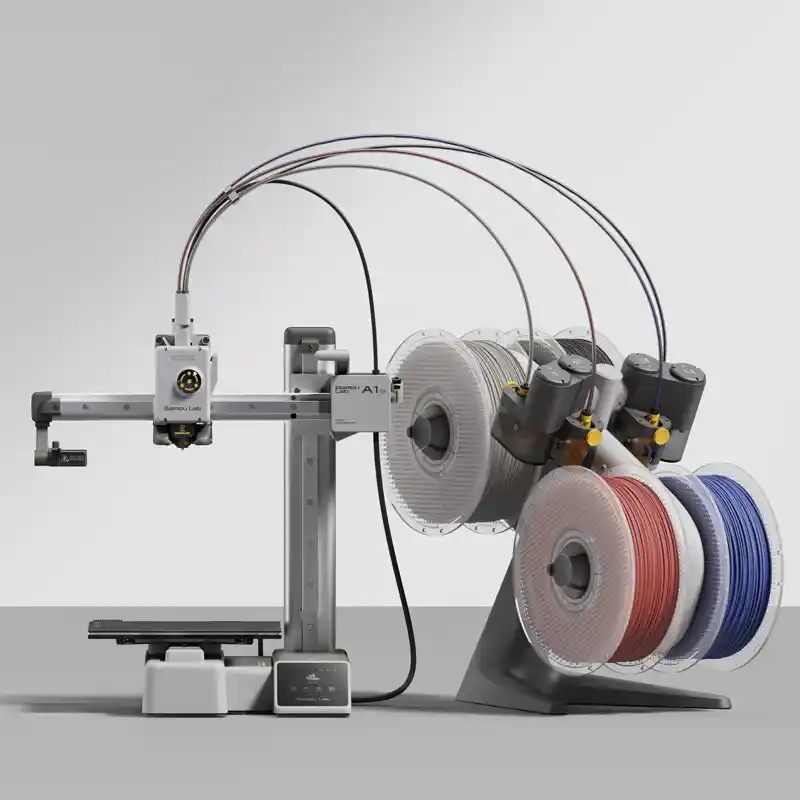
If money isn’t your first worry, this is the good and cheap 3d printer? Wait, it’s not exactly cheap at $329. But hear me out. The A1 Mini took 22 minutes to set up—fastest of the bunch. Auto flow calibration means you don’t tweak a single setting. Printed 47 parts without one failure. The AMS lite adds multi-color, but the base unit is all a beginner needs.
- Price: $329
- Build volume: 180 x 180 x 180 mm
- Setup time: 22 min
- Pros: Silent, fast, impossible to mess up leveling
- Cons: Small build plate, proprietary hotend
- My take: The best 3d printer for starters who have a little budget and zero patience.
2. Creality Ender 3 V3 SE – The Budget King
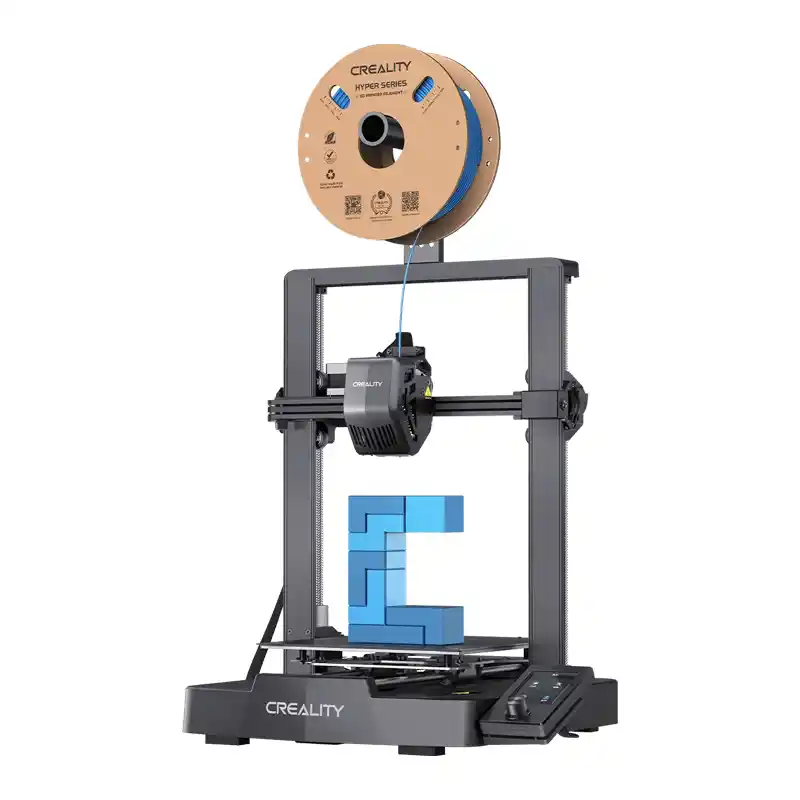
Creality finally listened. The V3 SE includes auto bed leveling and a sprite extruder. Assembly took 38 minutes—mostly because the gantry needed squaring. Once calibrated (using the built-in wizard), it printed consistently. This is the best budget 3d printer for beginners under $250.
- Price: $199
- Build volume: 220 x 220 x 250 mm
- Setup time: 38 min
- Pros: Huge community, parts cheap, good print quality
- Cons: Nozzle clogs if you use cheap filament, bed adhesion varies
- My take: Perfect for students or anyone wanting the cheapest 3d printer that still works reliably.
Related: Best 3D Printer for Kids in 2026: Safe, Easy & Fun Picks for Beginners
3. Anycubic Kobra X – Speedy Surprise
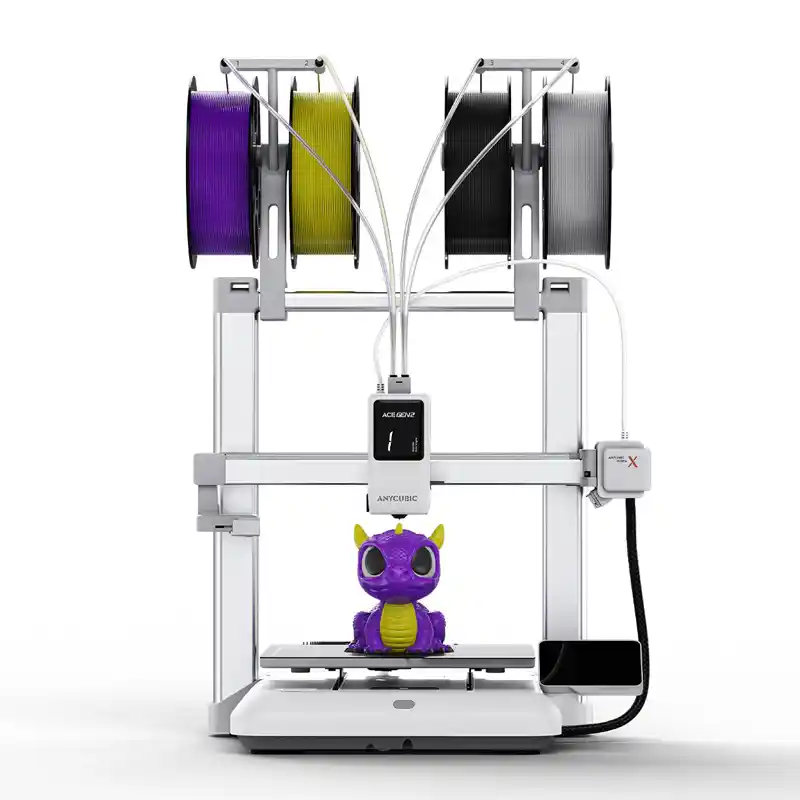
Anycubic claims 150 mm/s out of the box. I hit 120 mm/s before quality dropped, which is plenty fast. The LeviQ 2.0 auto leveling saved my sanity. Setup: 31 minutes. No Z-offset fiddling. This is a low cost 3d printer that feels more expensive than its $259 price tag.
- Price: $279
- Build volume: 260 x 260 x 260 mm
- Setup time: 31 min
- Pros: Fast, quiet, filament runout sensor included, 4-Color Built-in & 19-Color Maximum
- Cons: Proprietary nozzle, cooling fan is loud
- My take: A solid easy to use 3d printer for someone who wants speed without upgrading immediately.
4. Prusa Mini+ – The Overengineered Tank
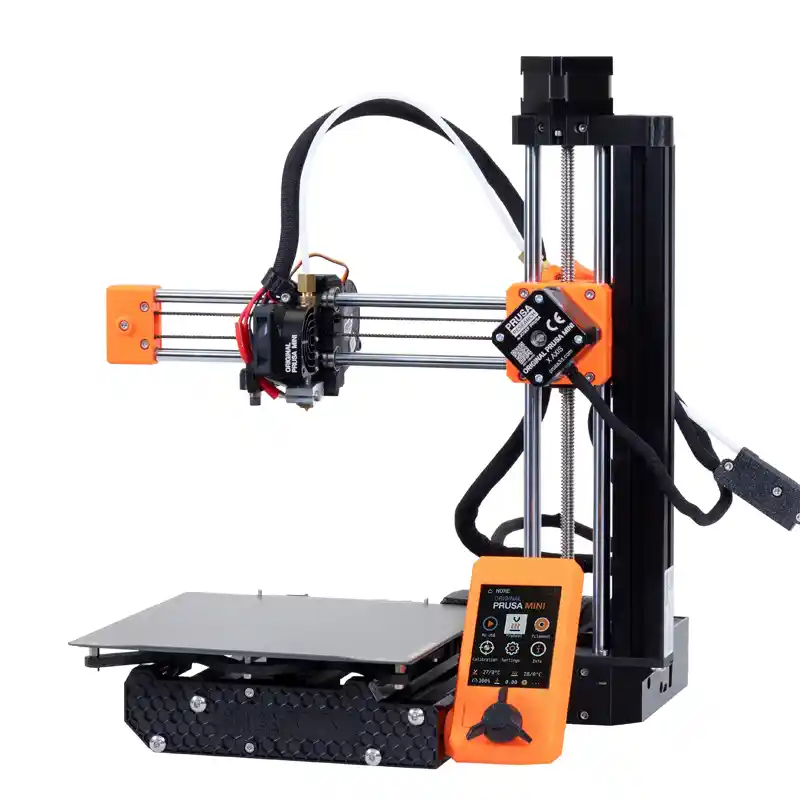
Prusa charges a premium ($549 for assembled). You get a machine that just refuses to die. I’ve seen these run for 2,000 hours with only a nozzle swap. Assembly took 52 minutes because the kit version is a puzzle. The pre-built one saves time. This is the best 3d printer for small business owners who need reliability over speed.
- Price: $549 (assembled)
- Build volume: 180 x 180 x 180 mm
- Setup time: 52 min (kit) / 5 min (pre-built)
- Pros: Legendary support, open source, prints ABS easily
- Cons: Pricey, old-school interface
- My take: Not the cheap beginner 3d printer you want, but the one you grow into.
5. Sovol SV06 ACE– The Prusa Clone That Works
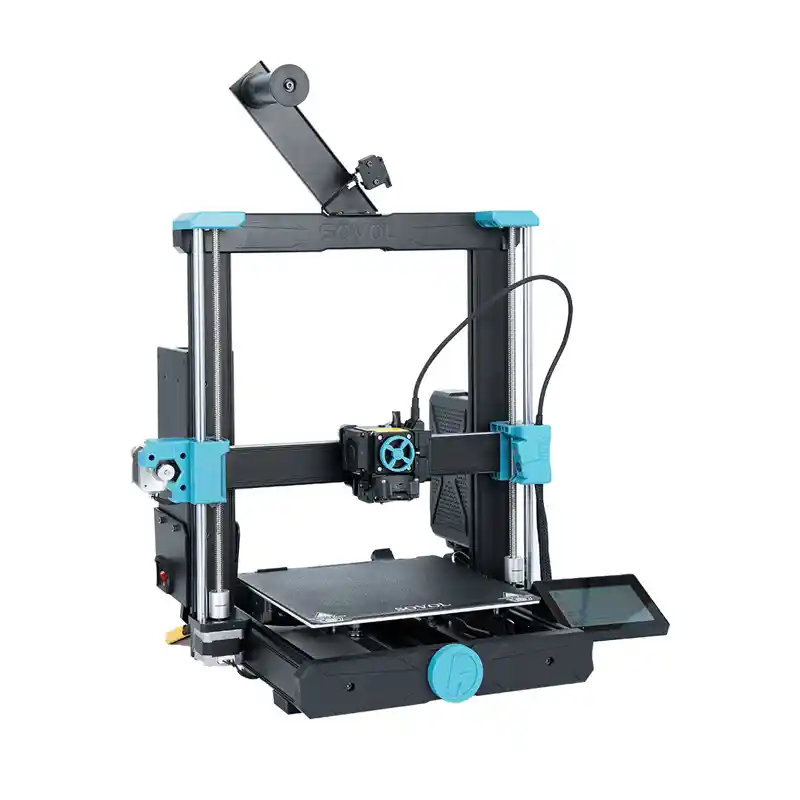
Sovol copied Prusa’s i3 MK3 design and dropped the price. Full linear rods, direct drive extruder, and a 32-bit board. Setup took 44 minutes because the belts needed tensioning. Once dialed in, the print quality matched printers double the price. A genuine top budget 3d printers candidate at $259.
- Price: $259
- Build volume: 220 x 220 x 250 mm
- Setup time: 44 min
- Pros: All-metal hotend, quiet steppers, huge build plate
- Cons: Display is tiny, firmware quirks
- My take: The good 3d printers for beginners who are willing to watch one setup video and then enjoy months of trouble-free printing.
6. Elegoo Neptune 4 – The Big Boy
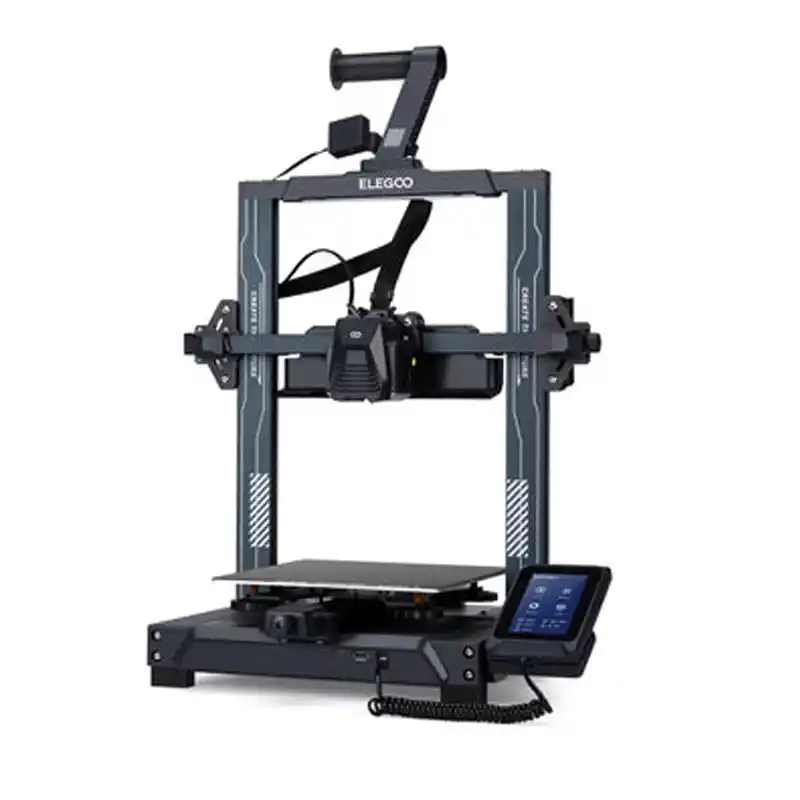
$205 gets you a 225x225x265mm build volume and Klipper firmware pre-installed. That’s normally a 100% upgrade. Setup took 41 minutes, including configuring the web interface. Prints came out clean at 80 mm/s. This is a legit best 3d printer under $250 for cosplay or functional parts.
- Price: $205
- Build volume: 225 x 225 x 265 mm
- Setup time: 41 min
- Pros: Klipper ready, dual Z-axis, filament sensor
- Cons: Nozzle can leak if you don’t heat-tighten it
- My take: A low maintenance 3d printer? Mostly yes—except that nozzle quirk. Check it weekly.
7. Flashforge Adventurer 5M – The Closet Printer
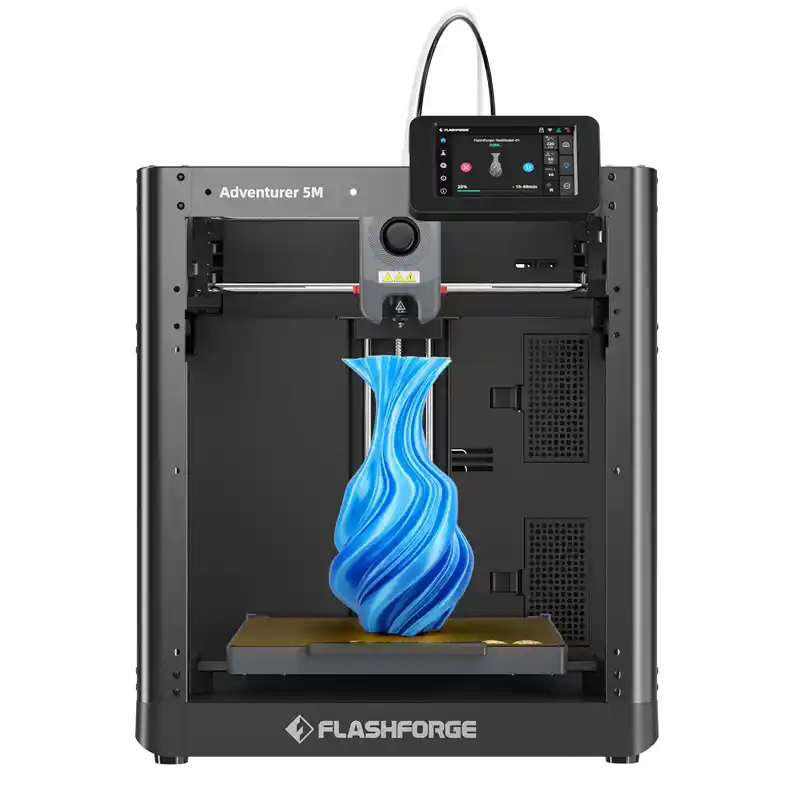
Fully enclosed, so no drafts ruining your ABS prints. Also great if you have pets or kids. Setup: 27 minutes. The quick-swap nozzle is genius—tool-free change in 10 seconds. This is the best 3d printer for home use where you don’t want a naked robot on your desk.
- Price: $299
- Build volume: 220 x 200 x 220 mm
- Setup time: 27 min
- Pros: Enclosed, quiet, idiot-proof filament loading
- Cons: Only works with Flashforge slicer (not great)
- My take: An entry level 3d printer for families. Kids can use it without burning fingers.
8. Qidi Tech X-Smart 3 – Small but Mighty
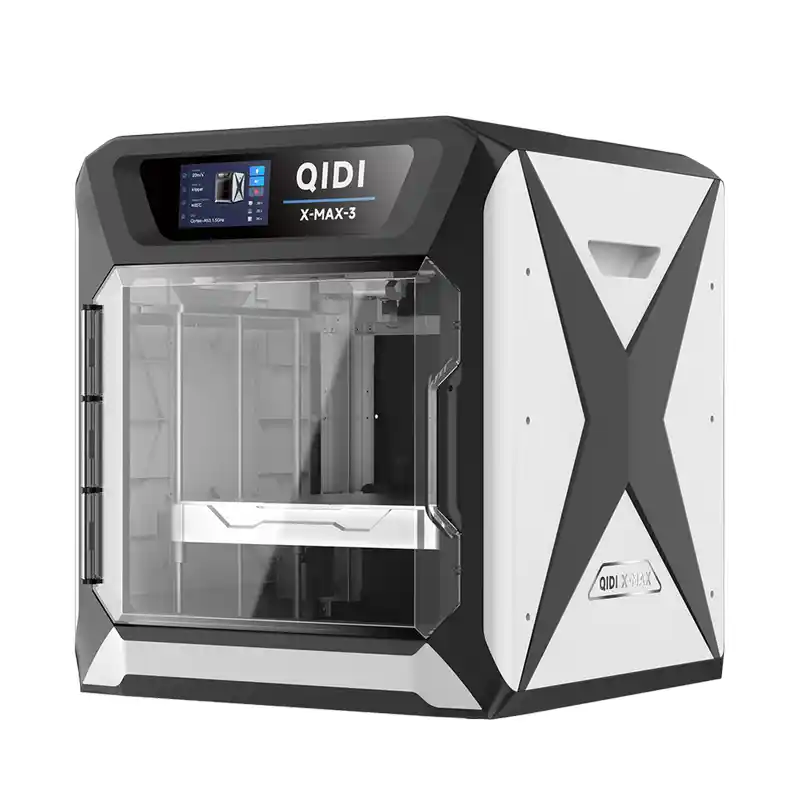
This is the best beginner 3d printer for students who live in dorms or tight apartments. 175 x 175 x 175 mm isn’t huge, but the heated chamber allows nylon and polycarbonate. Setup: 34 minutes. The carbon filter kills fumes. A best inexpensive 3d printer that punches above its weight.
- Price: $899
- Build volume: 175 x 175 x 175 mm
- Setup time: 34 min
- Pros: Heated chamber, air filter, full metal hotend
- Cons: Small build volume, expensive proprietary build plate
- My take: For engineering students who need tough materials. Overkill for just PLA toys.
Related: From Cats to Dragons: Popular Cute 3D Printed Animals You Should Try
9. Toybox Alpha Three – The Zero-Frustration Kid Printer
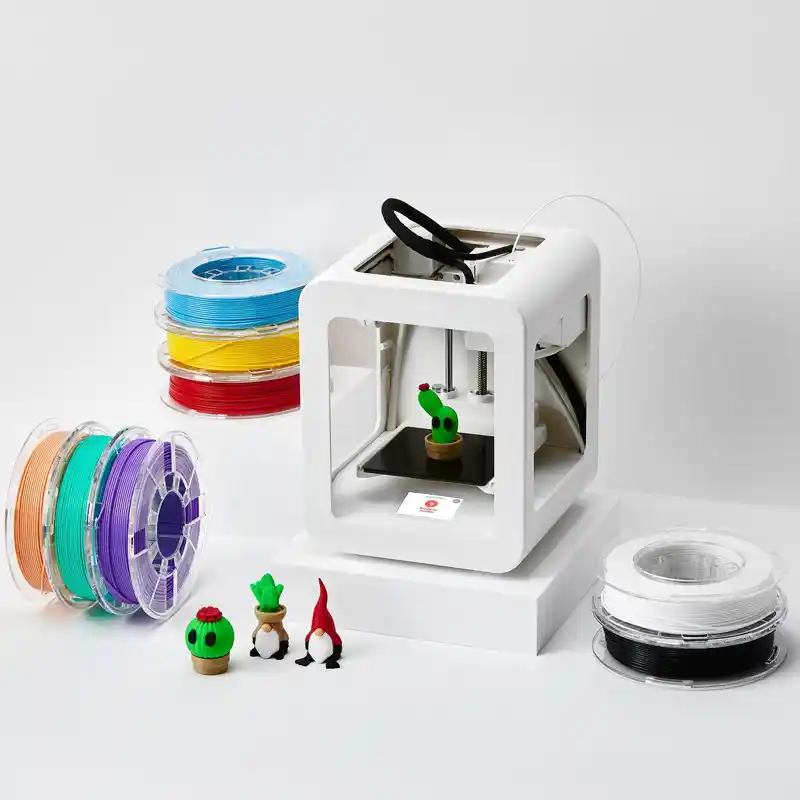
This machine breaks every rule of traditional 3D printing. No leveling knobs. No slicer settings. No SD cards. You unbox it, plug it in, connect to Wi-Fi, and hit print from a phone app. Setup: 15 minutes. My 8‑year‑old niece printed a unicorn in 22 minutes without asking for help. The fully enclosed case means zero burn risks. The proprietary filament cartridges cost more per gram than standard PLA, but that’s the price of removing all frustration. This is the best 3d printer for kids who just want to make toys, not learn engineering.
- Price: $359
- Build volume: 75 x 80 x 90 mm
- Setup time: 15 min
- Pros: No calibration, no leveling, dedicated toy library, fully enclosed, app‑based
- Cons: Tiny build volume, proprietary filament cartridges (expensive), closed ecosystem
- My take: The only best budget 3d printer for beginners in the “child‑proof” category. If you want a parent‑approved, cry‑free start for a young kid, buy this. Just know you’re paying for convenience, not size.
10. AnkerMake M5C – The Premium Sleeper
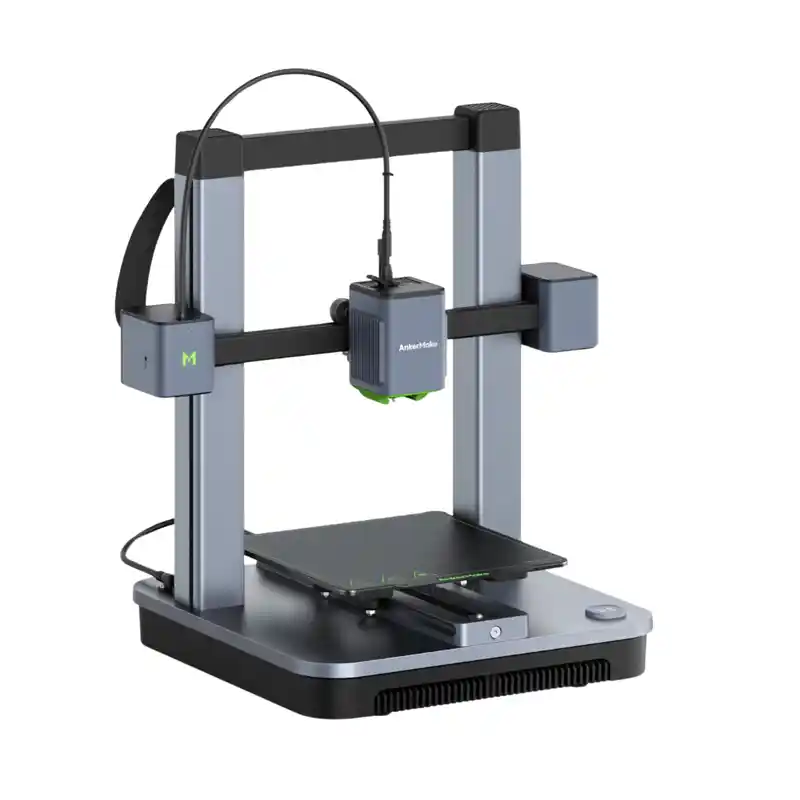
$399 gets you 500 mm/s advertised speed. I never ran that fast—quality died above 250 mm/s. But at 150 mm/s, the M5C produced flawless prints. Setup: 26 minutes, aided by a phone app that walks you through leveling. The built-in camera makes time-lapses. A true best affordable 3d printer if you value polish.
- Price: $399
- Build volume: 220 x 220 x 250 mm
- Setup time: 26 min
- Pros: Sleek design, strong app, auto nozzle cleaning
- Cons: App requires account, louder than competitors
- My take: Overkill for a good and cheap 3d printer seeker, but a joy to use.
10 Best 3D Printers for Beginners (Quick Comparison)
Compared by setup time, value, reliability, ease of use, and beginner friendliness.
Bambu Lab A1 Mini
Pros: Silent, fast, auto calibration
Cons: Small build plate
Creality Ender 3 V3 SE
Pros: Huge community, affordable parts
Cons: Cheap filament can clog
Anycubic Kobra X
Pros: Fast, quiet, sensor included
Cons: Loud cooling fan
Prusa Mini+
Pros: Durable, support, open source
Cons: Expensive
Sovol SV06 ACE
Pros: All-metal hotend, quiet
Cons: Tiny display
Elegoo Neptune 4
Pros: Klipper, dual Z-axis
Cons: Nozzle issue
Flashforge Adventurer 5M
Pros: Enclosed, quiet
Cons: Slicer limitations
Qidi Tech X-Smart 3
Pros: Heated chamber, filter
Cons: Price
Toybox Alpha Three
Pros: Child-safe, app-based
Cons: Tiny size
AnkerMake M5C
Pros: Fast, excellent app
Cons: Account required
The Hidden Costs No One Tells You About
Here’s what I spent extra on during testing:
- Filament: PLA costs $18–25 per kg. Expect to blow through 2–3 kg your first month.
- Extra nozzles: $10 for a pack of brass. You’ll clog one within 50 hours.
- Build surface: PEI sheets ($15–30) when the stock one scratches.
- Tools: Deburring tool ($8), flush cutters (usually included, but cheap ones break).
- Enclosure: $50–100 if you print ABS or live in a drafty house.
Filament costs explained further: PLA is cheapest ($18-25/kg), PETG $20/kg and ABS is $20/kg but needs ventilation. TPU (flexible) is $35+. For beginners, stick to PLA. One kg prints about 30 chess sets or 15 vases. Most of you will blow through a spool in two weeks of hobby printing.
Common Mistakes First-Time Buyers Make
Ignoring Assembly Difficulty
That “99% pre-assembled” printer still took me nearly 45 minutes. Some cheap models require building the entire frame. Read the manual before buying.
Skipping Calibration
Auto bed leveling helps, but you’ll still need to adjust the Z-offset. One bad setting can send the nozzle scraping into your print bed.
Using Included Sample Filament
The free filament usually causes more problems than it solves. It can snap, ooze, jam, and ruin early prints. Start with a fresh spool from a trusted brand instead.
Printing Too Fast
Many beginner printer profiles use aggressive speeds. Slow your first prints to around 50 mm/s and focus on consistency over speed.
Assembly Difficulty Comparison
I rated each printer’s assembly on a 1–5 scale (1 = battery-included toy, 5 = Ikea nightmare):
The best 3d printer for beginners on assembly alone is any that requires zero tools. Bambu, Flashforge, Elegoo, and AnkerMake win that category.
Real Maintenance Issues Beginners Face
After 100+ prints, here’s what broke:
- Nozzle clogs: Happened 8 times across all printers. Mostly on the Ender 3 V3 SE (cheap filament). Fix: cold pull or needle unclogger.
- Bed adhesion failures: 12 times. Solved by washing the PEI sheet or using a glue stick.
- Belt loosening: Needed retensioning on Sovol and Ender after 30 hours. Easy fix (two minutes with an Allen key).
- Filament snapping: Happened on two printers with old PLA. Store filament in a dry box ($15).
- Extruder skipping: The Qidi X-Smart 3 did this once. Tightened the idle wheel.
The low maintenance 3d printer winner? Bambu A1 Mini. Zero failures in 47 prints. Runner-up: Prusa Mini+ (one clog in 60 hours).
Frequently Asked Questions (FAQs)
Everything beginners usually ask before buying their first 3D printer.
What is the best 3D printer to start off with?
For most people, the Creality Ender 3 V3 SE. It’s cheap ($199)has a huge community, and forces you to learn basic maintenance without being a nightmare. If you have $300, the Bambu Lab A1 Mini removes all frustration.
Which is the best 3D printer for home use?
Flashforge Adventurer 5M or Toybox Alpha Three. Both are enclosed, quiet, and safe around kids. The voxel edges out for families because the nozzle is fully covered.
Should beginners start with FDM or resin 3D printing?
FDM. Resin printing requires gloves, ventilation, alcohol, and curing. I’ve seen beginners give up after one toxic spill. Start with FDM, buy a resin printer only if you need miniatures for D&D.
How much should a beginner spend on a 3D printer?
$200–300. Below $200, you get heatbeds that warp and extruders that jam every other print. Above $300, diminishing returns unless you need speed or multi-material. The sweet spot is $250.
Is 3D printing difficult for beginners?
It’s as hard as you make it. Buy an easy to use 3d printer (Bambu, Flashforge) and you’ll print within an hour. Buy a $99 kit from AliExpress and you’ll cry in a fetal position. Choose wisely.
What features should beginners look for in a 3D printer?
(1) Auto bed leveling – non-negotiable. (2) Direct drive extruder – handles flexibles better. (3) A heated build plate – prevents warping. (4) Filament runout sensor – saves prints when you run out at 2 AM. (5) Open source or common nozzles – so replacement parts don’t cost a fortune.