

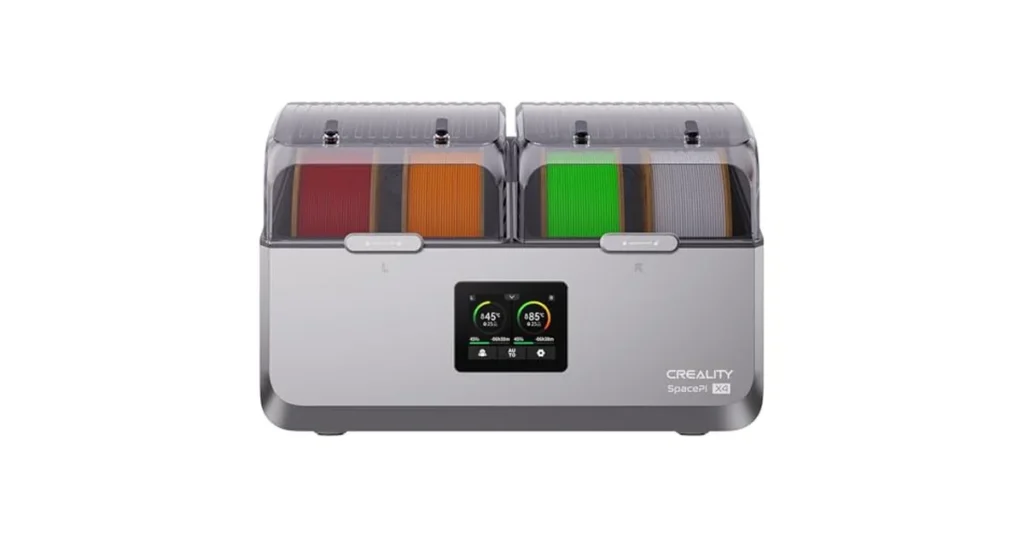
Wet filament ruins prints. Discover the best filament dryer for PLA, PETG, ABS, TPU, and Nylon in our comprehensive 2026 testing guide at LAVA3dp. Stop stringing and save your spools now!
Why Every 3D Printing Enthusiast Needs One
You finish a slice, send it to your printer, and wait. Instead of a smooth, clean object, your machine delivers a messy web of plastic threads, rough surfaces, and weak layers. You check your retraction settings, calibrate your e-steps, and level the bed. Nothing helps.
The actual culprit isn’t your hardware. It is ambient humidity.
3D printing filaments act like tiny sponges. They absorb water from the surrounding air. When this trapped water hits a hot nozzle, it boils instantly. The resulting steam creates micro-explosions that disrupt the smooth flow of molten plastic. Investing in a high-quality 3d filament dryer solves this issue at the source, transforming inconsistent prints into flawless parts.
What Is a Filament Dryer?
Why Moisture Is a Problem for 3D Printing Filament
Thermoplastics suffer from moisture absorption due to their chemical structures. Polar groups within the polymer chains attract water molecules. When you feed wet material into an extruder heated to 200°C or higher, that trapped water flashes into steam.
This rapid expansion causes severe extrusion problems. Instead of a continuous, uniform line of plastic, your nozzle pushes out a mixture of melted polymer and gas bubbles. The steam disrupts the pressure inside the hotend, leading to under-extrusion, voids, and weakened structural integrity.
Related: PETG Filament Explained: Pros, Cons, Print Settings & Best Uses in 2026
Signs Your Filament Has Absorbed Moisture
Recognizing wet filament symptoms saves hours of troubleshooting time. Look for these warning signs during your prints:
- Filament popping noise while printing: If you hear tiny snaps, crackles, or pops at the nozzle, water is flashing into steam.
- Why is my filament stringing: Excessive, fine cobwebs between distinct print areas occur because boiling water forces plastic out of the nozzle even during retractions.
- Blobs and zits: Sudden bursts of steam leave irregular pimples on the outer walls of your model.
- Brittle filament: If your raw PLA filament snaps easily when you bend it by hand before it even enters the extruder, it has absorbed high levels of moisture.
- Poor layer adhesion: Trapped moisture prevents individual print layers from fusing correctly, making the finished object weak and easy to split apart.
Which Filament Types Need Drying the Most?
No 3D printing material is completely immune to water, but some absorb moisture much faster than others.
PLA
PLA filament is relatively forgiving, but it is not waterproof. High humidity makes it brittle and increases fine stringing. Using a filament drying box for PLA removes these issues, ensuring smooth top surfaces and sharp details.
PETG
PETG filament is notoriously hygroscopic. Leave a spool out for forty-eight hours in a humid room, and it will string excessively. A dedicated filament dryer for petg is mandatory if you want clear, blob-free prints.
ABS
ABS filament and its UV-resistant sibling, ASA, absorb moisture moderately. Wet ABS causes severe print quality problems, particularly internal voids that cause layers to split and warp away from the build plate. Running a filament dryer for ABS or a filament dryer for ASA stabilizes your print runs.
TPU
TPU filament absorbs water incredibly fast. A wet spool of flexible filament produces fuzzy, weak, and highly unappealing prints. Following a strict TPU filament drying guide is the only way to achieve clean, flexible parts without massive stringing.
Nylon
Nylon filament is the most demanding material on this list. It can ruin itself by absorbing ambient humidity within just a few hours of exposure. You absolutely need a best filament dryer for nylon that reaches high internal temperatures to break those stubborn water bonds.
PVA and Other Hygroscopic Materials
Water-soluble support materials like PVA, BVOH, and engineering plastics like Polycarbonate (PC) are hyper-hygroscopic. Exposure to open air quickly turns PVA into a sticky, unusable mess.
Benefits of Using a 3D Filament Dryer
Active drying yields immediate, tangible upgrades to your 3D printing workflow:
- Restored Print Quality: Eliminates surface blemishes, blobs, and structural zits.
- Maximum Layer Adhesion: Without steam bubbles interrupting the extrusion path, layers bond perfectly, increasing part strength.
- Dimensional Accuracy: Uniform extrusion means your printed parts match your CAD dimensions precisely.
- Saved Money: Instead of throwing away old, brittle spools, a filament moisture removal guide lets you rescue old stock.
Filament Dryer vs Dry Box vs Food Dehydrator
Many makers confuse a filament dryer box with a dry box. They serve different purposes. A heated filament dry box uses active thermal energy to push moisture out of the plastic. A passive filament storage box with hygrometer merely keeps already-dried filament from absorbing new water by using silica gel or desiccant packs.
Using a filament dryer vs food dehydrator is a common debate. Food dehydrators work via convective heat, but they lack rollers, PTFE tube exit ports, and explicit filament dryer settings. A purpose-built 3d printed filament dryer or commercial unit allows you to print while drying, keeping the material pristine during long-duration prints.
Related: 10 Best Resin 3D Printers in 2026: Tested Picks for Every Budget
How a Filament Dryer Works
An active dryer combines three mechanics: heat, airflow, and venting. The heating element raises the ambient internal air temperature to the glass transition temperature boundary of the specific plastic. This heat excites the trapped water molecules, driving them to the surface of the strand.
An internal fan circulates this air to maintain uniform heat across the entire spool. Finally, the system vents the humid air out of the enclosure, replacing it with drier air to continue the cycle.
Recommended Filament Drying Temperature and Time Chart
Never guess your drying parameters. Exceeding the glass transition temperature fuses your entire spool into a solid block of useless plastic. Use this validated filament dryer temperature chart to set up your machine safely.
| Filament Type | Ideal Drying Temperature (°C) | Ideal Drying Temperature (°F) | Recommended Drying Time (Hours) | Max Safe Storage Humidity |
|---|---|---|---|---|
| PLA Filament | 45°C – 50°C | 113°F – 122°F | 4 – 6 Hours | < 20% RH |
| PETG Filament | 60°C – 65°C | 140°F – 149°F | 6 – 8 Hours | < 15% RH |
| ABS Filament | 65°C – 70°C | 149°F – 158°F | 6 – 8 Hours | < 15% RH |
| TPU Filament | 50°C – 55°C | 122°F – 131°F | 5 – 8 Hours | < 10% RH |
| Nylon Filament | 75°C – 80°C | 167°F – 176°F | 12+ Hours | < 10% RH |
PLA Drying Settings
Stick to a conservative PLA filament dryer settings profile. Keeping the unit around 45°C prevents the thin strands from softening and sticking together on the spool hub.
PETG Drying Settings
Our testing for filament dryer settings for PETG shows that 65°C for 6 hours eliminates the stubborn oozing and fine hairs typical of damp glycol-modified polyester.
ABS Drying Settings
Set your ABS filament drying temperature to 65°C. Because ABS requires a warm printing chamber anyway, preheating it inside a dryer also reduces thermal shock when feeding it into the printer.
TPU Drying Settings
Refer to your specific TPU filament drying guide, but a baseline of 55°C works beautifully. Do not roll it too tightly; warm, soft TPU can deform under tension.
Nylon Drying Settings
Achieving the proper nylon filament drying temperature requires a high-performance unit capable of holding 80°C steady. Budget dryers that max out at 55°C will not successfully remove deeply bound water molecules from nylon.
How to Dry Filament Properly (Step-by-Step)
Follow this clean process to ensure you never ruin a spool during moisture removal:
- Inspect the Spool: Make sure the plastic spool itself can handle the heat. Cheap cardboard spools can warp if exposed to localized heat currents.
- Position the Unit: Place your 3d filament dryer on a flat, level surface away from direct air conditioning vents.
- Set Parameters: Input the correct heat level based on our filament dryer temperature chart.
- Manage Airflow: Crack the lid slightly if your unit lacks an active exhaust fan. This gives the humid air a clear escape path.
- Monitor Relative Humidity: Watch the built-in hygrometer. Your goal is to see the relative humidity drop below 15% before printing.
Can You Print Directly From a Filament Dryer?
Yes, and you should. For long prints or highly sensitive materials like Nylon and TPU, keeping the spool inside a heated filament dry box while feeding it directly into your extruder ensures the material stays dry from the first layer to the final top surface. Most premium units feature built-in rollers and smooth PTFE output ports specifically for this workflow.
Related: Is PLA Food Safe? The Complete 2026 Guide
Common Print Quality Problems Caused by Wet Filament
Stringing
Moisture creates continuous pressure inside the hotend. Even when your printer commands a retraction, the boiling water forces molten plastic out, creating annoying spiderweb threads across open paths.
Popping and Crackling Noises
As the wet strand enters the nozzle zone, the water pockets instantaneously vaporize. You will hear audible popping noises while printing, accompanied by visible gaps in your extruded lines.
Poor Layer Adhesion
Steam bubbles interrupt the continuous polymer chain. When layers deposit over these micro-gaps, the structural bond fails, yielding weak parts that break easily under minimal mechanical stress.
Surface Defects and Blobs
Random pressure drops leave uneven deposits on your perimeter walls. These show up as rough pimples, small divots, or inconsistent layer lines that ruin cosmetic finishes.
Brittle Prints
Water chemically degrades certain polymers through a process called hydrolysis at high temperatures. This breaks down molecular chains, causing your finished parts to shatter easily.
Top 10 Best Filament Dryers in 2026
We spent hundreds of hours testing the leading options on the market to name the best filament dryer available right now.
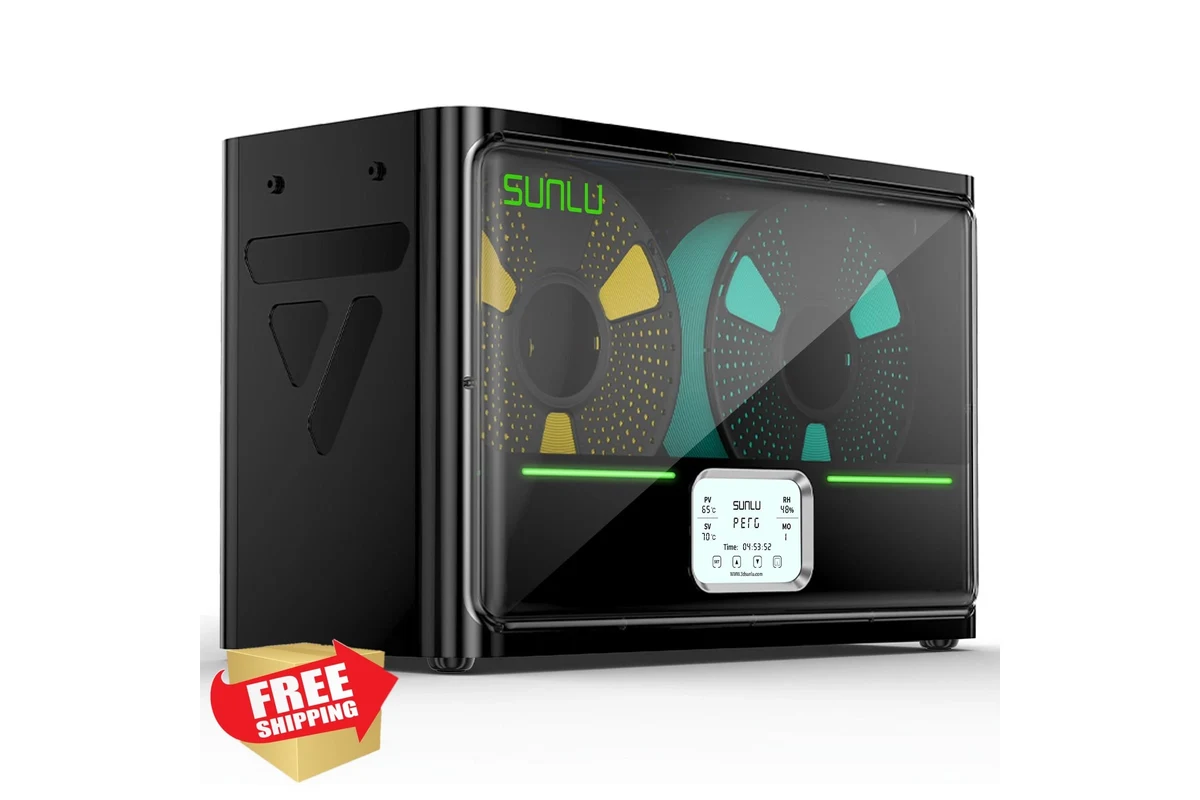
Sunlu FilaDryer S4
A massive dual spool filament dryer (and quad-spool) powerhouse designed for heavy users. It features active space heating, smart humidity controls, and multiple output ports.
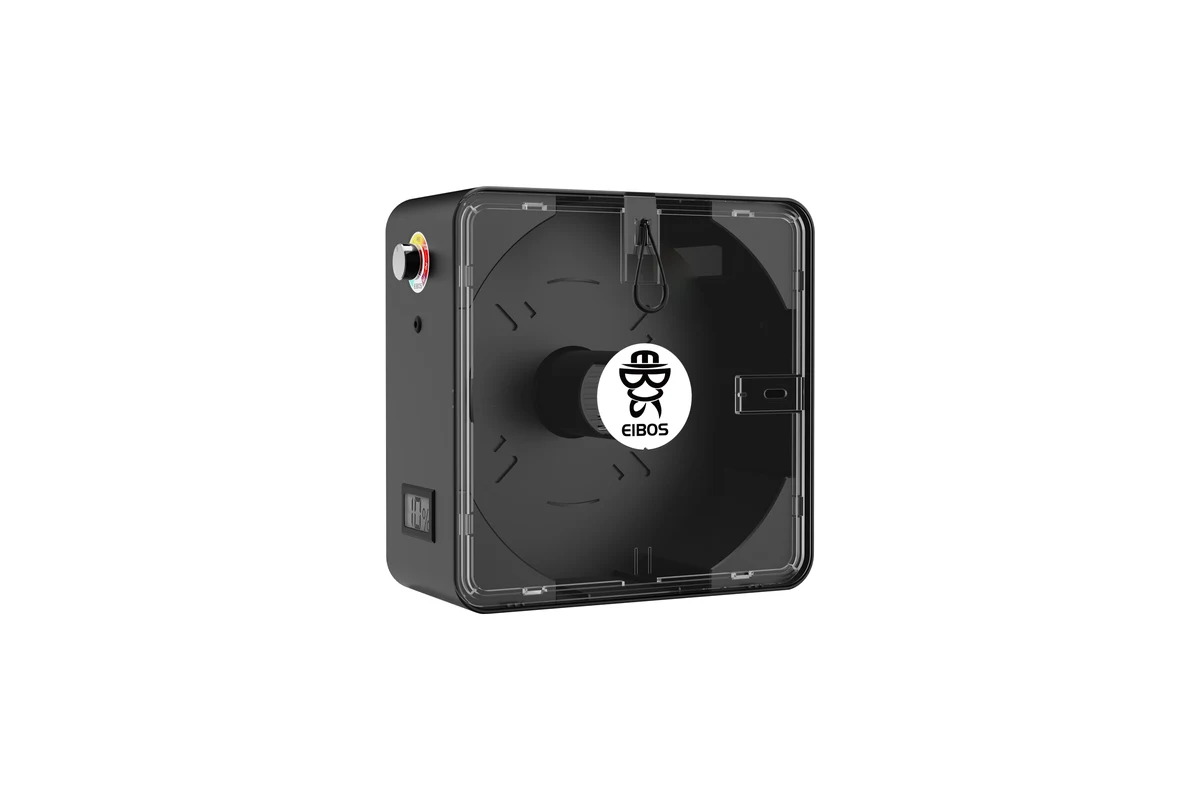
Eibos Series X: Cyclopes
An elite, high temperature filament dryer capable of hitting a true 70°C+ internally. The cylindrical design ensures completely uniform heat distribution.
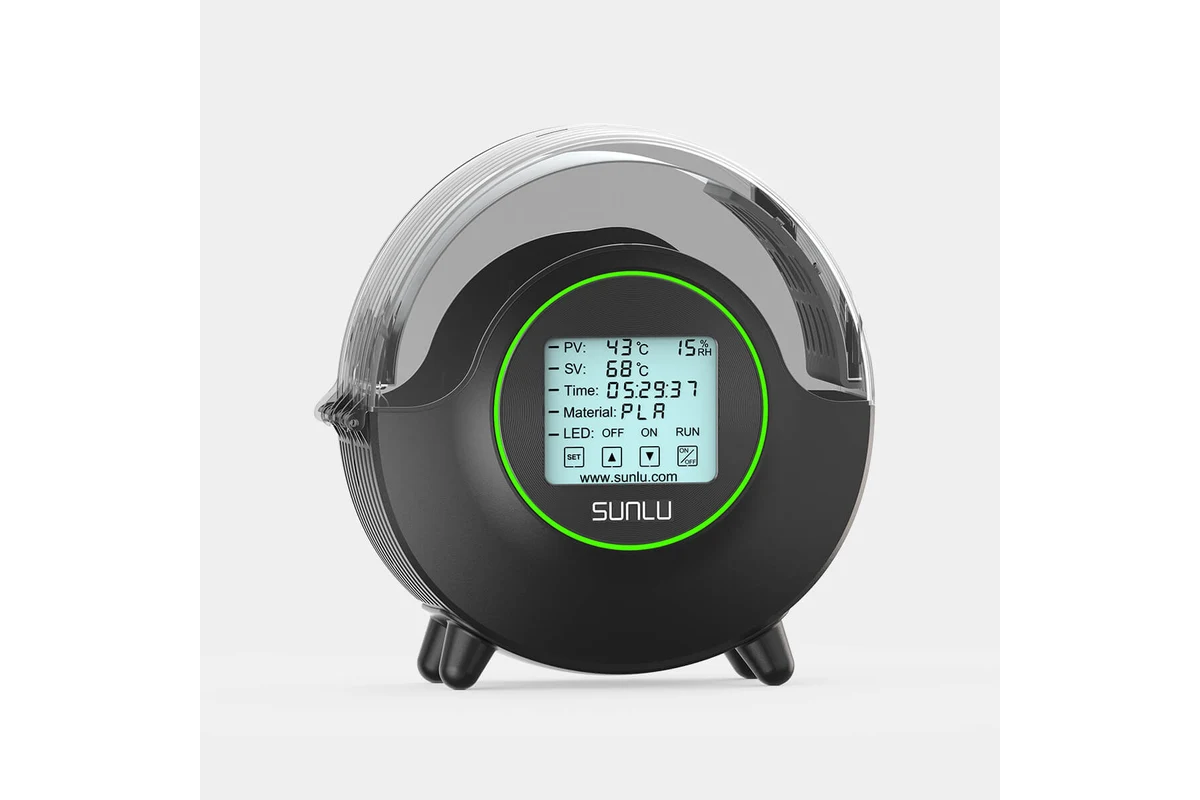
Sunlu FilaDryer S2
The benchmark for a reliable best filament dryer for PLA and general everyday printing. It features a circular touch screen and 360-degree heating plates.
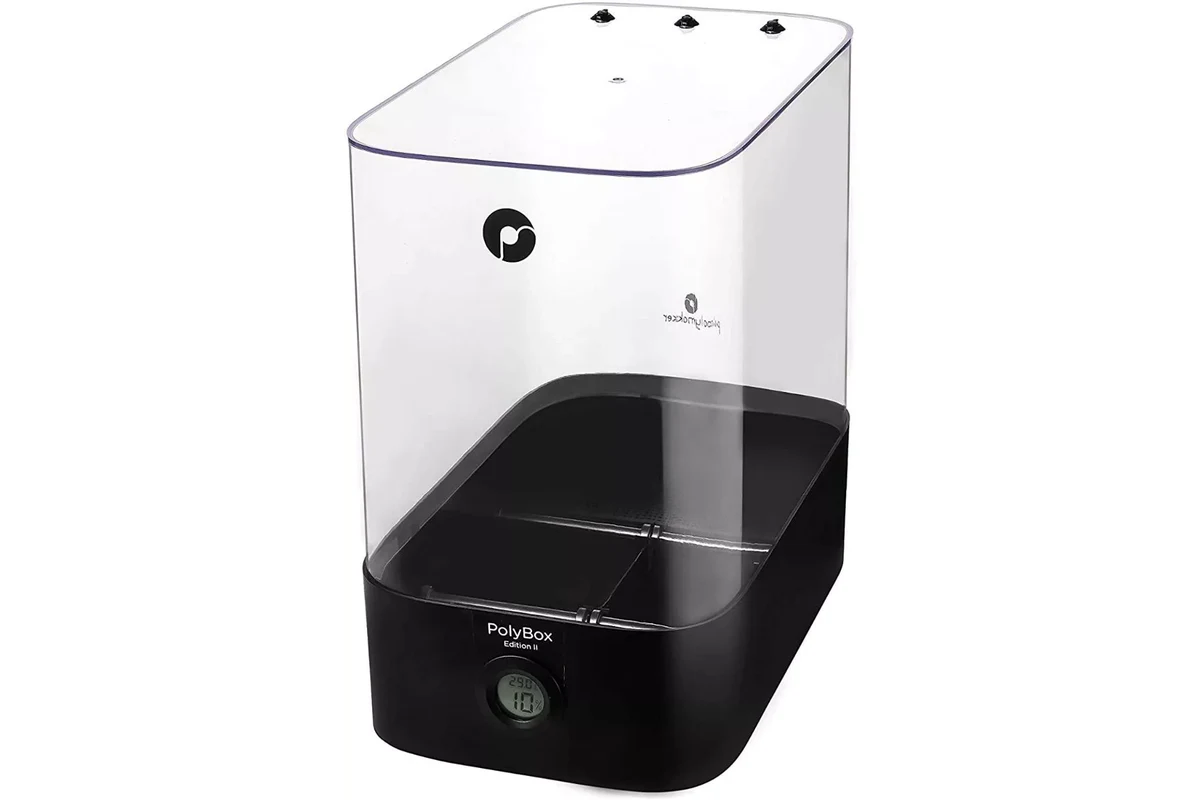
Polymaker PolyBox Edition II
A high-end passive filament storage box with hygrometer that uses massive desiccant compartments instead of an active heater.
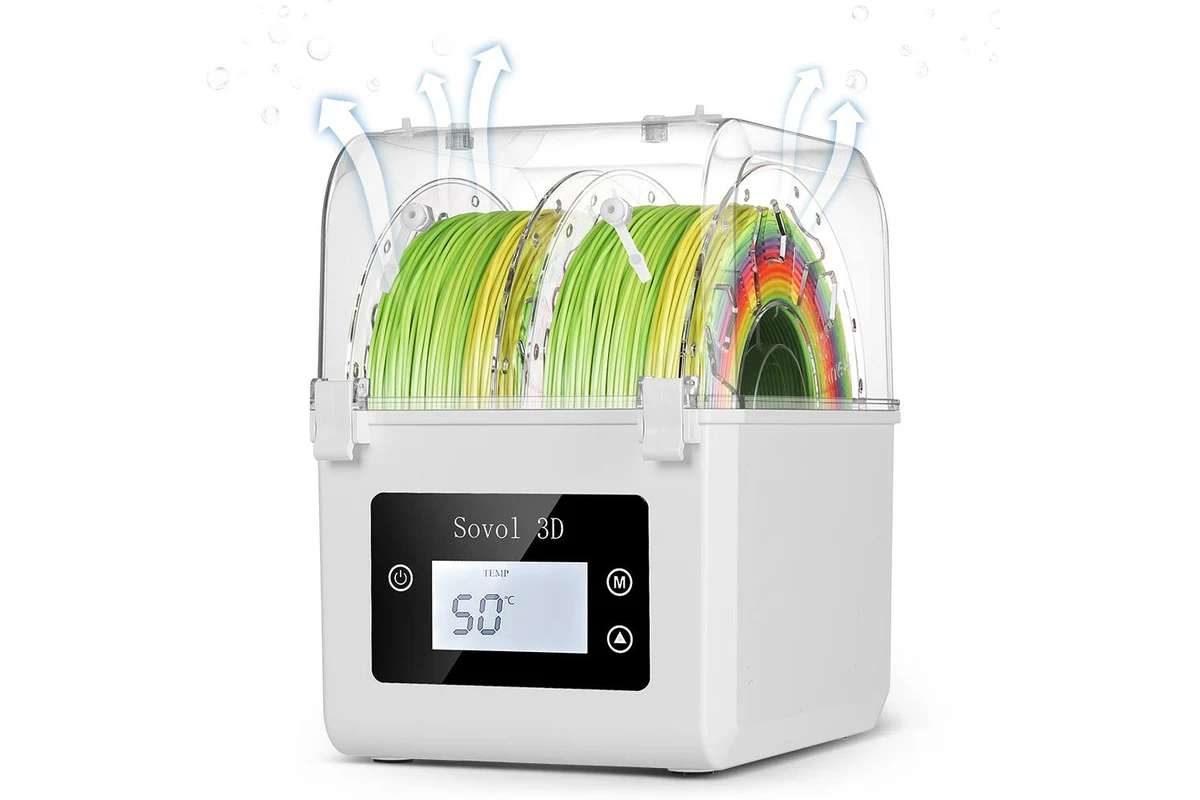
Sovol SH01 Dual Spool Dryer
A highly affordable dual spool filament dryer that lets you prep two spools of PETG filament simultaneously.
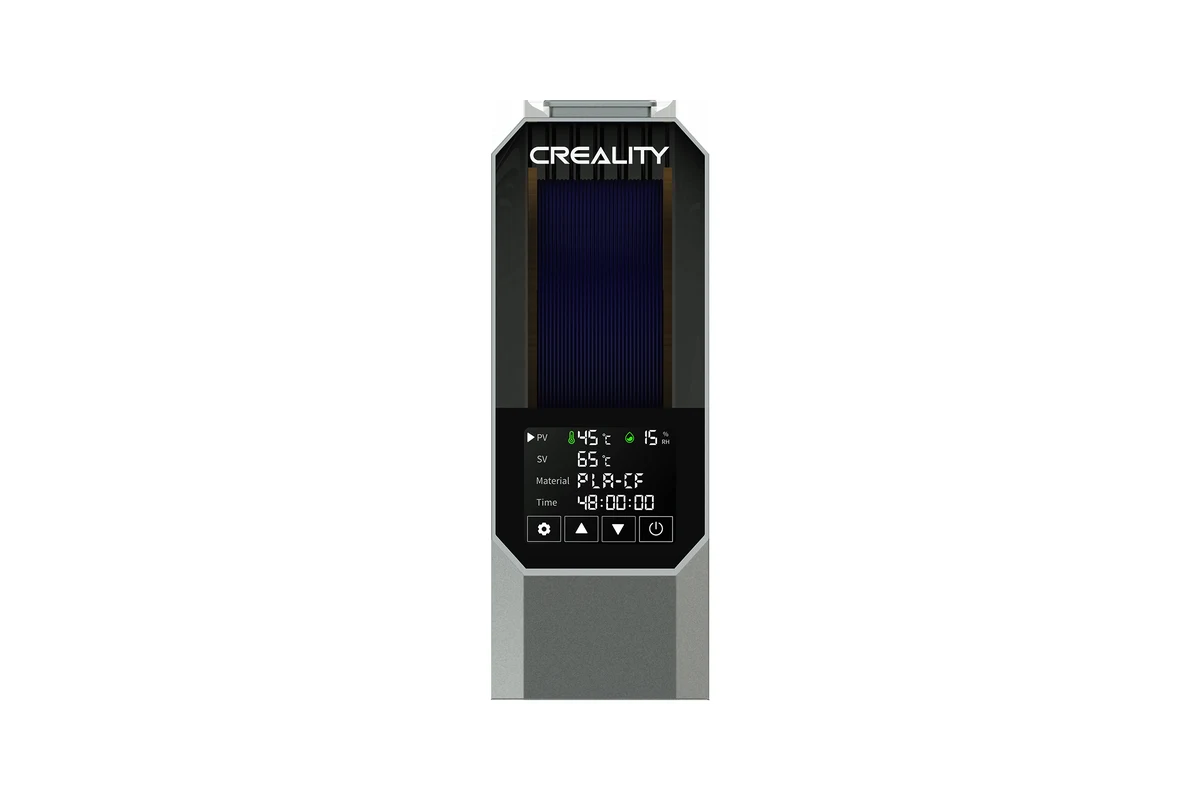
Creality Space Pi Filament Dryer
Creality’s specialized entry features precise temperature profiles and real-time humidity tracking.
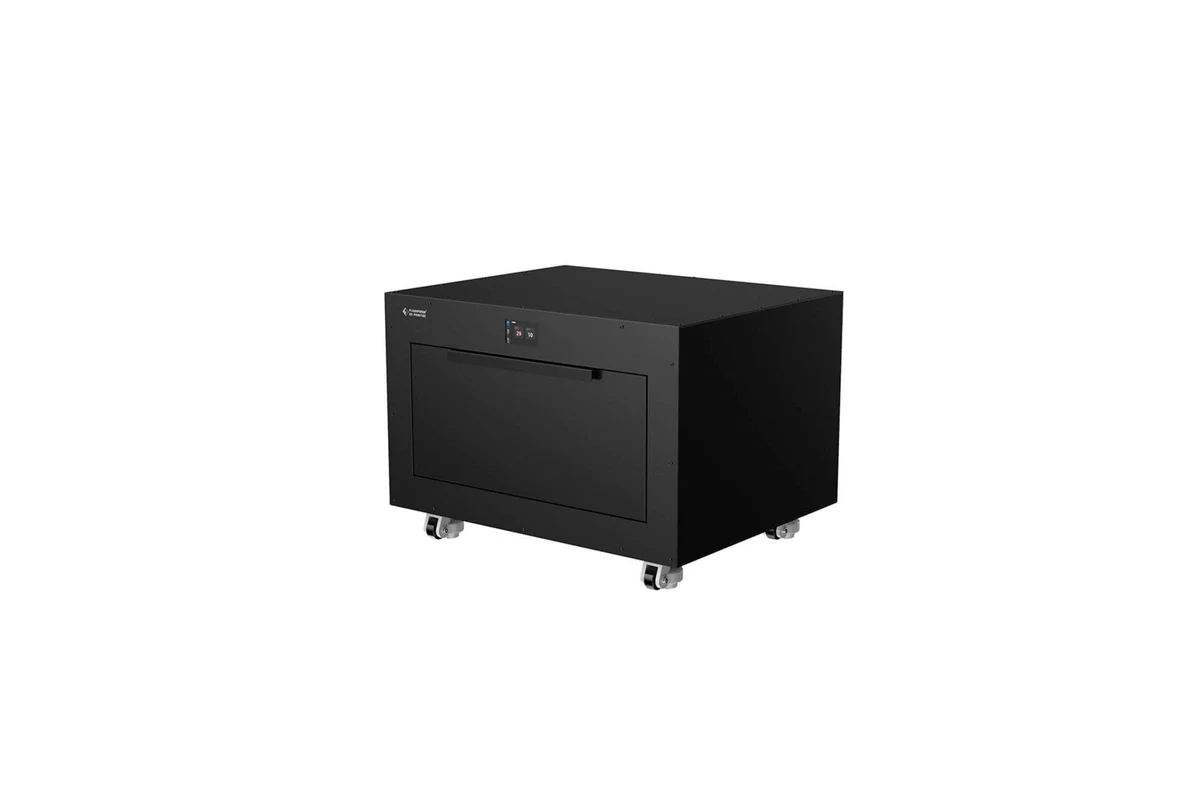
Flashforge Filament Drying Station
A premium, cabinet-style solution built to sit directly underneath large-format industrial 3D printers.
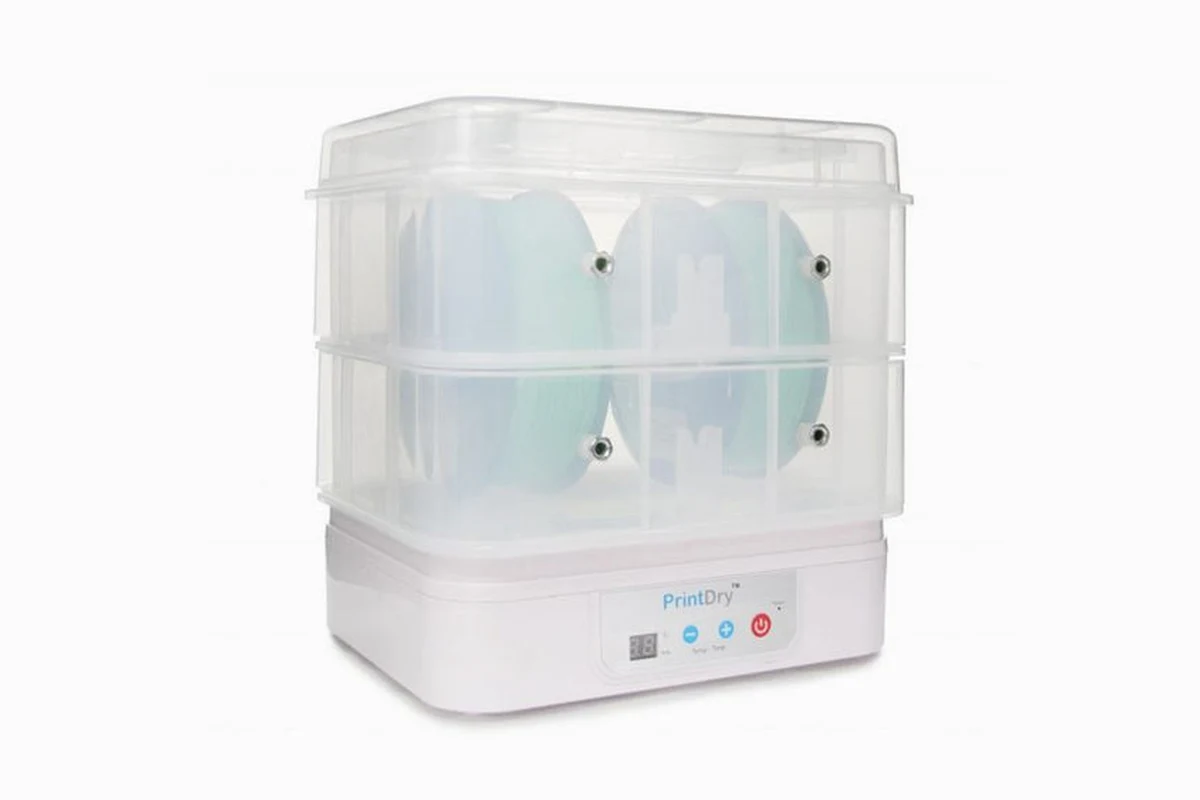
PrintDry Filament Dryer Pro V3
A modular system that lets you stack extra chambers vertically to dry multiple spools at once.

eSUN eBox Lite
A highly cost-effective, enclosed thermal convection dryer that removes moisture efficiently while featuring a built-in weight monitor to track remaining material.
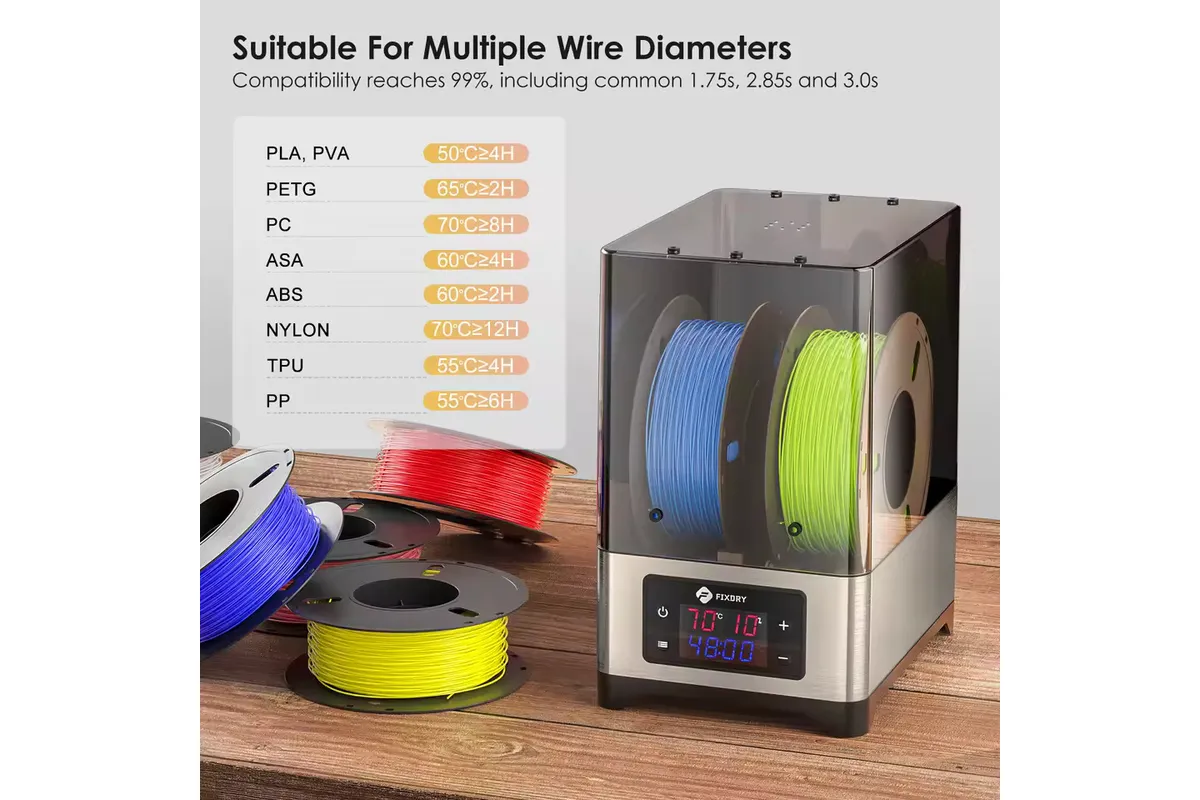
FIXDRY NT1
A powerful, budget-friendly option engineered with a specialized dual-fan system that ensures quick, uniform heat distribution across the entire chamber.
Common Mistakes to Avoid When Drying Filament
- Melting Spools: Setting the temperature too high will warp plastic spools, ruining the filament winding alignment.
- Ignoring Ambient Air Exchange: If your unit has no built-in exhaust fan, trapped moisture just settles back onto the spool once the heater turns off. Crack the lid open a fraction of an inch to let damp air escape.
- Over-drying: Can you over dry filament? Yes. Leaving materials like PLA exposed to dry heat for days on end can degrade the base polymer binders, making the filament brittle and subject to snapping. Stick to recommended time windows.
Related: Best Glue for PLA: Top Adhesives for Strong 3D Printed Parts in 2026
DIY Filament Dryer Solutions
If you enjoy tinkering, building a DIY filament dryer is a fun project. Many makers convert a standard food dehydrator by clipping away the plastic internal food trays to make room for a 1kg spool. Others build a custom enclosure utilizing a PTC heating element, an old computer fan, and a 3D-printed shell. While these systems work fine for basic materials, they lack the polished safety features, enclosed routing options, and precise thermal control found in dedicated commercial units.
How to Store 3D Printer Filament After Drying
Once your material is dry, you must protect it from absorbing new moisture. Implementing proactive filament storage and drying routines keeps your materials ready to print instantly.
Vacuum Bags
Storing your dried spools inside heavy-duty plastic vacuum bags with a manual pump creates an airtight seal that locks out ambient humidity completely.
Desiccant Packs
Always drop a few high-quality silica gel or reusable desiccant for filament storage packs into your containers. These packs absorb any residual moisture trapped inside the container when you open and close it.
Airtight Storage Containers
Heavy-duty plastic totes fitted with rubber gaskets and secure locking latches form an excellent, scalable filament storage box.
Humidity Monitoring With Hygrometers
Install a mini digital hygrometer inside every storage container. If the displayed relative humidity climbs past 20%, it is a clear warning sign that your desiccant needs to be replaced or recharged in the oven.
Things to Consider Before Buying a Filament Dryer
Capacity
Do you run a single-spool setup or a multi-material system? If you regularly print multi-color designs, look closely at a dual spool filament dryer or quad-spool variant.
Temperature Range
Ensure the unit can reach the specific thermal levels your materials require. Budget systems often max out at 55°C, making them poor choices if you need a true best filament dryer for nylon.
Humidity Monitoring
Look for units featuring real-time relative humidity readouts. Knowing the precise internal moisture level takes the guesswork out of determining when your spool is fully prepped.
Printing While Drying
Check for smooth-rolling internal bearings and strategically placed PTFE exit ports. Running your filament directly out of the heater to the extruder prevents any moisture reabsorption during long print sessions.
Single-Spool vs Multi-Spool Models
Single-spool units save desk space and fit right next to small printers. Multi-spool units are bulkier but allow you to dry backup spools while your active print runs.
Expert Tips for Keeping Filament Moisture-Free
Final Verdict: Which Filament Dryer Should You Choose?
Selecting the ultimate configuration depends on your material library. If you stick to PLA filament and basic projects, a compact option like the Sunlu S2 is an ideal best budget filament dryer. For those running advanced setups with Nylon, TPU, or multi-material configurations, investing in an active, high-temperature machine like the Sunlu S4 or Eibos Cyclopes ensures your prints stay clean, strong, and completely professional.
Frequently Asked Questions
What is the purpose of a filament dryer?
A filament dryer uses controlled heat and airflow to remove trapped moisture from 3D printing filaments. This eliminates common extrusion defects, improves surface finishes, and restores structural layer strength.
Is it worth getting a filament dryer?
Yes. If you struggle with unpredictable stringing, surface blobs, or brittle parts, a dedicated dryer solves these issues at the source, saving you money on wasted, ruined spools.
Do you really need a filament dryer for PLA?
While PLA is more resistant to moisture than nylon or TPU, it still degrades in humid environments. A dryer eliminates fine hair stringing and restores brittle PLA to pristine condition.
What can you use instead of a filament dryer?
You can use a modified food dehydrator or a specialized passive dry box filled with fresh desiccant. Avoid using standard kitchen ovens, as their imprecise temperature control can easily melt entire spools.
What temperature should I use to dry PLA filament?
PLA should be dried at temperatures between 45°C and 50°C (113°F to 122°F) for roughly 4 to 6 hours. Exceeding this thermal window can deform the filament strand.
Can I use a food dehydrator as a filament dryer?
Yes, you can modify a food dehydrator by removing the internal plastic food trays to fit a 1kg spool. However, they lack direct printing feed holes and dedicated humidity tracking tools.
Which filaments absorb the most moisture?
Nylon, PVA, and TPU are highly hygroscopic and absorb moisture rapidly. PETG and ABS show moderate absorption rates, while PLA is the least sensitive but still vulnerable over time.