

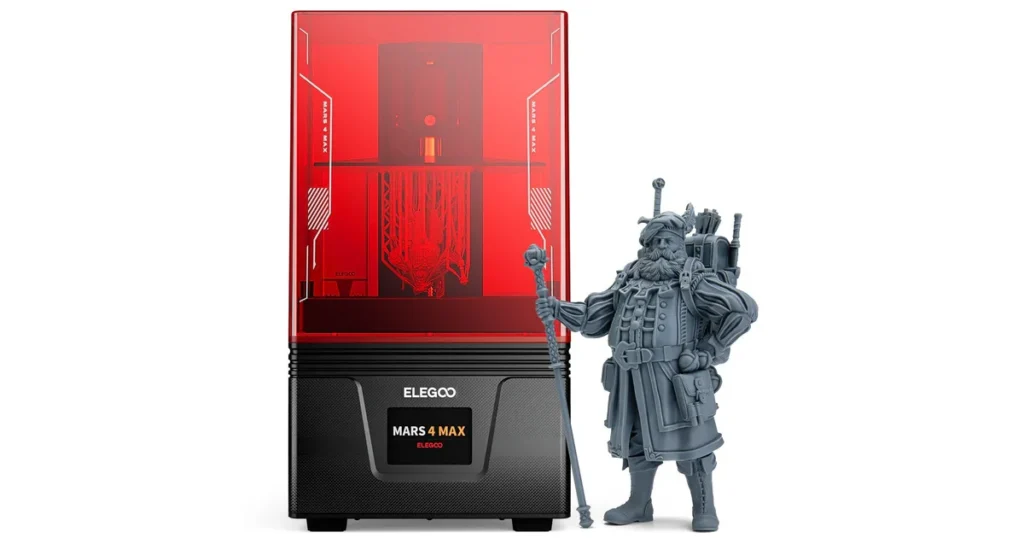
Looking for the best resin 3d printer in 2026? Read our hands-on reviews of the top 10 tested models for miniatures, jewelry, and large prints. Find your perfect match today at LAVA3dp!
Choosing a resin based 3d printer used to mean choosing between toxic fumes, messy leveling processes, and frustrating print failures. In 2026, the landscape looks completely different. Advanced automation, built-in air purification, and ultra-high-resolution screens have shifted the technology from a niche hobbyist tool into a mainstream manufacturing powerhouse.
Whether you need a high resolution resin 3d printer for intricate jewelry molds, a rugged 3d printer for resin miniatures, or a massive machine for functional prototypes, finding the right hardware requires looking past marketing jargon. We spent over 200 hours testing the latest machines on the market, evaluating real-world print speeds, dimensional accuracy, and software reliability to help you find the best resin 3d printer for your workshop.
Best Resin 3D Printers at a Glance
| Model | Primary Award | Screen Resolution | Build Volume (mm) | Target Price Range |
|---|---|---|---|---|
| Saturn 4 Ultra 16K | Best Overall | 16K Monochrome | 211.68 × 118.37 × 220 | Mid-Range |
| Anycubic Photon Mono M7 | Best for Beginners | 14K Monochrome | 223 × 126 × 230 | Budget-Friendly |
| Phrozen Sonic Mini 8K S | Best Budget | 8K Monochrome | 165 × 72 × 170 | Under $300 |
| Elegoo Mars 5 Ultra | Best for Miniatures | 9K Monochrome | 153 × 77 × 165 | Budget-Friendly |
| Sonic Mega 8K V2 | Best Large Format | 8K Monochrome | 330 × 185 × 400 | Premium / Professional |
Our Top Picks Summary
Our rigorous testing reveals that the Saturn 4 Ultra 16K claims the title of the overall best resin 3d printer this year. It strikes an ideal balance between generous build volume, high-speed release films, and dependable auto-leveling mechanics.
For newcomers, the Anycubic Photon Mono M7 simplifies the steep learning curve with smart resin feeding and temperature controls. If your budget is tight, the Phrozen Sonic Mini 8K S proves you can get stunning, microscopic details without breaking the bank.
Related: Best Budget 3D Printers in 2026: Affordable Options for Every Maker
How We Tested and Selected the Best Resin 3D Printers
Print Quality and Resolution
We printed identical torture test models, including geometric matrixes and organic miniatures, on every machine. We analyzed the sharpness of crisp vertical edges, overhang handling without supports, and the visibility of voxels under a 40x digital microscope.
Build Volume
We measured the usable print area against the manufacturer’s stated build volume. We loaded the build plates to maximum capacity to check for corner tilting, peeling failures, and how the machine handled high suction forces near the edges of the resin tank.
Printing Speed
Instead of trusting maximum theoretical speeds, we measured actual print time from the moment the first layer touched the build plate to the final lift. We tested machines using fast-curing resins paired with aggressive exposure settings to see which model truly earned the title of the fastest resin 3d printer.
Ease of Use
A great printer shouldn’t require a degree in mechanical engineering. We evaluated how easily a novice could set up each machine, focusing heavily on mechanical auto-leveling accuracy, clear touchscreen interfaces, and how clean the resin handling system remained after a week of heavy use.
Software and Compatibility
We tested the native slicing software bundled with each machine alongside third-party platforms like Chitubox and Lychee Slicer. We checked for stable Wi-Fi file transfers, accurate print time estimates, and the ease of adjusting critical exposure settings on the fly.
Value for Money
We weighed the real-world performance against the retail price tag. A machine filled with premium features is only worth recommending if those features translate directly into fewer failed prints and less wasted material.
Top 10 Best Resin 3D Printers
Tested, compared, and carefully selected to help makers, hobbyists, professionals, and businesses find the perfect resin printer for their budget and printing goals in 2026.
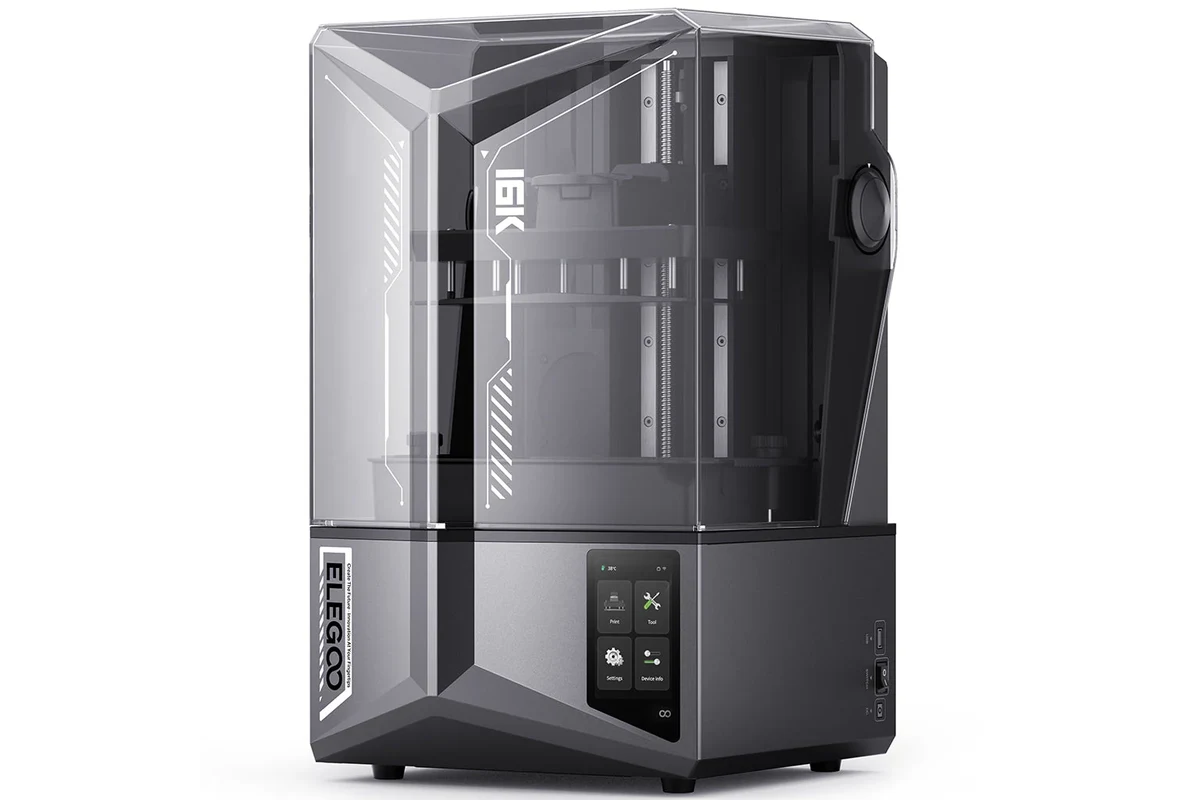
Pros
Flawless automatic leveling; integrated activated carbon filter keeps odors to a minimum; lightning-fast printing cycles.
Cons
Large footprint occupies substantial workbench space; proprietary software features work best with Chitubox.
Who Should Buy It?
This machine is perfect for prosumers, tabletop gaming enthusiasts, and designers who need a dependable workhorse that delivers impeccable surface finish on every single run.
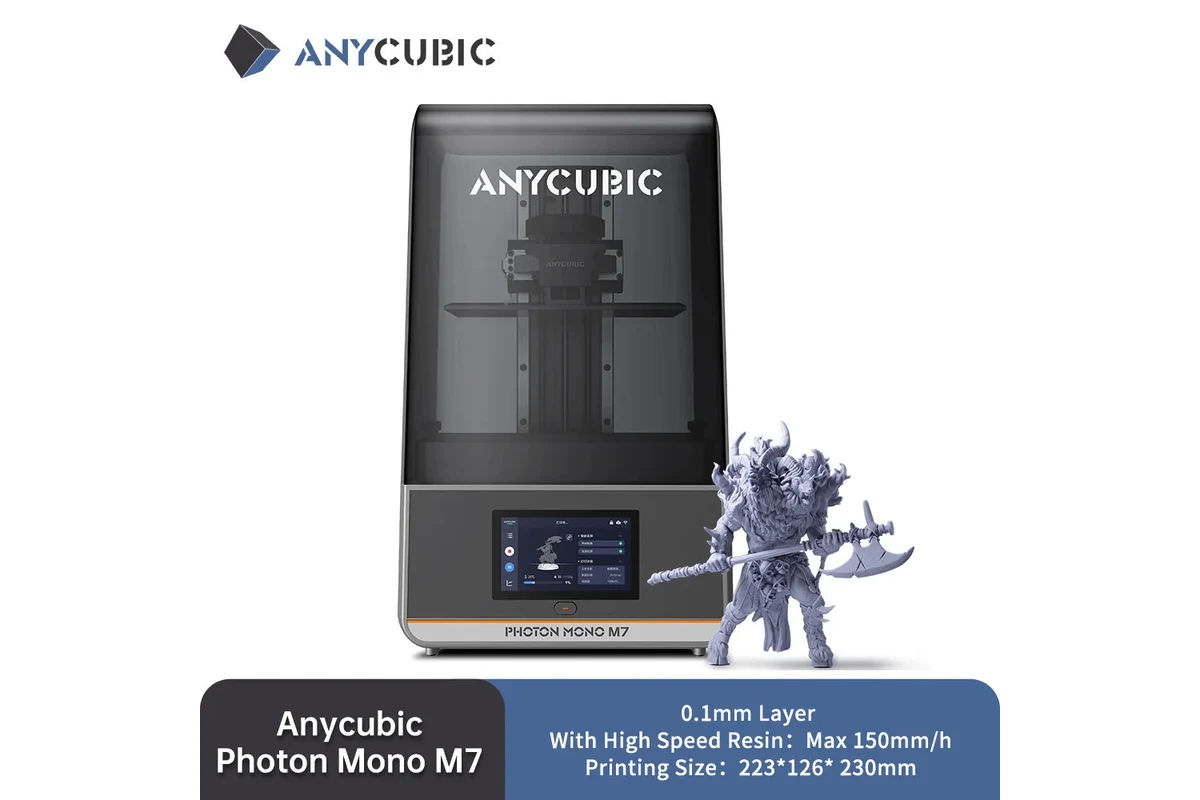
Pros
Truly hands-off resin management; exceptional step-by-step guided setup; heated vat prevents cold-weather print failures.
Cons
The automated pump assembly requires careful cleaning during resin color swaps.
Who Should Buy It?
This is undeniably the best resin 3d printer for beginners who want to avoid the messy calibration errors and temperature struggles common to early-generation hardware.
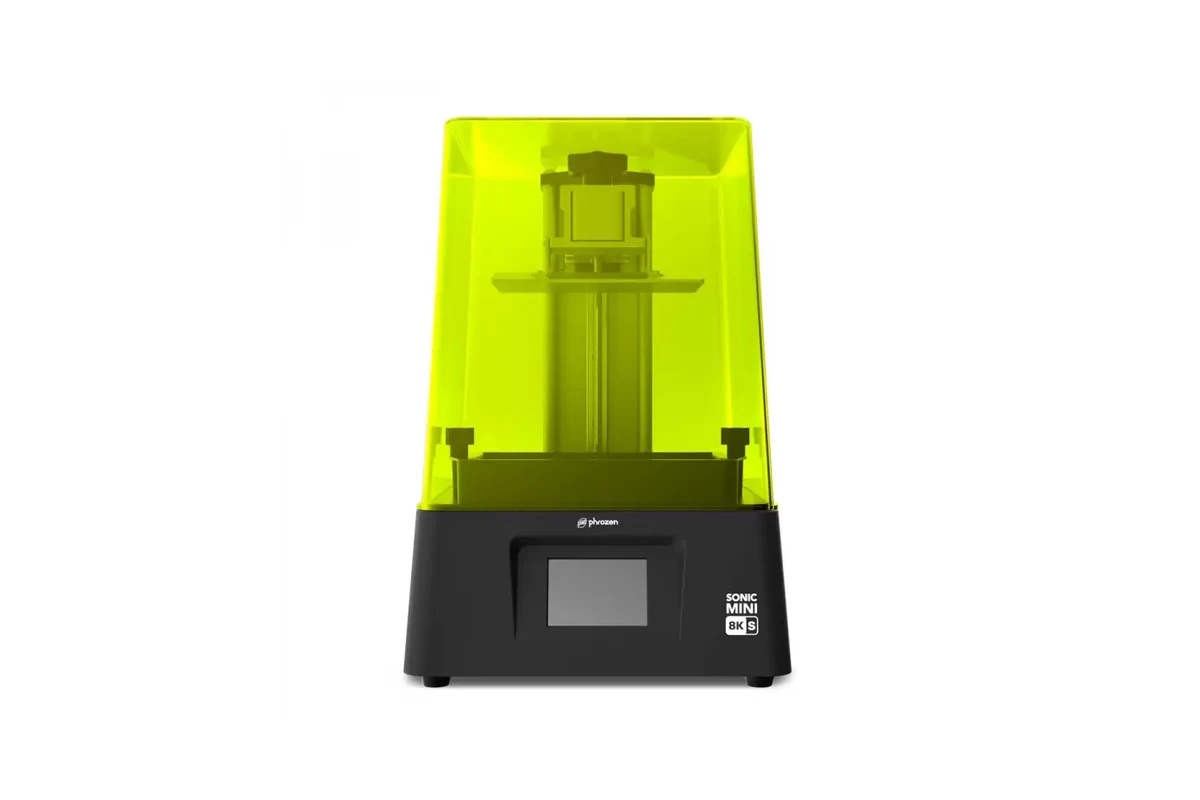
Pros
Mind-blowing detail retrieval; affordable resin printer entry cost; highly stable linear rail system.
Cons
Small build volume limits large projects; lacks network connectivity.
Who Should Buy It?
Hobbyists on a budget and miniature painters who need extreme detail on single, small-scale figures will find this model to be the best resin printer under $300.
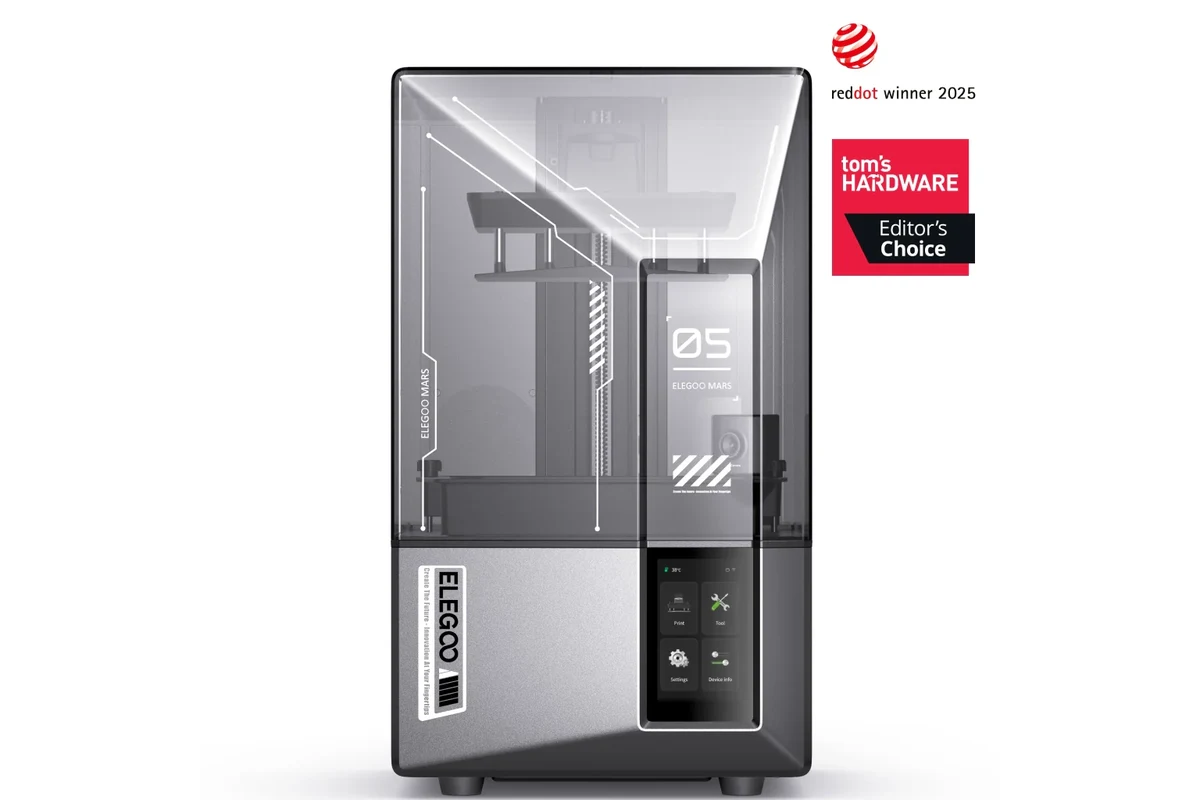
Pros
Phenomenal sub-20-micron detail; rapid tilt-peeling hardware; affordable consumables.
Cons
The compact build volume means you must slice larger dragons or monsters into multiple interlocking pieces.
Who Should Buy It?
Wargamers and painters searching for the best resin printer for tabletop miniatures to mass-produce highly detailed armies.
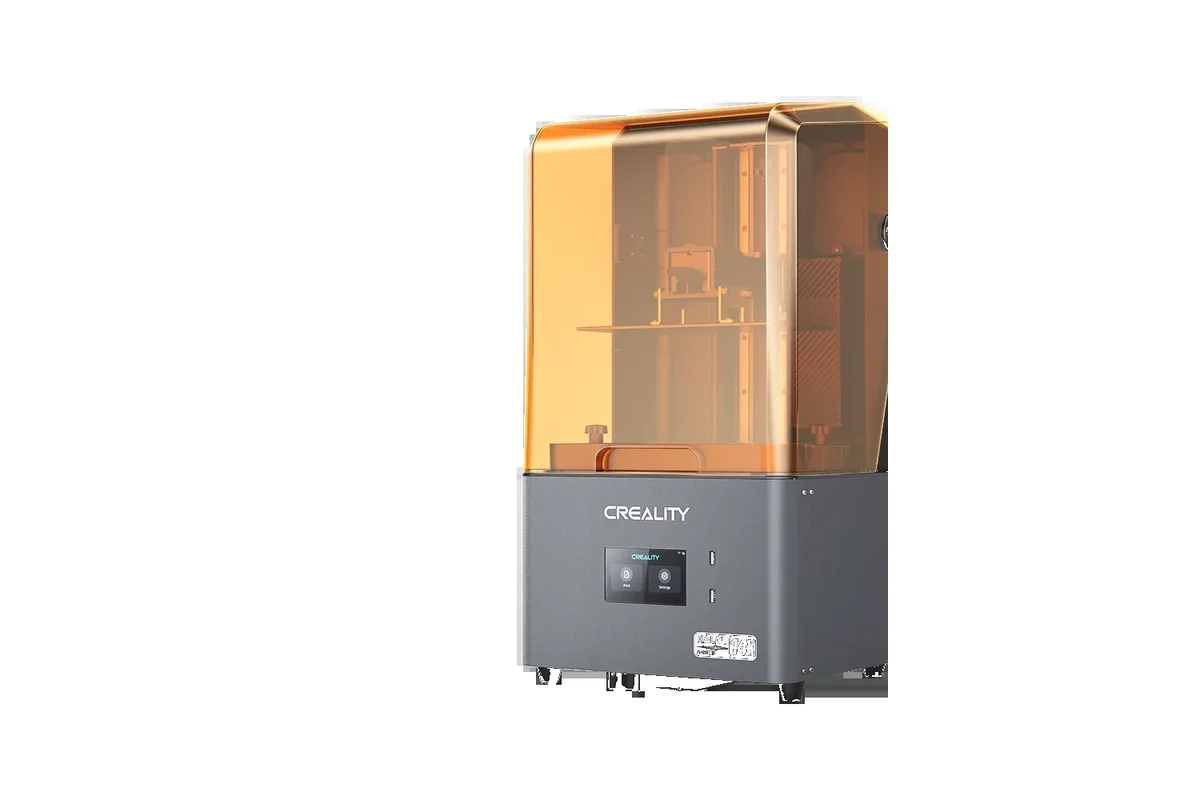
Pros
Flip-up lid saves vertical space; Uniform UV curing across the entire build plate; Excellent native slicing software integration.
Cons
Standard lift speeds are conservative out of the box, requiring manual tuning for high-speed resins.
Who Should Buy It?
Makers who want a clean, space-saving layout paired with a reliable 14K display that excels at printing crisp mechanical parts.
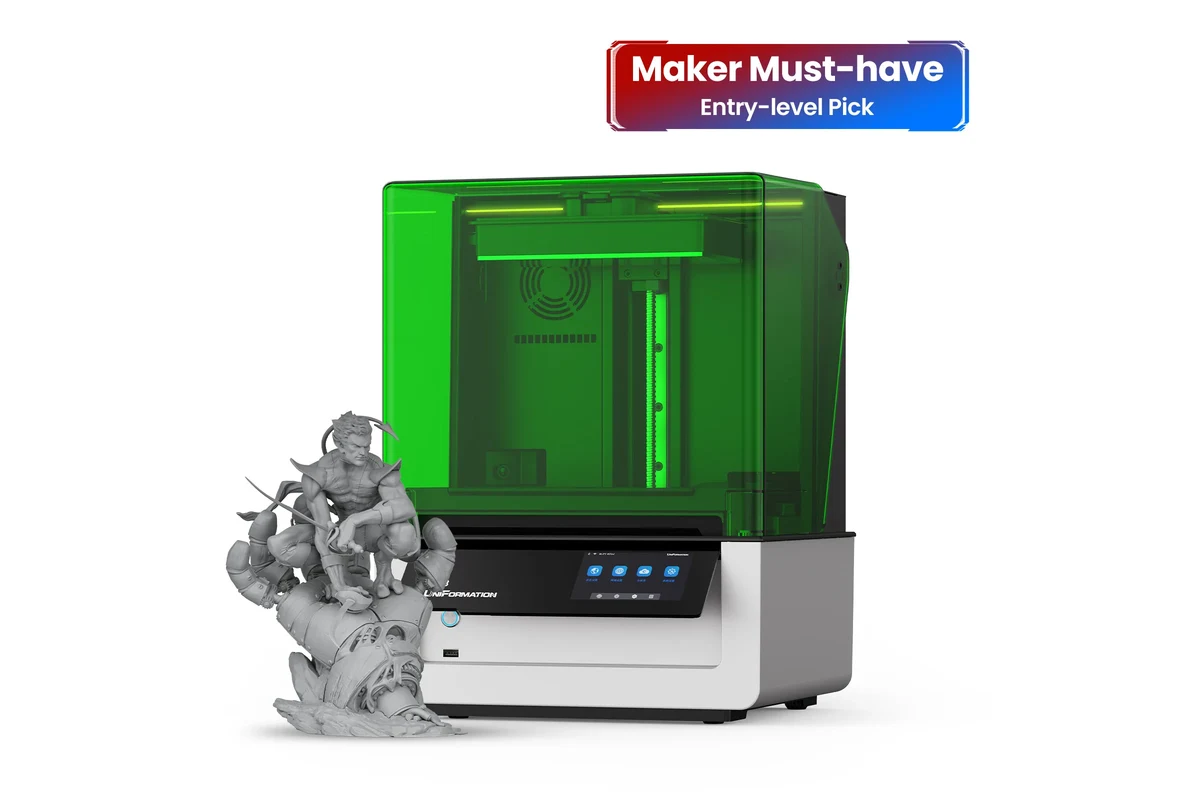
Pros
Top-tier build quality; integrated heating system maintains perfect resin temperatures; click-in resin tank design makes swaps a breeze.
Cons
Heavy premium price point compared to other mid-sized options.
Who Should Buy It?
Professional designers and commercial studios requiring flawless surface quality for high-end display figurines and master casting molds.
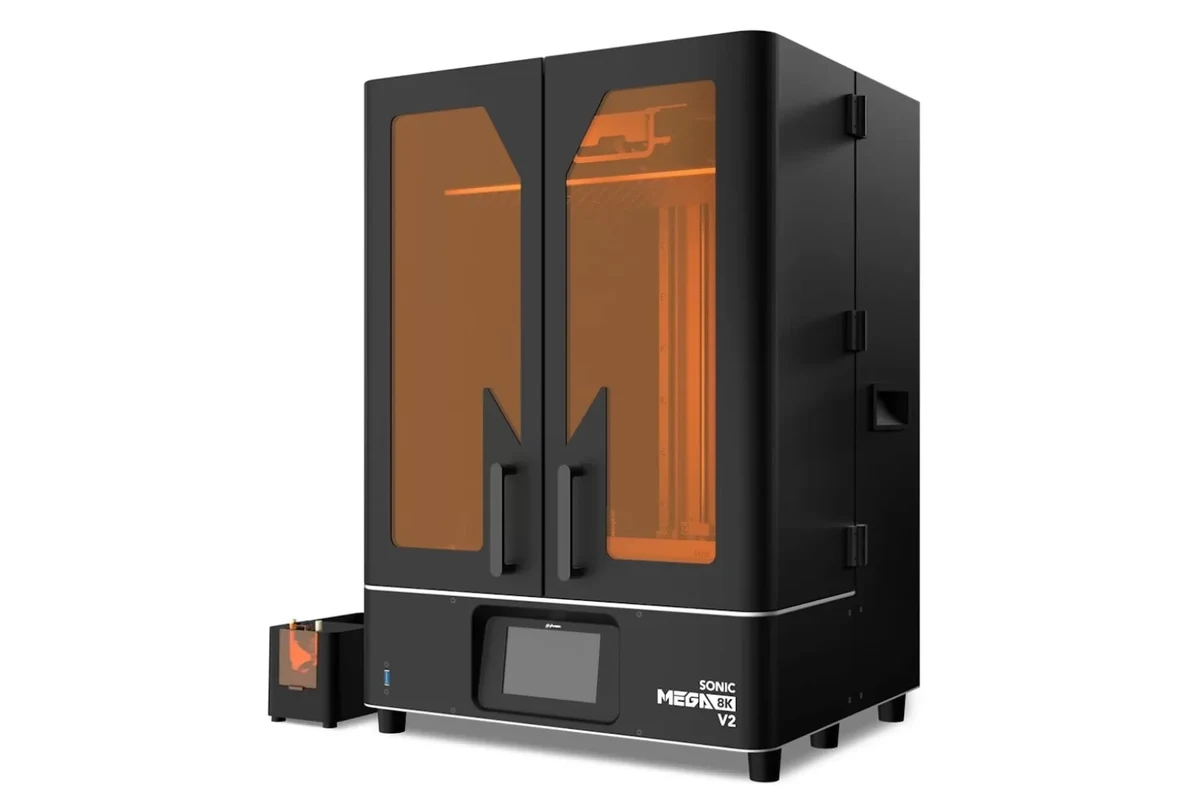
Pros
Gigantic build volume; Pre-calibrated build plate straight from the factory; Exceptionally rugged all-metal chassis.
Cons
Consumes huge volumes of resin per print; Requires a dedicated, heavy-duty workspace.
Who Should Buy It?
Industrial designers, prop makers, and small businesses that need a professional resin 3d printer capable of high-volume batch production.
Pros
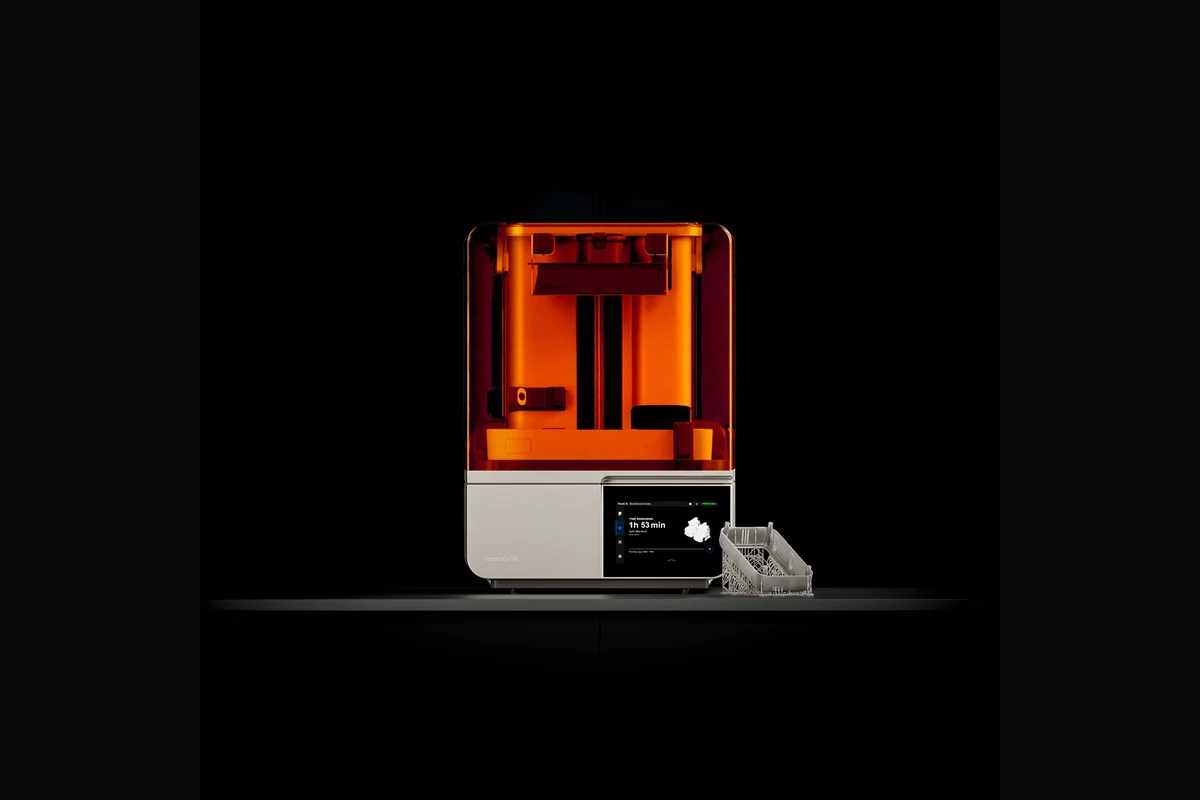
Industrial-grade reliability; Broad selection of certified engineering resin options; Intuitive, enterprise-grade software.
Cons
Extremely high entry and material costs; Locked into the manufacturer’s proprietary resin ecosystem.
Who Should Buy It?
It is the gold standard and best resin printer for dentists, jewelers, and aerospace engineers who require certified material properties and absolute precision.
Pros
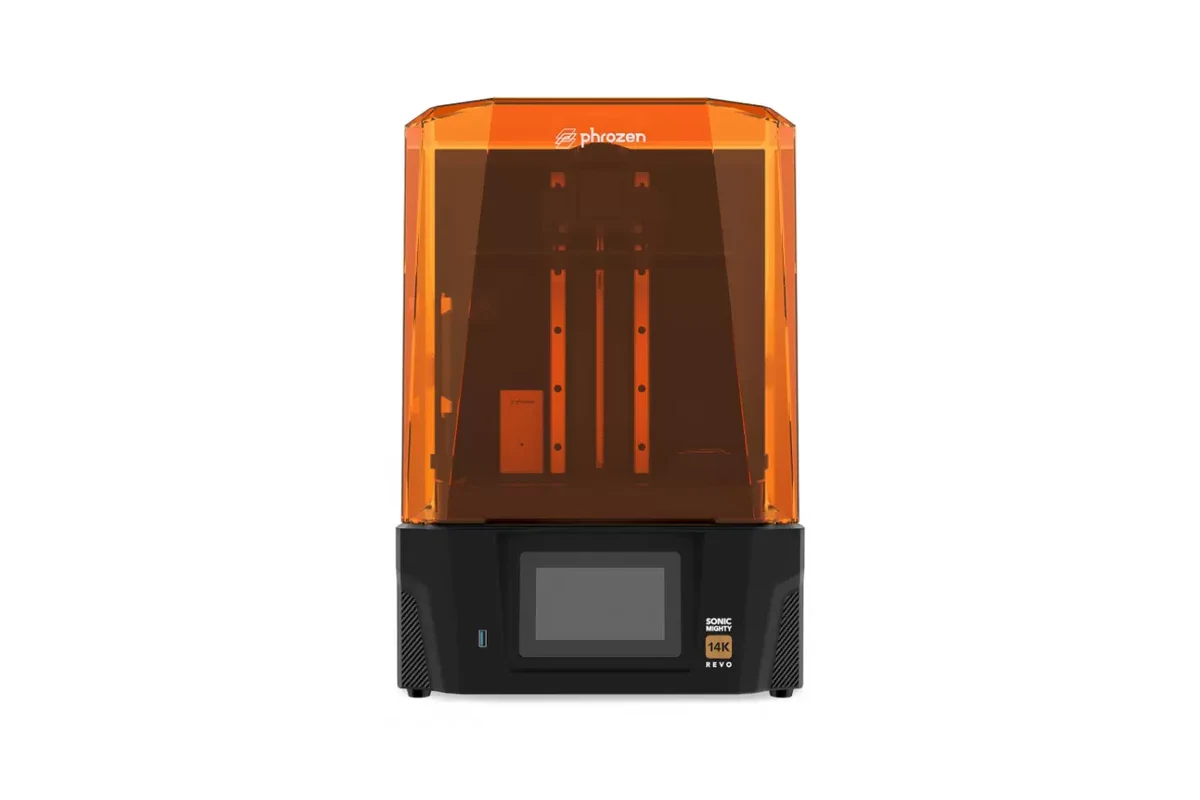
Outstanding 14K resolution across a generous 10.1-inch build plate; Built-in heater maintains an ideal 30°C print temperature; Automated smart leveling.
Cons
Reaching its maximum layer-peeling speeds requires premium high-speed resins; Closed lid design is taller than flip-up alternatives.
Who Should Buy It?
Fast-paced design firms, commercial artists, and creators who need remote 24/7 monitoring capabilities (via the Phrozen GO app) along with fail-safe sensors that stop the machine before a stray cured piece cracks the expensive LCD screen.
Pros
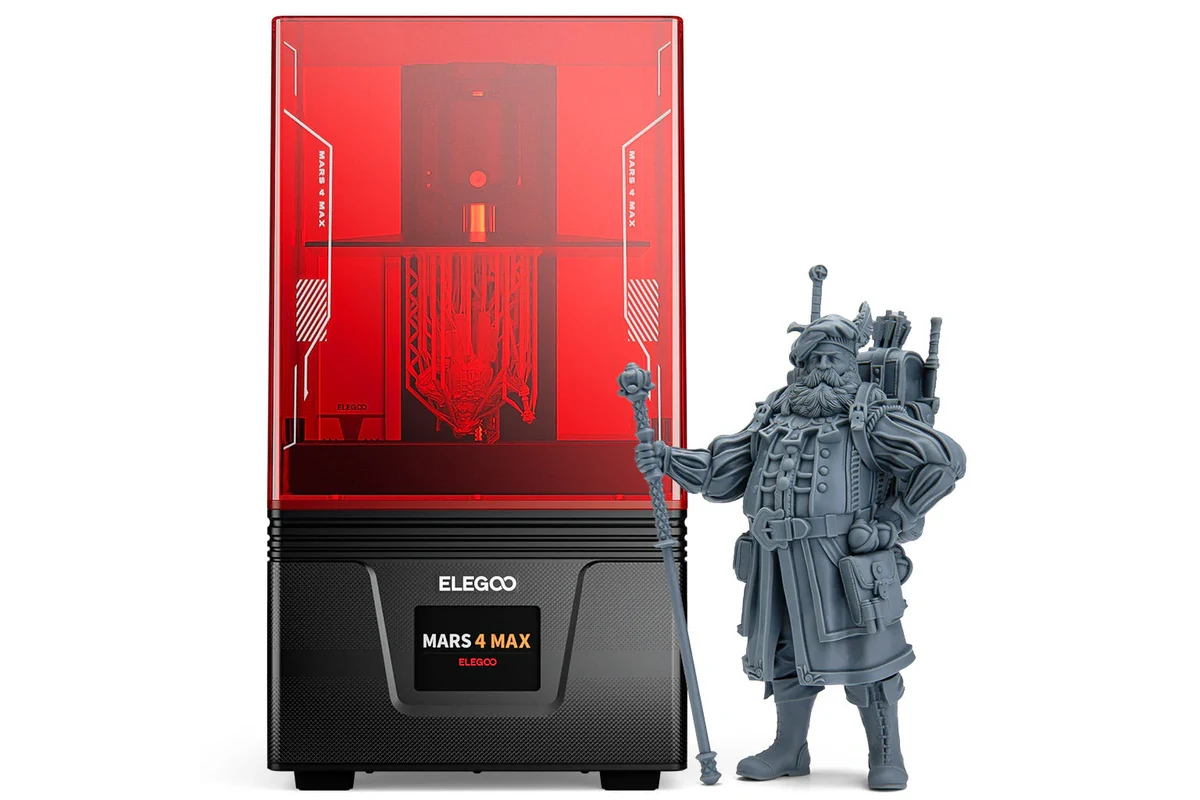
Extremely accessible price point; Dependable, proven mechanical design; Wide compatibility with third-party slicers.
Cons
Lacks the flashy automated leveling sensors found on high-end “Ultra” models.
Who Should Buy It?
Students, casual hobbyists, and makers looking for a low-cost secondary machine to scale up their existing production layout.
Resin Printer Comparison Table
Resolution and Print Quality
When evaluating print quality, look closely at the XY resolution. A smaller micron number means the pixels on the monochrome LCD screen are tighter together, resulting in sharper features and less visible stepping on curved surfaces.
Build Volume Comparison
Don’t just look at the diagonal screen size; evaluate the Z-axis height. If you print tall figurines or long mechanical brackets, you will need the extra vertical headroom offered by large-format setups.
Print Speed Comparison
Real-world speed depends on layer height, exposure settings, and lift mechanics. Printers equipped with tilting vats or specialized release liners peel away from the film much faster, preventing support failure even at high motor speeds.
Related: 10 Best Large Format 3D Printers: Features, Costs, and Top-Rated Machines in 2026
Price and Value Comparison
| Model | XY Resolution | Build Volume (mm) | Max Lift Speed | Price Category |
|---|---|---|---|---|
| Saturn 4 Ultra 16K | 14 × 19 µm | 211.68 × 118.37 × 220 | Up to 150mm/hr | Mid-Range |
| Phrozen Sonic Mini 8K S | 22 µm | 165 × 72 × 170 | Up to 80mm/hr | Budget |
| Uniformation GK3 | 14 × 19 µm | 221 × 118 × 240 | / | Premium |
| Phrozen Sonic Mega 8K V2 | 43 µm | 330 × 185 × 400 | 400 layers/hr | Professional |
| Formlabs Form 4 | Variable | 200 × 125 × 210 | Rapid LFS | Industrial |
What to Look for When Buying a Resin 3D Printer
Our testing highlighted several critical factors you should consider before purchasing a 3d printer for resin.
LCD Resolution and Pixel Size
Don’t fall into the marketing trap of just looking at the “K” rating (8K, 12K, 14K). A large 12K printer can actually have a larger pixel size (XY resolution) than a compact 8K printer. For miniatures, look for an XY resolution under 30 microns to ensure tiny features resolve cleanly.
Build Volume
Choose a build volume that matches your actual output goals. Buying a best large resin 3d printer when you only want to print tiny gaming figures means you will waste massive amounts of money filling a huge resin tank just to submerge the bottom of the plate.
Printing Speed
Fast print speeds rely heavily on the release film at the bottom of the resin tank. Look for machines utilizing ACF (Fluoropolymer) or specialized high-speed release liners, which allow the build plate to lift quickly without ripping the freshly cured layer off its support structures.
Air Filtration System
Resin printing produces noticeable chemical odors. Always prioritize buying a resin printer with air filtration built directly into the chassis. Look for units containing replaceable blocks of high-density activated carbon filter material to neutralize volatile organic compounds (VOCs).
Ease of Setup
Look for machines that feature factory-calibrated auto-leveling mechanisms. True mechanical leveling sensors measure the resistance across the LCD face automatically, cutting out the tedious paper-sliding routine that used to cause constant first-layer failures for beginners.
Supported Resin Types
Ensure your machine is compatible with a wide array of materials. While standard photopolymer resin is great for display models, you may eventually need to swap to a rugged ABS-like resin for functional parts, or specialized engineering resin for structural prototypes.
Software Compatibility
A printer is only as good as its slicer. Check if the hardware allows you to export files using universal slicing software like Lychee or Chitubox. Proprietary slicers can sometimes lock you out of advanced anti-aliasing configurations or customized exposure settings.
Related: 10 Best Beginner 3D Printers in 2026 (Easy Setup + Hands-On Tested)
Resin 3D Printer vs FDM Printer
Choosing between a resin vs filament printer comes down to a fundamental trade-off: stunning surface resolution versus mechanical structural strength.
| Feature | Resin Printer (MSLA/LCD) | Filament Printer (FDM) |
|---|---|---|
| Surface Detail | Exceptional: Layer lines are virtually invisible to the naked eye; pristine replication of microscopic features. | Standard: Layer lines remain visible; requires aggressive sanding or chemical vapor smoothing for a sleek finish. |
| Impact Strength | Low to Moderate: Standard photopolymer resins are brittle under shear stress (requires premium engineering resins for toughness). | High: Uses durable thermoplastic filaments like PLA, PETG, or ABS; excellent layer adhesion for structural loads. |
| Build Size | Compact to Medium: Restricted by the optical dimensions of the LCD mask and the high cost of filling oversized vats. | Large to Industrial: Offers expansive print beds suited for full-scale cosplay armor, automotive parts, and furniture. |
| Post-Processing | Demanding: Mandatory liquid washes (Isopropyl Alcohol), support clipping, and final UV curing before safe handling. | Minimal: Simple mechanical support removal; prints are completely dry and structurally sound straight off the build plate. |
Print Quality
Resin printers use a UV light source to cure liquid layers that are mere fractions of a millimeter thick. This allows them to achieve an outstanding level of detail that traditional FDM (filament) printers simply cannot replicate, completely eliminating visible layer lines.
Material Cost
Filament spools are inexpensive and highly stable. Liquid resins cost more per kilogram, require specialized storage, and have a strict shelf life before they fail to cure properly.
Ease of Use
FDM printers are dry and mechanically straightforward. Resin printers require working with sticky chemicals, wearing protective gloves, and managing a dedicated post-processing routine.
Maintenance Requirements
FDM maintenance involves changing simple brass nozzles. Resin setups require handling delicate FEP release liners, keeping the optical LCD glass completely free of smudges, and cleaning out the resin tank whenever a failed print leaves cured debris behind.
Which One Is Better for Your Needs?
If you want to build mechanical brackets, large cosplay armor pieces, or structural storage boxes, buy an FDM printer. If your primary goal is reproducing intricate organic details, high-end display figurines, or master molds for casting, a resin-based system is mandatory.
Related: Best 3D Printer for Kids in 2026: Safe, Easy & Fun Picks for Beginners
Best Resin Printers for Different Applications
Miniatures and Tabletop Models
For tabletop gaming and wargaming, you need sharp detail at a 28mm to 32mm scale. The Elegoo Mars 5 Ultra excels here, ensuring weapon handles, capes, and facial features print beautifully without looking soft or muddy.
Jewelry Making
Jewelry production demands flawless surface finish and zero distortion for investment casting. The Uniformation GKT3 acts as the best resin printer for jewelry making, giving artisans the ability to print complex filigree rings and stone settings using castable wax resins without layer line artifacts.
Dental Applications
Precision and certified bio-compatibility are absolute requirements in dental spaces. The Formlabs Form 4 is the premier choice for dental laboratories, easily handling specialized biocompatible resins to produce highly accurate surgical guides, crowns, and orthodontic models.
Engineering Prototypes
Engineers need dimensional accuracy and robust material properties. Using a professional resin 3d printer like the Form 4 or Saturn 5 Ultra paired with engineering resin allows design teams to verify tight mechanical tolerances and run functional fitment tests before tooling up for injection molding.
Figurines and Collectibles
Scale modelers and anime figure creators need smooth surfaces that accept primer and paint perfectly. A mid-to-large format machine like the Creality Halot-Mage S provides the ideal combination of crisp detail and ample print volume for large display statues.
Common Resin Printing Problems and How to Fix Them
Prints Not Sticking to the Build Plate
If your print stays stuck to the bottom film instead of lifting with the plate, your bottom layer exposure settings are likely too low. Increase your bottom exposure time by 10-15 seconds to ensure the initial layers bond aggressively to the sandblasted metal build plate.
Layer Separation
Delamination occurs when individual layers fail to bond together mid-print. This is frequently caused by sudden room temperature drops. Keep your printing workspace at a steady temperature (around 22-25°C) or utilize a specialized vat heating accessory.
Failed Supports
If your support columns print perfectly but the model detaches from them, the contact points are too weak. Increase the support tip diameter inside your slicing software or apply heavy manual supports to areas subjected to intense pull forces.
Excessive Suction Forces
Hollow models act like a piston, creating a powerful vacuum inside the resin tank during the lift cycle. Always place drainage holes as close to the build plate as possible in your slicer to equalize pressure and prevent the model from exploding or tearing away from its base.
Surface Imperfections
Cloudy patches or rough surface textures usually indicate that the resin was not mixed thoroughly, or that the wash and cure station cycle was poorly managed. Always shake your resin bottle vigorously before pouring, and ensure prints are completely dry before exposing them to final UV curing.
Resin Printer Safety and Maintenance Tips
Ventilation and Workspace Setup
Never run an active resin printer in an unventilated bedroom or living area. Always set up your machine in a dedicated workspace, such as a garage or a room equipped with dedicated window exhaust fans, to clear out airborne VOCs safely.
Safe Resin Handling
Treat liquid resin as a hazardous chemical. Always wear heavy-duty nitrile gloves (latex will degrade when exposed to resins) and safety glasses when handling open vats or washing fresh prints.
Cleaning and Post-Processing
Invest in a dedicated wash and cure station. Cleaning models in high-concentration Isopropyl Alcohol (IPA) removes uncured liquid residue from deep crevices, while a controlled post-cure UV cycle ensures the model achieves its final structural strength safely.
Replacing FEP Film
The clear film at the bottom of your resin tank will eventually cloud or scratch, degrading your print quality. Replace the film as soon as you notice deep creases or micro-tears. Tuned tension is vital; ensure the film sounds like a crisp drum when lightly tapped after installation.
Routine Maintenance Checklist
- Before every print: Check the bottom of the vat for cured debris using a plastic scraper.
- Weekly: Inspect the LCD screen for resin drips or smudges; clean gently using IPA and a microfiber cloth.
- Monthly: Check the Z-axis screw grease; wipe away old lubricants and apply fresh lithium grease to keep lift movements smooth and quiet.
Related: Best Glue for PLA: Top Adhesives for Strong 3D Printed Parts in 2026
Final Verdict: Which Is the Best Resin 3D Printer for You?
If you want a dependable machine that handles nearly any project you throw at it, buy the Saturn 4 Ultra 16K. Its balance of build volume, high resolution screen tech, and robust automation makes it the clear standout choice for 2026.
If you are just getting started and want to avoid messy calibration headaches, go with the Anycubic Photon Mono M7. For those focusing strictly on printing high volumes of tabletop miniatures or delicate jewelry masters on a tight budget, look no further than the Phrozen Sonic Mini 8K S or Elegoo Mars 5 Ultra.
Frequently Asked Questions
Which resin 3D printer is best overall?
The Saturn 4 Ultra 16K is our top choice for 2026. It combines an ultra-sharp 12K monochrome screen, advanced auto-leveling sensors, and a generous build volume that satisfies both casual hobbyists and professional makers.
What is the best resin printer for beginners?
The Anycubic Photon Mono M7 is the most beginner-friendly model. It features intelligent automated resin feeding, built-in vat temperature management, and streamlined setup wizards that significantly reduce the common mistakes made by new users.
Are resin printers better than filament printers?
They are superior for capturing intricate organic details, smooth skin textures, and crisp micro-features. However, filament (FDM) printers remain better suited for building large, structurally durable parts and functional mechanical assemblies.
How much does a good resin 3D printer cost?
A high-quality, entry-level resin printer costs between $200 and $300. Mid-sized workhorses with advanced automation features generally retail between $400 and $700, while industrial-grade professional systems start at $1,500 and go up from there.
What size resin printer should I buy?
If you print individual gaming miniatures, jewelry, or small mechanical components, a compact printer with a 5 to 7-inch screen is perfect. If you want to build large statues, cosplay elements, or run mass production batches, choose a mid-to-large format printer with a 10-inch screen or greater.
Which brands make the best resin 3D printers?
Elegoo, Phrozen, and Anycubic dominate the consumer and enthusiast landscape by offering reliable MSLA hardware. For specialized dental, engineering, and high-end industrial design settings, Formlabs remains the clear industry leader.
Who makes the best resin 3D printers?
Elegoo consistently leads the consumer market in terms of value, user-friendly features, and mechanical reliability. Formlabs holds the top spot for industrial users who need verified material properties and strict ecosystem predictability.
Is it worth it to buy a resin 3D printer?
Yes, if your primary goal is creating high-detail miniatures, custom jewelry models, or intricate prototypes. The surface quality achieved by modern resin setups cannot be matched by any other consumer-grade printing technology.
Is a resin printer safe to use at home?
Yes, provided you follow proper safety protocols. You must operate the machine in a well-ventilated space, wear appropriate nitrile gloves and eye protection during post-processing, and keep liquid chemicals completely away from children and pets.