

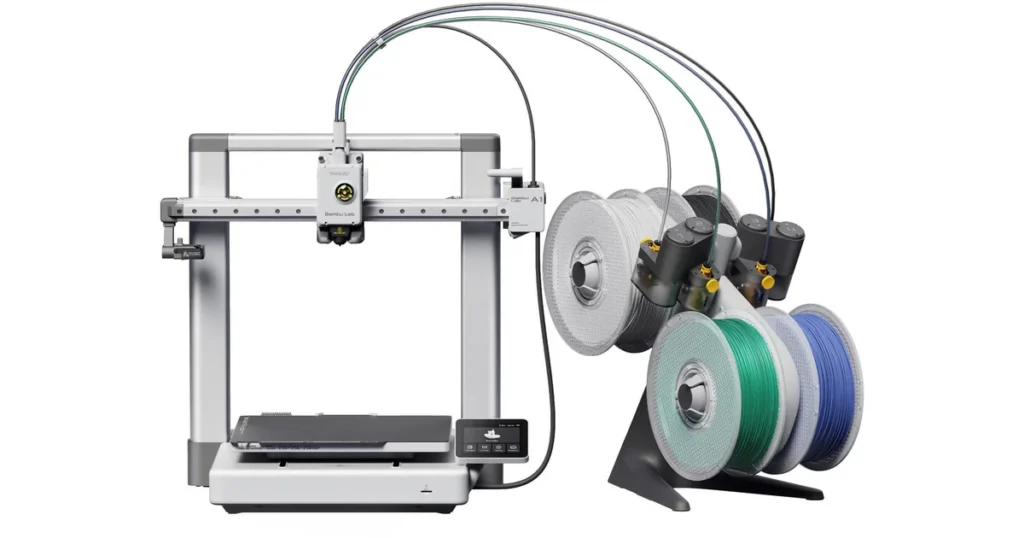
Looking for the best budget 3d printers in 2026? Read our hands-on review of affordable, high-quality, and easy-to-use machines to find your perfect match today at LAVA3dp!
Buying an affordable 3d printer used to mean signing up for a second hobby: troubleshooting. You would spend three hours leveling a bed, two hours clearing a clogged nozzle, and maybe get one decent print before the machine fell out of alignment.
Things are completely different now. In 2026, the technology has matured to a point where a cheap 3d printer can easily match the output quality of older $1,000 industrial machines. High-speed printing, automatic bed leveling, and modern Klipper firmware are no longer premium luxuries reserved for high-end models. They are standard baseline features.
Whether you want to print detailed miniatures, produce large-scale cosplay armor, or build a fleet of machines for a small business, you can get started without emptying your bank account. Let’s break down the finest entry-level, reliable budget 3d printer models on the market right now.
At a Glance: Our Favorite Budget 3D Printers
Best Overall
Best for Beginners
Best Under $200
Best Under $300
Best High-Speed Option
Best Value for Money
How We Picked the Best Budget 3D Printers
We didn’t just look at manufacturer spec sheets to build this guide. We have spent hundreds of hours unboxing, assembling, calibrating, and running these machines through brutal real-world testing environments.
Real-World Printing Performance
We test every low cost 3d printer using a standard battery of stress tests. This includes printing torturous overhangs, fine vertical text, dimensional accuracy blocks, and massive architectural files. If a machine cannot handle long, 24-hour continuous print jobs without failing, it does not make our list.
Ease of Setup and Everyday Use
A machine isn’t affordable if it steals dozens of hours of your time just to set up. We evaluate how long it takes to go from unboxing to your first successful print layer. We favor true best plug and play 3d printer designs that require minimal mechanical assembly and zero manual frame squaring.
Print Quality and Reliability
We inspect every model for common FDM artifacts like ghosting, layer lines, ringing, and Z-wobble. A high quality cheap 3d printer must deliver consistent, smooth surfaces across a wide variety of daily tasks.
Features That Matter Most
We look for high-value features that actively improve your daily workflow. This includes an advanced automatic leveling 3d printer system, a reliable direct drive extruder, PEI spring steel build plates, and built-in power-loss recovery systems.
Overall Value
We calculate the total cost of ownership. This includes evaluating the baseline purchase price, out-of-the-box performance, replacement parts availability, and long-term mechanical durability.
Related: 10 Best Large Format 3D Printers: Features, Costs, and Top-Rated Machines in 2026
The Best Budget 3D Printers You Can Buy Today
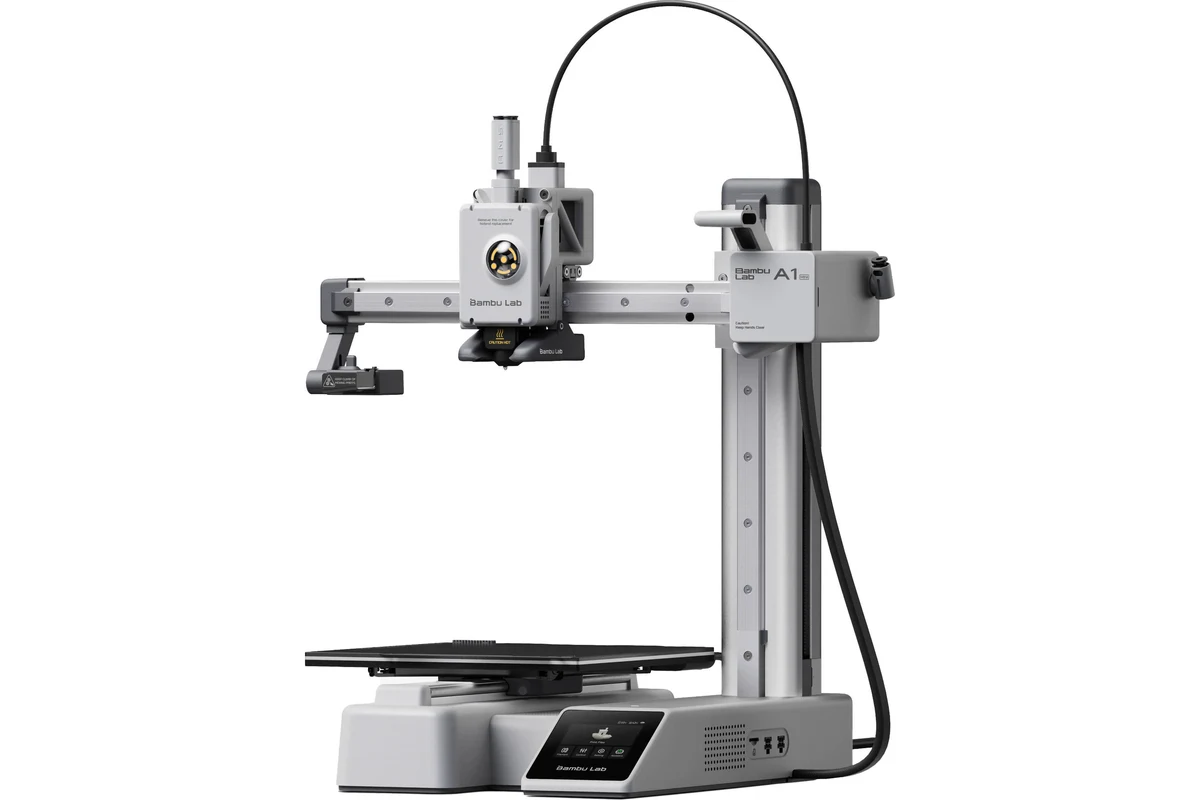
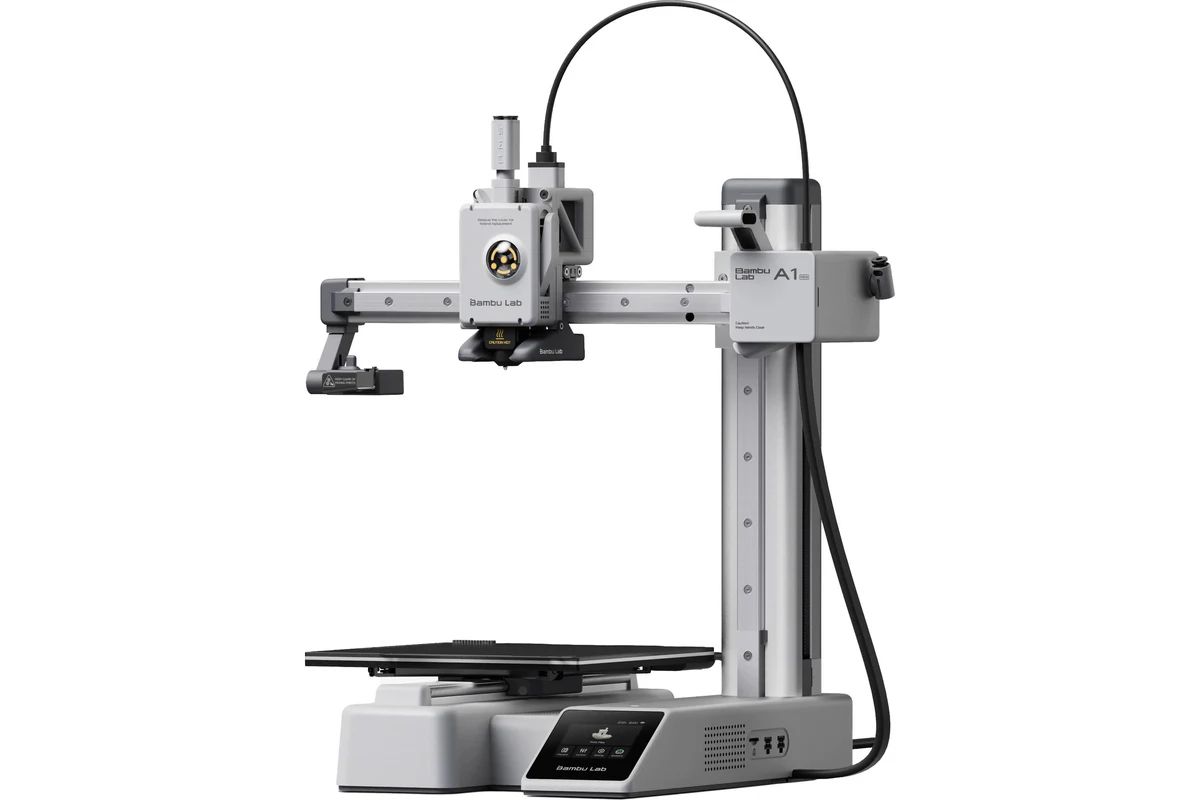
Bambu Lab A1 Mini — Best Overall
What We Like
The out-of-the-box experience is completely flawless. It features a fully automated calibration routine that measures bed leveling, Z-offset, and even filament vibration resonance before every single job. The print quality is unmatched in this price bracket.
What Could Be Better
The 180mm cube build volume can feel restrictive if you intend to print large helmet props or massive mechanical assemblies. The heated bed also struggles to comfortably reach temperatures high enough for advanced engineering plastics.
Printing Experience
Using the A1 Mini feels like using a standard paper printer. You load your model into the intuitive slicing software, hit send via Wi-Fi connectivity, and watch it work. The machine actively monitors its own belt tension and uses advanced algorithms to eliminate ghosting artifacts automatically.
Who Is It For?
This is the ultimate option for anyone who wants to focus on creating models rather than repairing the machine itself. It is widely considered the best budget 3D printer Bambu Lab offers for mainstream creators.
Bottom Line
If you can work within the smaller physical build volume constraints, this machine offers the most reliable, high-performance printing experience available for under $300.
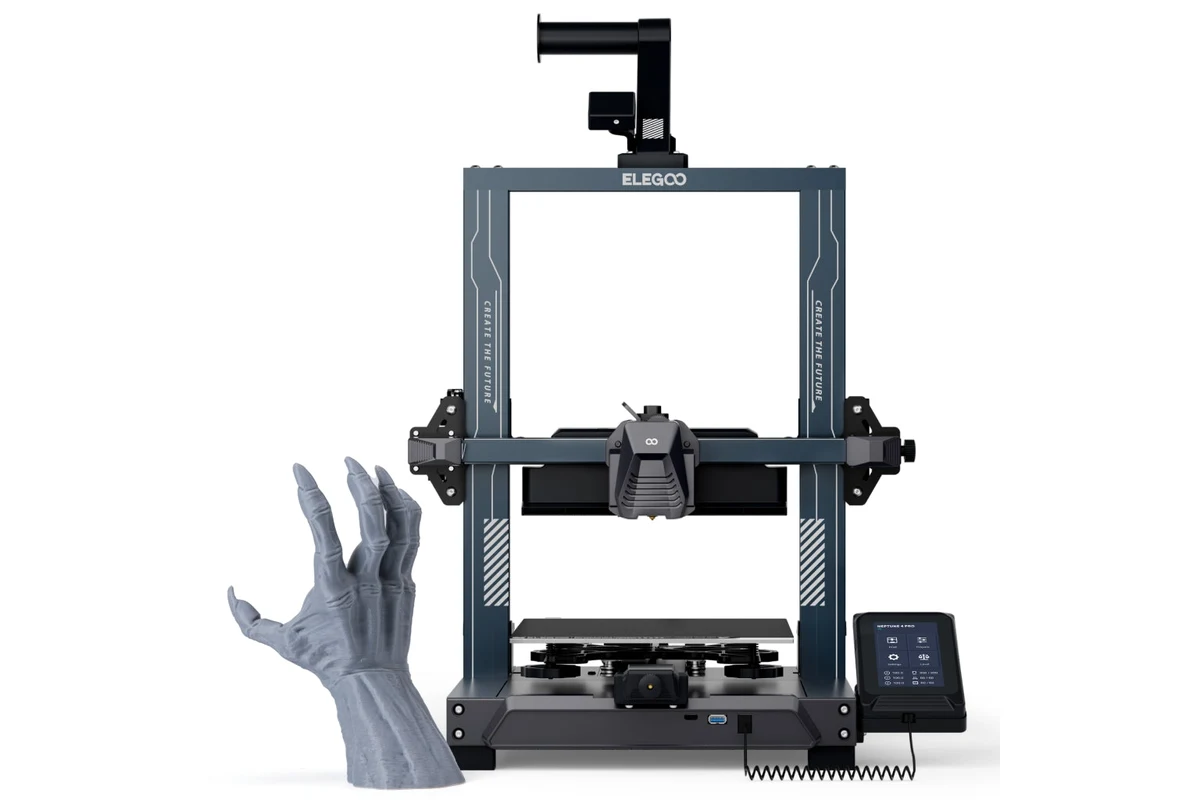
Elegoo Neptune 4 Pro — Best for Beginners
What We Like
The mechanical build quality is exceptionally solid. It utilizes durable metal linear guide rails on the X and Y axes, which ensures smooth movement and drastically reduces wear over time. The massive auxiliary cooling fan allows it to print extreme overhangs without warping.
What Could Be Better
The localized segmented heated bed saves energy but can occasionally cause minor adhesion issues at the outer edges of the build plate if you do not configure your slicer profiles correctly.
Printing Experience
The Neptune 4 Pro handles everyday printing tasks with absolute ease. Thanks to the Klipper integration, the touchscreen interface responds instantly, and you can monitor jobs easily over a local network connection. It runs incredibly quiet unless you turn the auxiliary cooling fans up to 100%.
Who Is It For?
It is the best starter 3d printer for hobbyists who want a traditional, full-sized build area but do not want to deal with manual calibration headaches.
Bottom Line
A heavy-duty, fast, and highly reliable machine that offers an accessible entry point into modern, high-speed Klipper printing workflows.
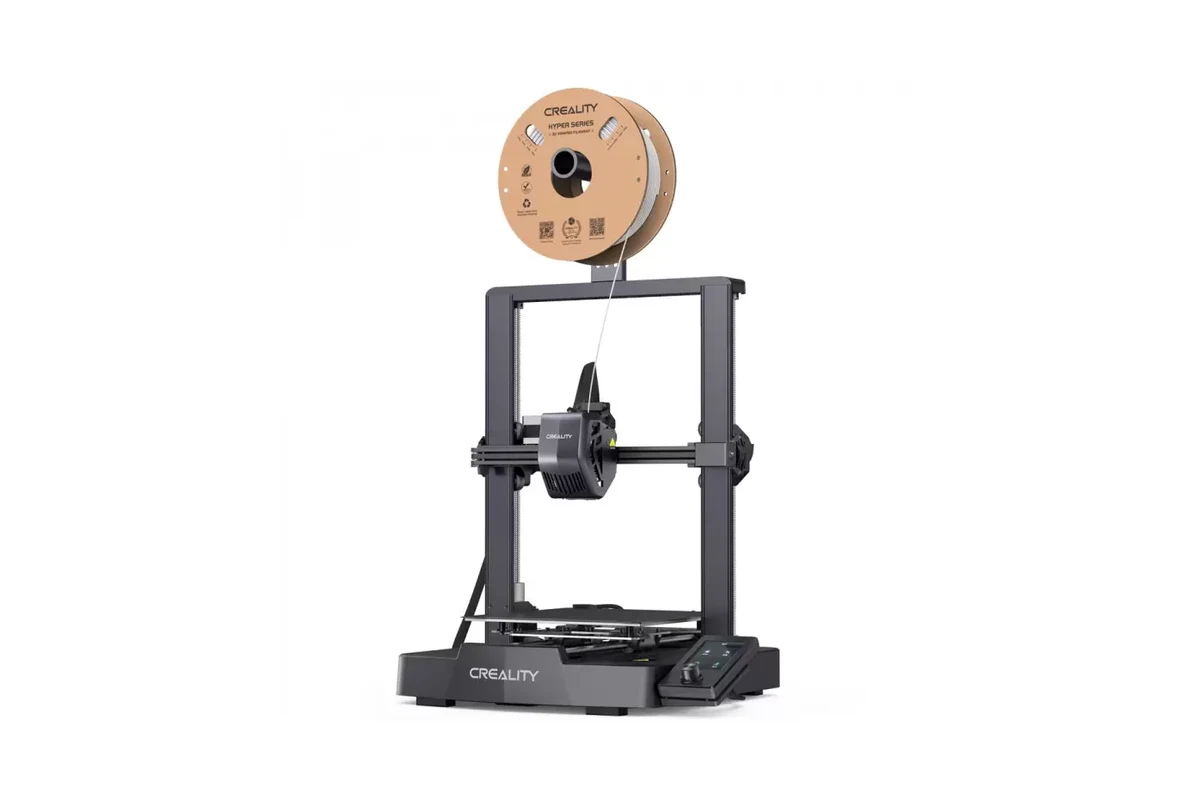
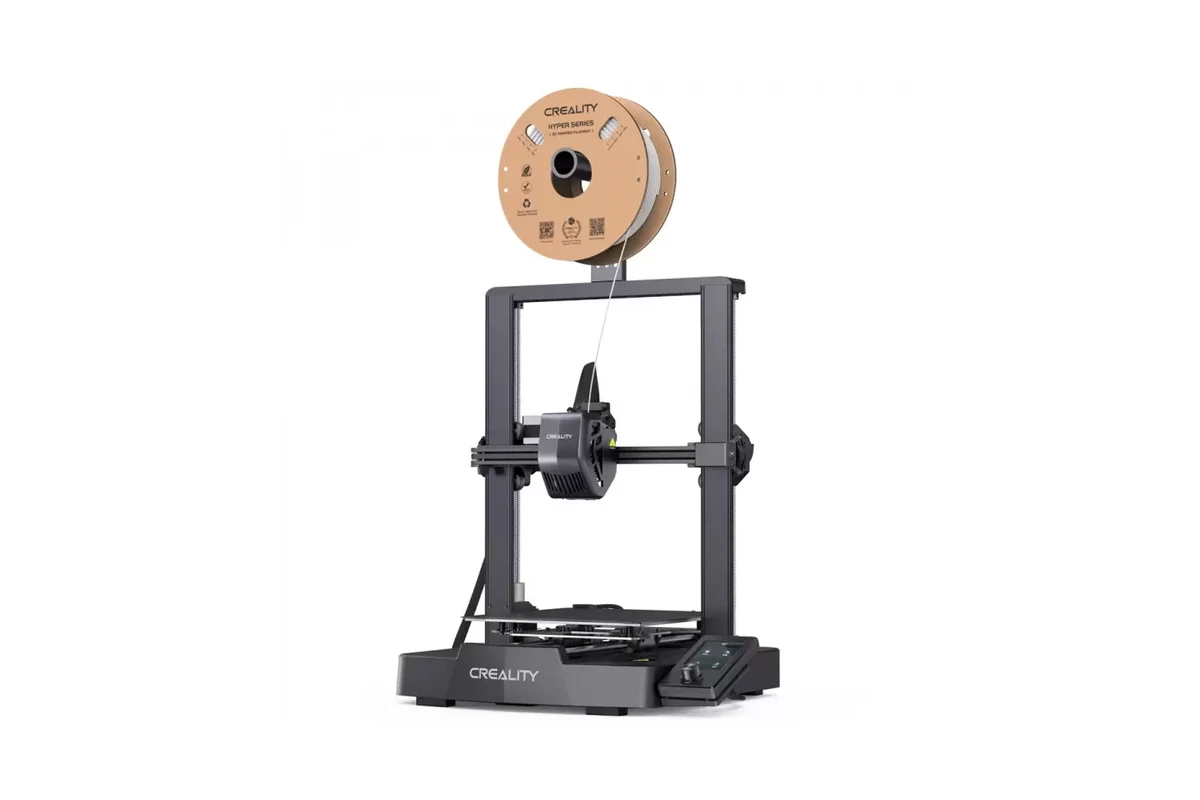
Creality Ender-3 V3 SE — Best Under $200
What We Like
It includes true automatic strain-gauge bed leveling and Z-offset calibration for less than $200. The dual Z-axis stabilization ensures that the print head remains perfectly level even when printing tall objects.
What Could Be Better
The display screen relies on an older rotary knob interface rather than a modern touch panel. The plastic frame components can flex slightly if you push the machine to its absolute speed limits.
Printing Experience
For a sub-$200 machine, the print quality is shockingly clean. It handles standard PLA filament beautifully and manages flexible TPU surprisingly well thanks to the short, constrained path of the direct drive extruder system.
Who Is It For?
This is the absolute best entry level 3d printer for students, educators, or anyone working with a strict, minimalist budget.
Bottom Line
It strips away expensive aesthetic luxuries while retaining the core functional mechanics required to deliver clean, repeatable prints every single day.
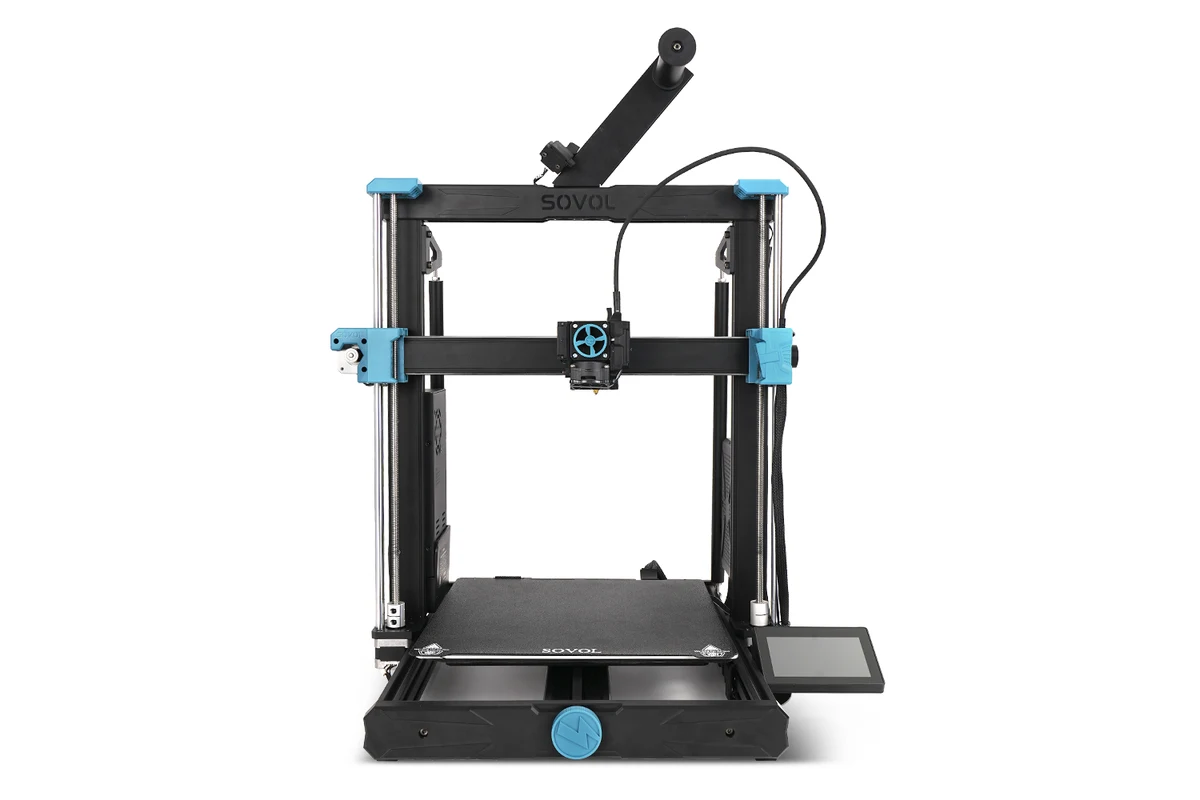
Sovol SV06 Plus — Best Under $300
What We Like
This machine is a budget 3d printer with large build volume that doesn’t compromise on thermal performance. The all-metal hotend allows you to print demanding materials right out of the box without melting internal PTFE lining tubes.
What Could Be Better
The industrial aesthetic is very basic, and the machine lacks modern lifestyle features like integrated Wi-Fi or a sleek cloud printing mobile app.
Printing Experience
The SV06 Plus is a workhorse. Its large build plate requires a bit more time to heat up, but once it reaches temperature, the thermal stability is phenomenal. Large mechanical parts print flat with zero lifting or corner warping.
Who Is It For?
This is the best value 3d printer for hobbyists, functional makers, and automotive modders who routinely need to print large structural components.
Bottom Line
An unpretentious, durable, large-format printing tool that focuses entirely on material versatility and structural reliability over modern digital bells and whistles.
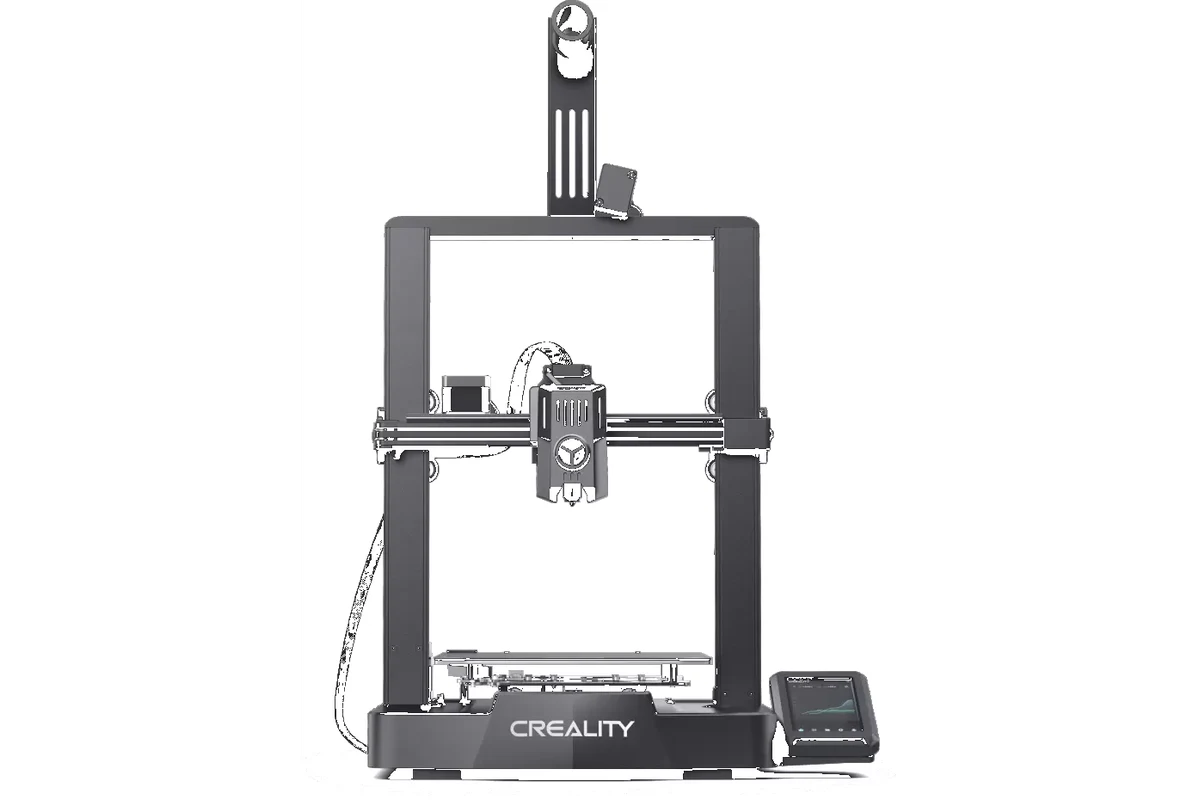
Creality Ender-3 V3 — Best High-Speed Printer
What We Like
The structural rigidity of the die-cast frame is remarkable. It allows the machine to accelerate to top speeds instantly without inducing structural vibrations that cause surface ghosting. The quick-swap nozzle system makes swapping sizes a breeze.
What Could Be Better
The cooling fans must run at high speeds to keep up with the extreme material flow rates, making it noticeably louder than standard home models during fast print jobs.
Printing Experience
Watching this machine run at full tilt is mesmerizing. It finishes standard Benchy test prints in under 15 minutes with beautiful surface finishes. The automated input shaping routines keep lines sharp and corners clean.
Who Is It For?
Makers who want a top budget 3d printers option optimized specifically for fast prototyping cycles and rapid iteration.
Bottom Line
An absolute speed demon that offers cutting-edge motion mechanics at a fraction of the cost of traditional high-speed enclosed setups.
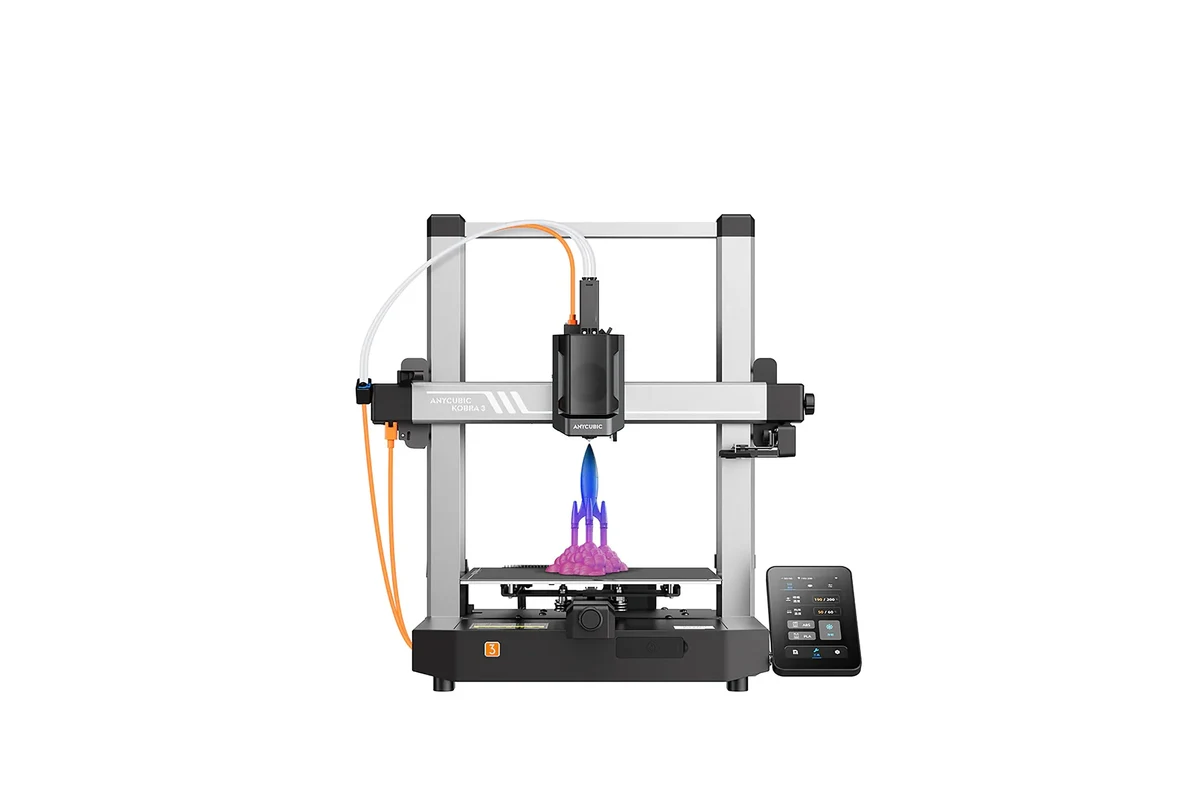
Anycubic Kobra 3 — Best for Small Businesses
What We Like
The build volume is slightly larger than standard entry-level machines, providing extra breathing room for batch production. The native support for multi-color printing makes it a game-changer for producing retail-ready models and organizational gear.
What Could Be Better
The multi-color flushing process generates a fair amount of filament waste material during color transitions, which requires careful layout planning in your slicing software.
Printing Experience
The Kobra 3 handles continuous production environments exceptionally well. The structural frame resists wear over extended run periods, and the touchscreen interface simplifies swapping files between consecutive production batches.
Who Is It For?
It is the best 3d printer for small business operators looking to build affordable multi-color retail products without investing thousands in industrial machinery.
Bottom Line
An incredibly versatile production platform that brings advanced multi-material manufacturing capabilities straight to the budget-conscious professional.
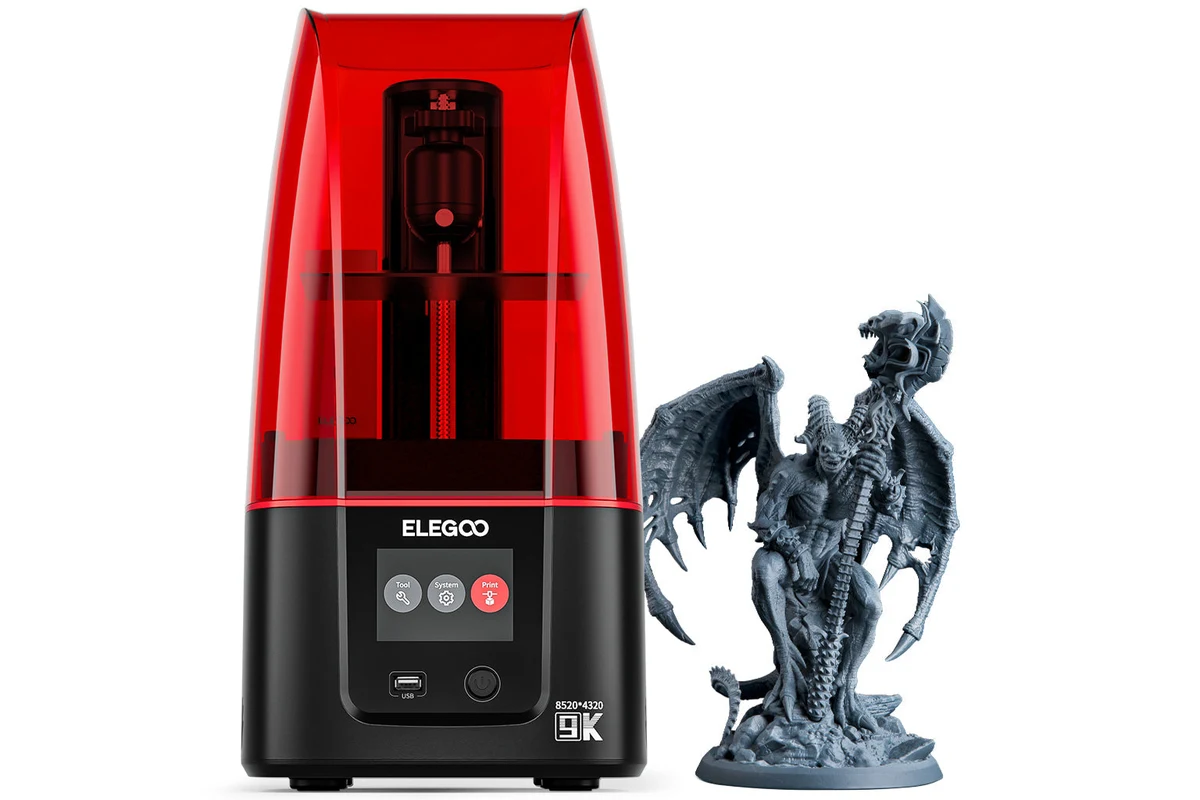
Elegoo Mars 4 — Best for Miniatures
What We Like
The level of surface detail is staggering. At an 18-micron resolution, individual layer lines are completely invisible to the naked eye. It easily captures minuscule features like chainmail armor, facial expressions, and tiny weapon details on 28mm tabletop figures.
What Could Be Better
Resin printing requires a dedicated post-processing workflow. You must wash prints in isopropyl alcohol, cure them under UV light, and always wear protective gloves and a respirator during operation.
Printing Experience
The mechanical operation is incredibly simple because the machine only has one moving axis (Z-axis). Once you level the build plate once, it rarely requires re-calibration. The slicing software makes generating support structures intuitive.
Who Is It For?
This is the absolute best 3d printer for miniatures, tabletop gaming figures, detailed jewelry prototypes, and intricate cosplay accents.
Bottom Line
If your primary goal is achieving absolute visual perfection on a small scale, skip the filament printers entirely and buy this high quality cheap 3d printer.
Side-by-Side Comparison of Our Top Picks
Which Budget 3D Printer Fits Your Needs?
Choosing the right affordable desktop 3d printer depends entirely on what you plan to create and where you intend to run the machine. Let’s look at real-world scenarios to help guide your choice.
If You’re Buying Your First 3D Printer
If you are completely new to the world of making, you want an easy to use 3d printer that doesn’t feel like a mechanical puzzle.
Features Worth Paying For
- True Sensor-Based Auto Bed Leveling: Do not skip this. Manually leveling a bed with a piece of paper is the number one reason beginners quit the hobby in frustration.
- PEI Spring Steel Build Sheets: These plates allow you to remove finished models easily by simply bending the metal plate. No dangerous scrapers required.
Features You Can Skip
- Enclosed Chambers: Unless you plan to print specialized engineering plastics like ABS or Nylon, an open-frame machine works perfectly for standard home projects.
If You Want Faster Print Speeds
Go with machines running Klipper firmware or utilizing optimized CoreXZ/CoreXY movement systems like the standard Creality Ender-3 V3. Traditional bed-slingers struggle to maintain print quality at high speeds because the heavy heated bed causes physical shaking when moving back and forth quickly.
If You Mainly Print PLA and PETG
Look for a reliable budget 3d printer for everyday printing that features an open-frame layout and excellent part-cooling fans. PLA and PETG filament love cool air. The Elegoo Neptune 4 Pro or Creality Ender-3 V3 SE are the best 3d printer for PLA and PETG under $300 options, providing the rapid cooling required for crisp details.
If You Need Large Print Volume
Do not try to compromise by cutting large models into pieces if your primary goal is building large parts. Pick a dedicated platform like the Sovol SV06 Plus. Its spacious layout saves you immense assembly and gluing time later on.
If You Print Miniatures and Detailed Models
Skip filament options entirely. An affordable FDM printer under $300 can make passable terrain pieces, but it cannot compete with an SLA resin machine like the Elegoo Mars 4 when reproducing tiny features on miniatures.
If You’re Starting a Small 3D Printing Business
Look for a machine that prioritizes reliability and ecosystem integration. The Anycubic Kobra 3 or Bambu Lab A1 Mini excel here because their software slicing ecosystems allow you to manage multiple machines simultaneously over a standard local network connection.
Related: 10 Best Beginner 3D Printers in 2026 (Easy Setup + Hands-On Tested)
Things to Consider Before Buying a Budget 3D Printer
Before clicking the buy button on the cheapest 3d printer Amazon lists, it helps to understand the foundational hardware specifications that impact daily printing life.
Print Size and Build Volume
Build volume determines the maximum footprint of a single print job. Standard machines offer a 220mm square workspace, which is plenty for most models. Smaller footprints (like 180mm) are highly portable but restrict you to smaller sub-components.
Speed vs Print Quality
High speed requires two elements: rigid physical frame construction and high-performance material cooling systems. A machine running at 500 mm/s without adequate cooling fans will deliver messy prints with drooping corners and sloppy details.
Direct Drive vs Bowden Extruders
Modern affordable filament 3d printer options have largely transitioned to direct drive extruder systems, where the motor sits directly on top of the print head. This configuration provides far better filament compatibility, offering precise control over flexible materials like TPU. Older Bowden systems push material through a long tube, which increases friction and stringing issues.
Is Auto Bed Leveling Really Necessary?
Yes. An automatic leveling 3d printer uses physical or inductive electronic sensors to scan the build plate, creating a digital mesh that compensates for any minor physical warps in the surface. This ensures your critical first layer sticks perfectly every single time.
Supported Filaments and Material Compatibility
Most budget setups easily handle standard plastics:
- PLA Filament: The easiest material to use. Perfect for display models, toys, and quick brackets.
- PETG Filament: Tougher and more heat-resistant than PLA. Excellent for functional outdoor items.
- TPU Filament: Flexible, rubber-like material used for gaskets, phone cases, and dampening pads.
If you need to print advanced materials like ABS, ASA, or Nylon, you will need an enclosed budget 3d printer to hold heat inside the print zone and prevent severe part warping.
Noise Levels and Home-Friendly Operation
If you live in a small apartment, look for a quiet 3d printer for home use that features advanced silent stepper motor drivers. Modern mainboards prevent the electric motors from whining, meaning the loudest sound you’ll hear is the gentle whir of the cooling fans.
Software, Connectivity, and Ease of Use
A great machine is nothing without good slicing software. Modern ecosystems offer streamlined, user-friendly software profiles that eliminate the need to manually tune complex calibration settings before starting a project.
Replacement Parts and Community Support
Budget machines will eventually need maintenance requirements addressed. Choose popular brands that offer widely available replacement parts (like nozzles, belts, and build plates) on major retail platforms so you can fix issues quickly without long shipping delays.
Related: Best 3D Printer for Kids in 2026: Safe, Easy & Fun Picks for Beginners
Best Budget 3D Printers by Price Range
Best Choices Under $200
Best Choices Under $300
Best Choices Under $500
Top Budget 3D Printer Brands Worth Considering
Common Issues With Budget 3D Printers (And How to Fix Them)
Poor Bed Adhesion
If your prints peel up at the corners, clean your PEI build sheet thoroughly with warm water and standard dish soap to remove finger oils. Ensure your auto-bed leveling routine runs properly to establish a clean first layer.
Stringing and Oozing
Fine, cobweb-like strands occur when material drools out of the nozzle during movement. Lower your nozzle temperature by 5°C or slightly increase your extruder retraction distance settings within your slicing software.
Layer Shifts
If a print suddenly misaligns halfway through a job, check your mechanical drive belt tensions. Loose belts will slip across the motor gears during rapid high-speed directional changes.
Nozzle Clogs
If a machine stops extruding material mid-print, you likely have a physical clog. Heat the hotend to 250°C and use a fine guitar string needle tool to clear out stuck debris from underneath the nozzle tip.
Calibration Problems
If your parts are not dimensionally accurate, run the integrated input shaping and resonance calibration routines built into modern Klipper firmware platforms to eliminate vibrational artifacts.
Related: Best Glue for PLA: Top Adhesives for Strong 3D Printed Parts in 2026
Accessories That Can Improve Your Printing Experience
Our Final Recommendations
Best Overall Pick
The Bambu Lab A1 Mini is the absolute finest choice for the vast majority of users, offering pristine out-of-the-box reliability and elite software integration.
Best for Beginners
The Elegoo Neptune 4 Pro offers an ideal introduction to full-scale manufacturing, providing a spacious build volume alongside high-speed Klipper processing systems.
Best Value Pick
The Creality Ender-3 V3 SE provides unprecedented mechanical features for under $200, making it the top choice for makers working on a tight budget.
Best Upgrade Choice
If you want to create large, high-temperature structural parts, the Sovol SV06 Plus provides the mechanical strength and thermal capability required to tackle heavy-duty materials easily.