Looking for the best 3d printer for small business to turn a profit? Read our expert review of the top 10 commercial machines, from high-speed FDM to high-detail resin printers, with precise cost breakdowns and ROI tips at LAVA3dp. Read now to launch your production line!
Can you make money with a 3d printer? Yes. Entrepreneurs around the world use additive manufacturing to build highly profitable 3d printing business ideas from scratch. But the market has moved past the era of hobbyist tinkering. If you want to build a sustainable commercial enterprise, you cannot rely on slow, temperamental machines that require constant babysitting. You need a reliable tool that minimizes downtime and maximizes throughput.
Choosing the best 3d printer for small business requires balancing print speeds, material capability, and upfront capital expenditures. Whether you plan to establish a multi-machine print farm or launch a boutique 3d printer for Etsy business, selecting the right machine dictates your profit margin. Let’s dive into the core mechanics of selecting business-grade hardware that converts raw filament or resin into predictable cash flow.
Why Choosing the Right 3D Printer Matters for a Small Business
Investing in 3d printing business equipment is different from buying a tech gadget for weekend fun. Every minute a machine sits idle or strikes a print error, your business loses money. The wrong choice eats your initial 3d printing business startup costs and stalls your growth.
What Makes a 3D Printer Suitable for Business Use?
A business-grade 3d printer must act as a predictable workforce. Consumer machines often prioritize low initial purchase price over long-term reliability. Commercial printing requires a different set of baseline characteristics.
01
Reliability and Uptime
Your machinery needs to operate 24/7 without needing constant recalibration. If a machine requires manual bed leveling every three prints, it cannot support a high volume 3d printer for small business model. Look for robust frames, high-end linear rails, and dependable auto-leveling sensors.
02
Print Quality and Consistency
To maintain a high 3d printing business profit margin, your first print must look identical to your hundredth print. Inconsistent layer lines or dimension inaccuracies lead to discarded inventory and negative customer reviews. Excellent print quality reduces the time spent on manual post-processing.
03
Production Speed
Speed directly determines your daily output. A fastest 3d printer for small business allows you to fulfill orders rapidly and handle unexpected demand spikes. Modern high-speed kinematics, like CoreXY layouts, significantly compress print cycles without sacrificing surface finish.
04
Operating Costs and ROI
A true professional 3d printer for small business optimizes material consumption and power draw. Calculate your return on investment (ROI) by looking beyond the machine sticker price. Factoring in maintenance costs and consumable prices gives you an accurate view of true profitability.
How We Selected the Best 3D Printers for Small Businesses
Our selection process strips away marketing hyperbole and looks at real-world data, user experiences shared on communities like the best 3d printer for small business reddit threads, and hands-on mechanical evaluations.
Our Evaluation Criteria
We graded dozens of machines on five operational pillars to find hardware capable of true production printing.
Print Quality
We assessed dimensional accuracy, overhang handling, and surface smoothness. This is vital for small batch manufacturing where end-use parts go straight to consumers.
Ease of Use
We looked for features that lower operator friction: auto-bed leveling, smart filament runout sensors, remote camera monitoring, and straightforward slicing software. A low maintenance 3d printer for business allows you to focus on marketing and sales, not mechanical troubleshooting.
Business Scalability
Managing a single machine is simple, but scaling your output introduces structural bottlenecks. Can a single operator manage ten or more units without losing their mind? We evaluated each printer’s fleet management ecosystem.
True scalability means your hardware integrates natively into a unified print farm, allowing you to deploy print jobs, monitor built-in cameras, and track filament consumption across a dozen machines from a single centralized dashboard.
Material Compatibility
A versatile printer handles standard PLA filament and PETG filament, alongside engineering grades like nylon, polycarbonate, or carbon-fiber composites. This enables a wider variety of products to sell with a 3d printer.
Long-Term Value
We weighed the initial investment against component durability. Affordable 3d printer for business options must still offer readily available replacement parts and a clear path to profitability.
Related: 10 Best Resin 3D Printers in 2026: Tested Picks for Every Budget
| Printer Model |
Technology |
Build Volume (mm) |
Max Speed |
Best For |
| Bambu Lab X1-Carbon |
FDM |
256 x 256 x 256 |
500 mm/s |
Multi-color custom products |
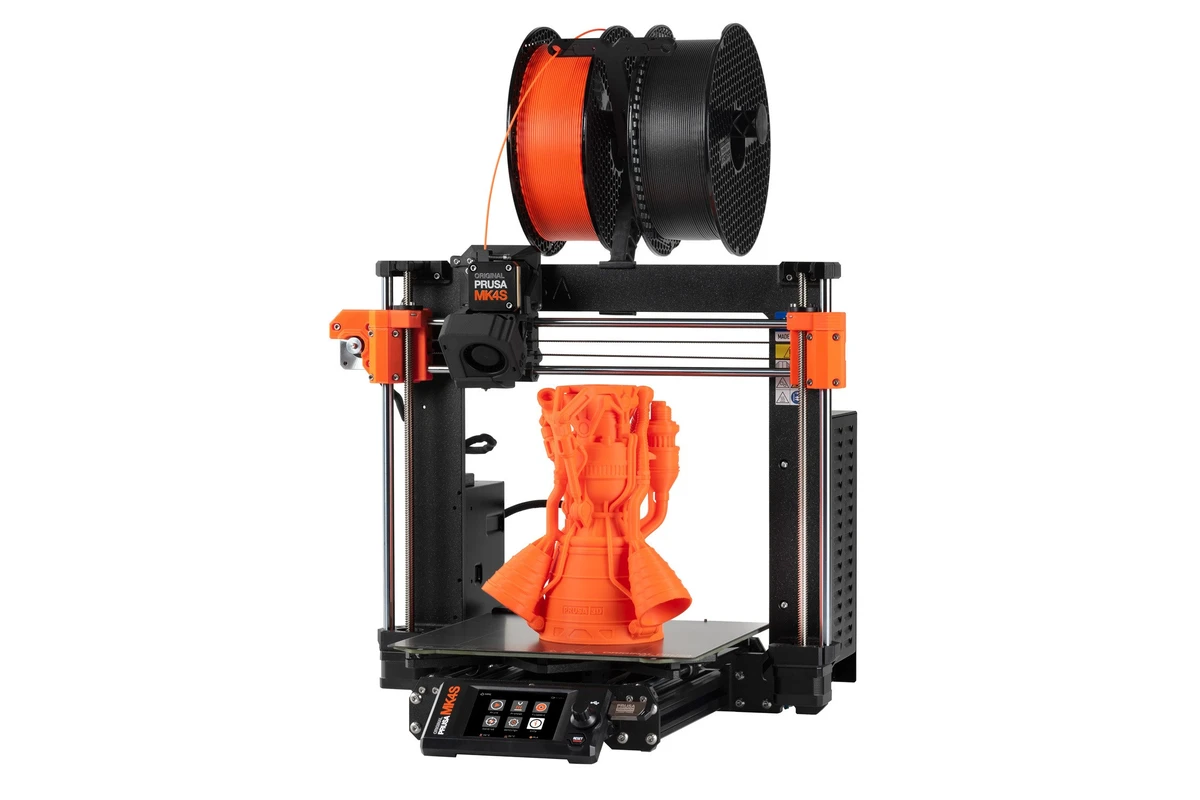
| Prusa MK4S |
FDM |
250 x 210 x 220 |
200+ mm/s |
Reliable print farms |
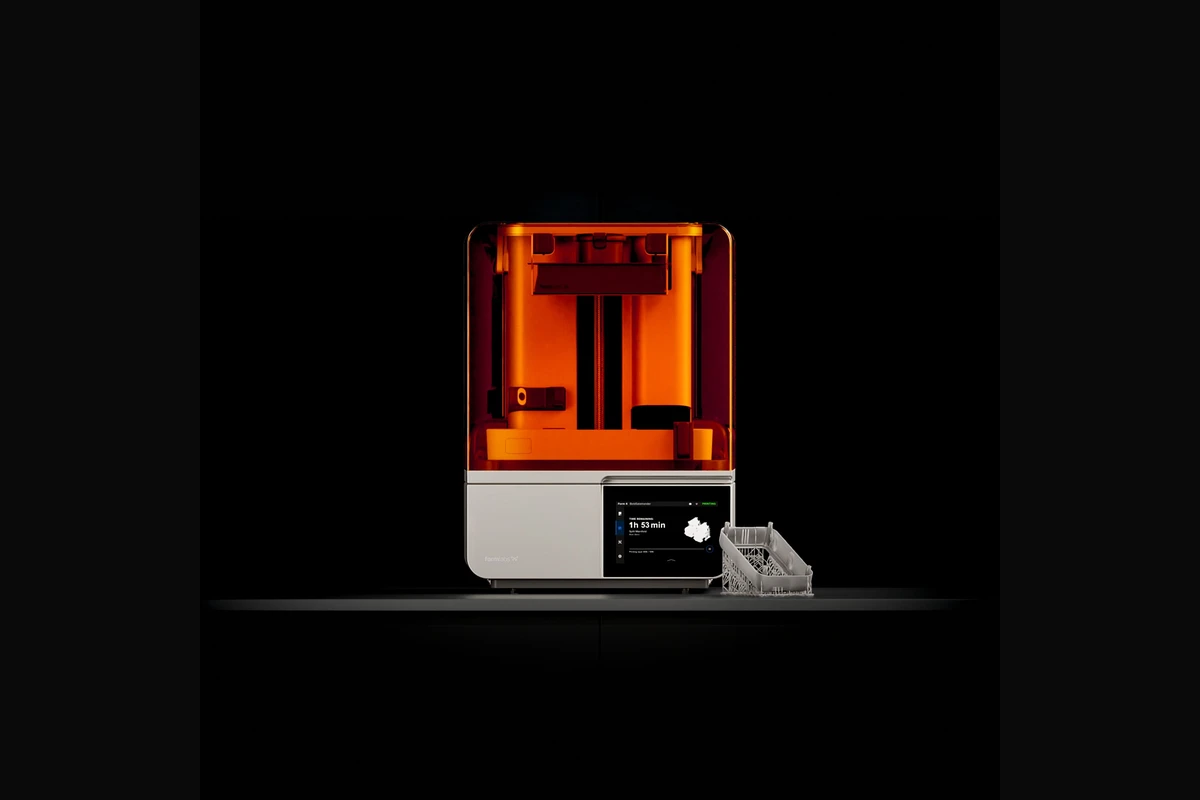
| Formlabs Form 4 |
Resin |
200 x 125 x 210 |
Ultra-fast |
High-end medical & jewelry |
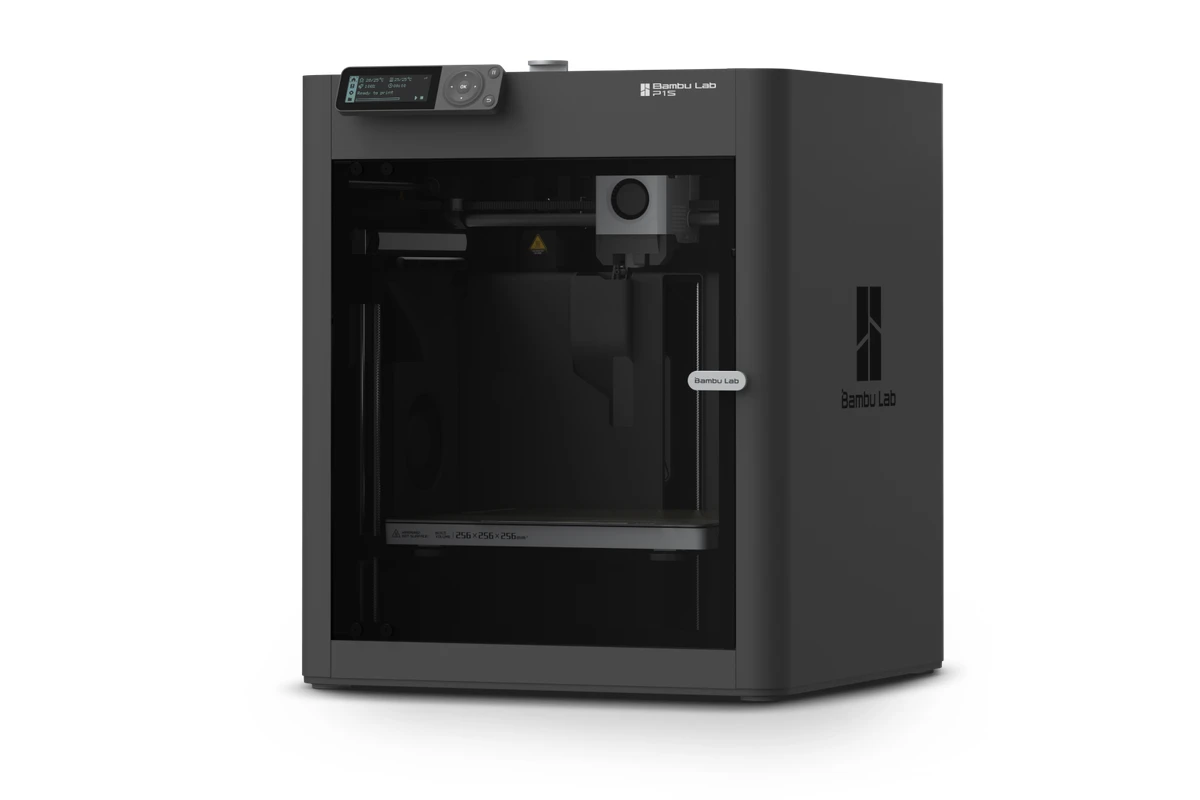
| Bambu Lab P1S |
FDM |
256 x 256 x 256 |
500 mm/s |
Scalable startup fleets |
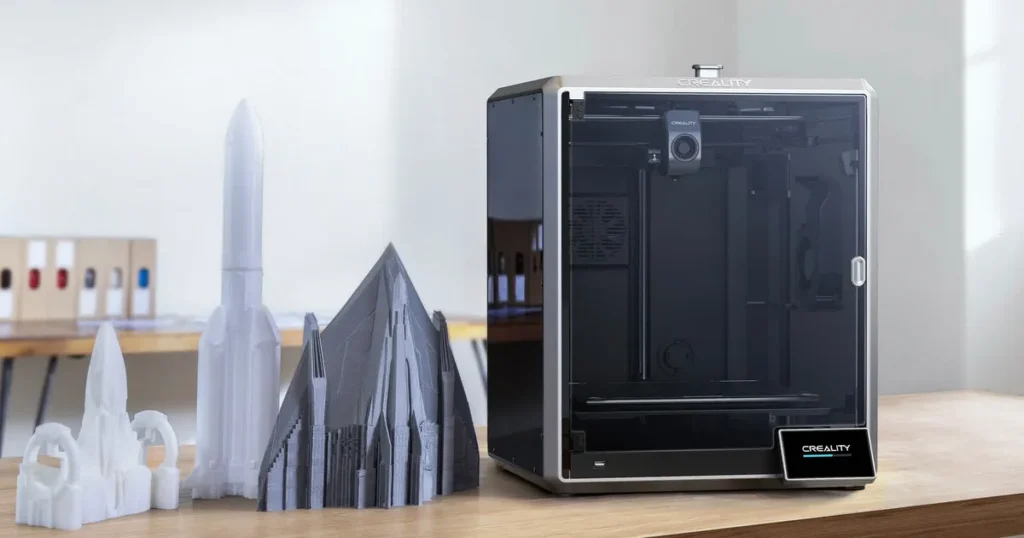
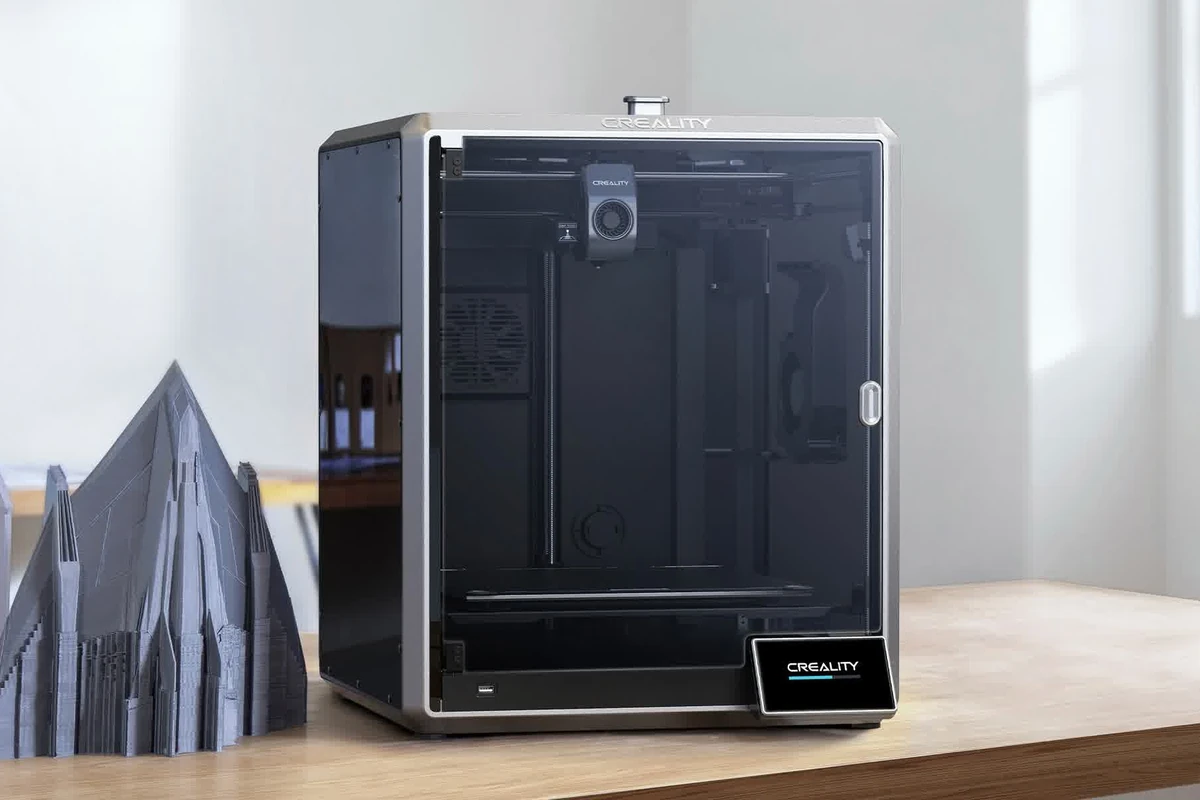
| Creality K1 Max |
FDM |
300 x 300 x 300 |
600 mm/s |
Large functional prototypes |
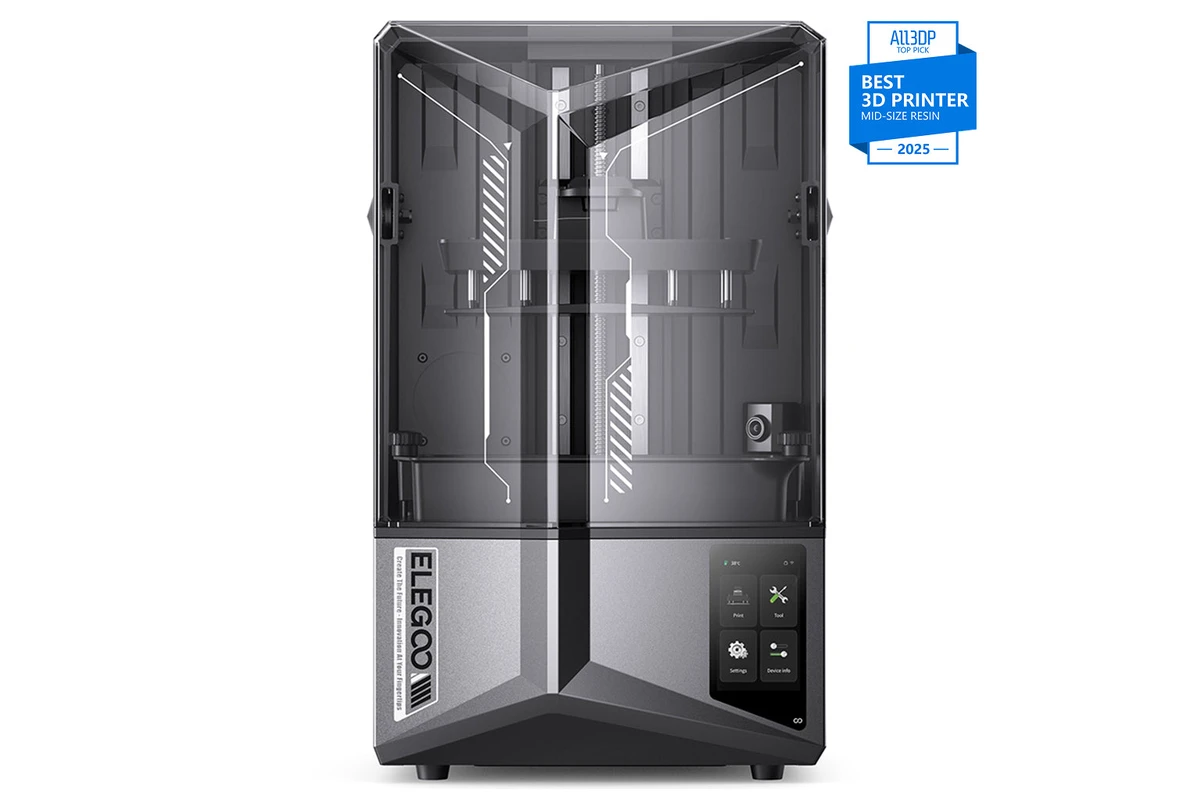
| Elegoo Saturn 4 Ultra |
Resin |
218.8 x 122.8 x 220 |
150 mm/h |
Low-cost batch production |
| UltiMaker S7 |
FDM |
330 x 240 x 300 |
Industrial |
Multi-material engineering |
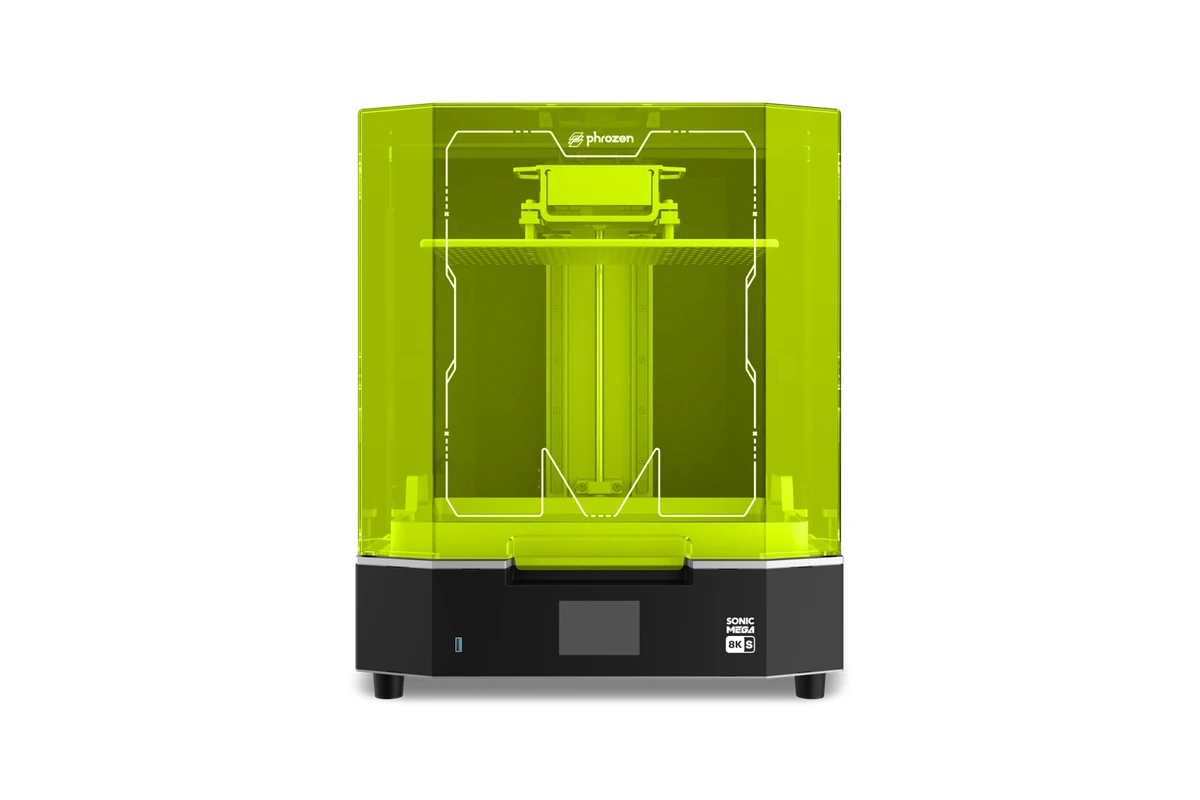
| Phrozen Sonic Mega 8K S |
Resin |
330 x 185 x 300 |
High-volume |
Massive resin batch runs |
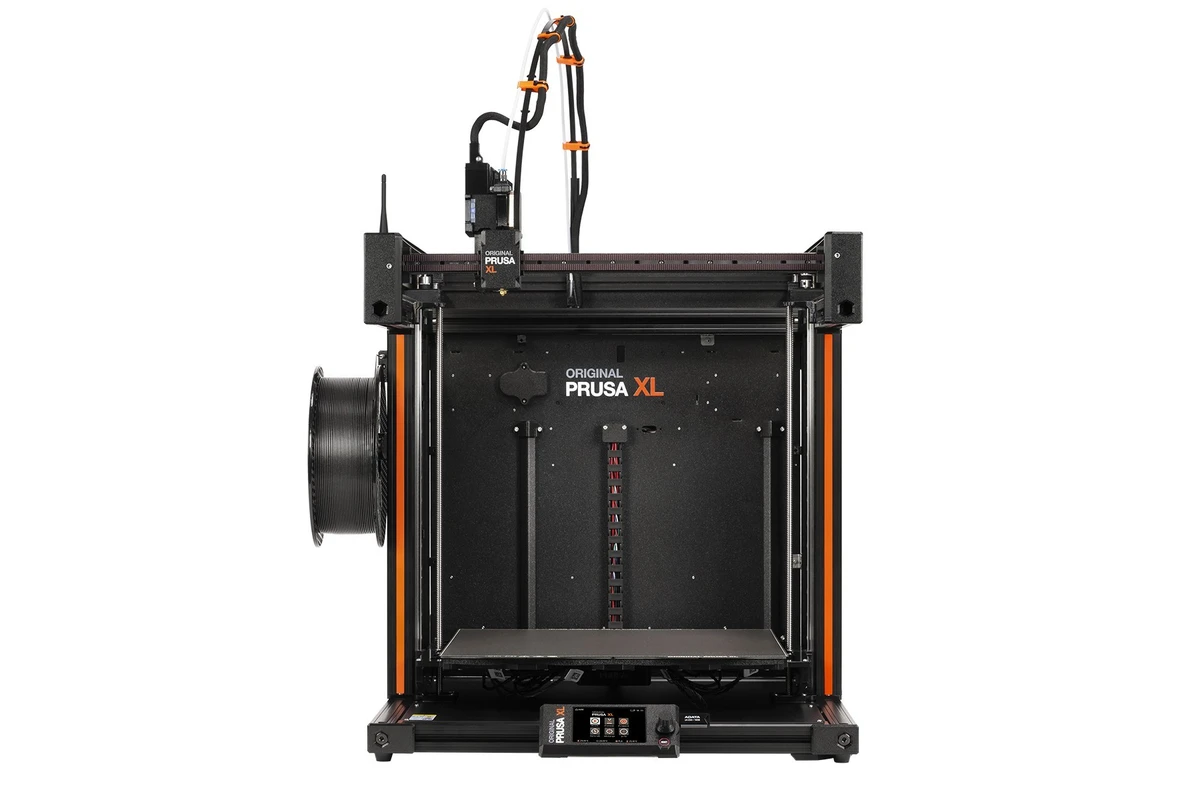
| Prusa XL |
FDM |
360 x 360 x 360 |
Tool-changing |
Large, multi-material parts |
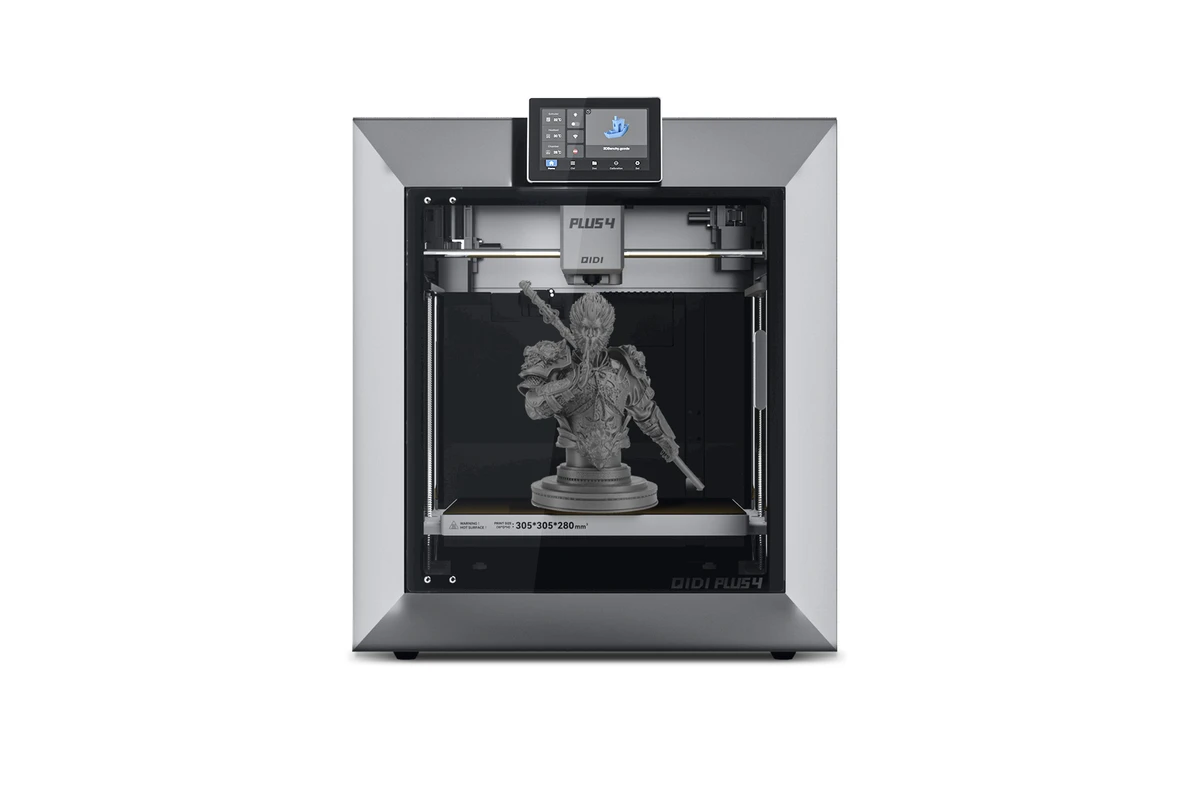
| Qidi Tech Plus 4 |
FDM |
305 x 305 x 280 |
600 mm/s |
Enclosed ABS/Nylon printing |
Bambu Lab X1-Carbon
Build Volume
256 x 256 x 256
Best For
Multi-color custom products
Prusa MK4S
Build Volume
250 x 210 x 220
Best For
Reliable print farms
Formlabs Form 4
Build Volume
200 x 125 x 210
Best For
High-end medical & jewelry
Bambu Lab P1S
Build Volume
256 x 256 x 256
Best For
Scalable startup fleets
Creality K1 Max
Build Volume
300 x 300 x 300
Best For
Large functional prototypes
Elegoo Saturn 4 Ultra
Build Volume
218.8 x 122.8 x 220
Best For
Low-cost batch production
UltiMaker S7
Build Volume
330 x 240 x 300
Best For
Multi-material engineering
Phrozen Sonic Mega 8K S
Build Volume
330 x 185 x 300
Best For
Massive resin batch runs
Prusa XL
Build Volume
360 x 360 x 360
Best For
Large, multi-material parts
Qidi Tech Plus 4
Build Volume
305 x 305 x 280
Best For
Enclosed ABS/Nylon printing
Business Buying Guide 2026
10 Best 3D Printers
for Small Businesses
Best For
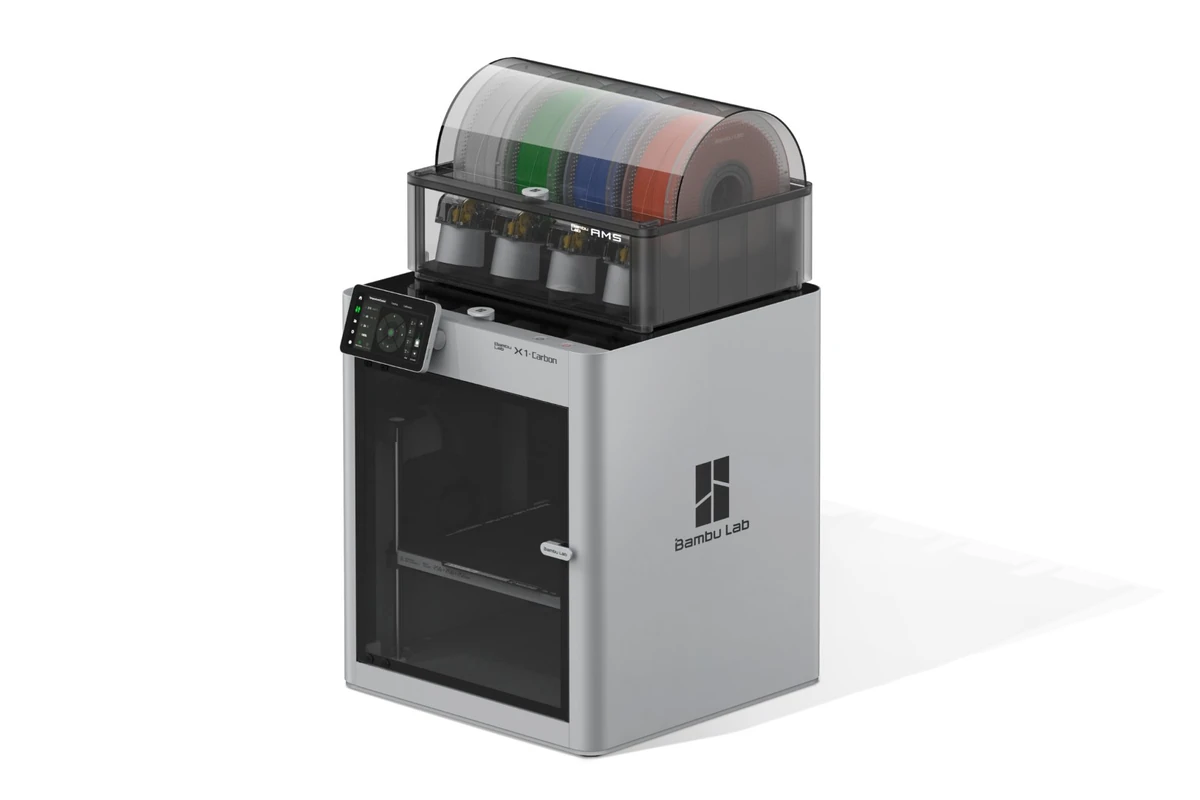
High-speed, multi-color engineering parts and functional product prototyping.
TechnologyFDM (Fused Deposition Modeling)
Build Volume256 x 256 x 256 mm
Max Speed500 mm/s
Material CompatibilityPLA, PETG, ABS, ASA, PC, Carbon/Glass Fiber Reinforced Polymers
Pros
Out-of-the-box multi-material capability via AMS; integrated AI lidar camera detects first-layer failures; actively heated chamber path for technical filaments.
Cons
Proprietary ecosystem; closed-source software elements make third-party hardware repairs difficult.
Why It’s a Good Choice for Small Businesses
The Bambu Lab X1-Carbon transformed the small business 3d printing guide landscape by normalizing blazing-fast speeds alongside flawless out-of-the-box setups. Its Automatic Material System (AMS) lets you print multi color 3d printer for business configurations seamlessly, opening doors to high-margin aesthetic products. The internal AI camera checks for defects, saving you money on wasted filament during overnight runs.
Best For
Unattended production runs and industrial-grade print farm reliability.
TechnologyFDM
Build Volume250 x 210 x 220 mm
Max Speed200+ mm/s
Material CompatibilityPLA, PETG, ABS, ASA, Flex, Nylon
Pros
Legendary mechanical reliability; open-source architecture; exceptional ecosystem support; perfect automatic first layer via Load Cell sensor.
Cons
Open-frame design requires an external enclosure for printing technical filaments like ABS printing; slower raw speeds than CoreXY competitors.
Why It’s a Good Choice for Small Businesses
Prusa machines are the bedrock of modern print farms. The MK4S builds on this legacy by delivering exceptional print quality with zero manual calibration. It is a highly reliable 3d printer for production because it simply works for thousands of hours without mechanical fatigue. If a part breaks, you can print a replacement yourself, keeping your maintenance costs exceptionally low.
Best For
High-end commercial applications, dental models, jewelry fabrication, and precision medical prototyping.
TechnologyLow Force Stereolithography (LFS) / Resin
Build Volume200 x 125 x 210 mm
Max SpeedBlazing fast print times (mostly under 2 hours for full builds)
Material CompatibilityExtensive library of proprietary engineering, bio-compatible, and jewelry resins
Pros
Exceptional dimensional accuracy; smooth surface finish; industrial-grade ecosystem with automatic wash and cure stations.
Cons
High initial machine cost; expensive proprietary resin cartridges.
Why It’s a Good Choice for Small Businesses
When your custom product business depends on absolute precision, the Formlabs Form 4 stands out. This industrial 3d printer for small business uses advanced resin printing technology to create parts that look injection-molded. Its reliability makes it the standard choice for dental labs and jewelry makers who need to guarantee perfect accuracy to clients.
Best For
Budget-conscious startups looking to build an FDM print farm with high throughput.
TechnologyFDM
Build Volume256 x 256 x 256 mm
Max Speed500 mm/s
Material CompatibilityPLA, PETG, ABS, ASA
Pros
Incredible speed-to-price ratio; fully enclosed chassis; shares the same high-speed motion system as the X1-Carbon.
Cons
Basic screen interface; lower-resolution internal monitoring camera compared to premium models.
Why It’s a Good Choice for Small Businesses
The P1S is the ultimate best 3d printer for startup business owners who need high volume but lack massive capital. It strips away the expensive lidar and touchscreen of the X1-Carbon while keeping the blazing fast speed and enclosure. It serves as an incredibly effective 3d printer for selling products online because you can buy three P1S units for the price of one high-end industrial machine, tripling your daily production output.
Best For
Large-scale functional parts, on-demand manufacturing, and large prototypes.
TechnologyFDM
Build Volume300 x 300 x 300 mm
Max Speed600 mm/s
Material CompatibilityPLA, PETG, ABS, ASA, TPU, PA
Pros
Massive build volume for the price; AI camera and lidar integrated; extremely fast heated bed.
Cons
Early units had extruder inconsistencies (largely fixed in recent revisions); requires fine-tuning out of the box.
Why It’s a Good Choice for Small Businesses
If your 3d printer for custom products needs to handle larger objects like automotive parts or architectural models, the Creality K1 Max offers an impressive build volume. Its CoreXY structure maintains incredible speeds despite moving a larger toolhead. This makes it an affordable 3d printer for business operators who cannot fit their designs into standard 250mm cube print beds.
Best For
Affordable, high-volume batch production of miniature figures, jewelry patterns, and small detailed components.
TechnologyMSLA (Resin)
Build Volume218.8 x 122.8 x 220 mm
Screen12K Monochrome LCD
Max SpeedUp to 150 mm/h with tilt-release technology
Pros
Unbeatable 12K detail level; tilt-release mechanism drastically speeds up print times; auto-leveling.
Cons
Post-processing requires handling toxic chemical solvents; recurring costs for replacement release films and LCD screens.
Why It’s a Good Choice for Small Businesses
The Elegoo Saturn 4 Ultra is a premier resin printer for small business ventures looking to tap into the lucrative gaming miniature or custom jewelry markets. Its tilt-release system means layers detach quickly, avoiding the suction forces that slow down older resin printers. The crisp 12K screen ensures your end products require zero sanding or surface treatment before shipping to clients.
Best For
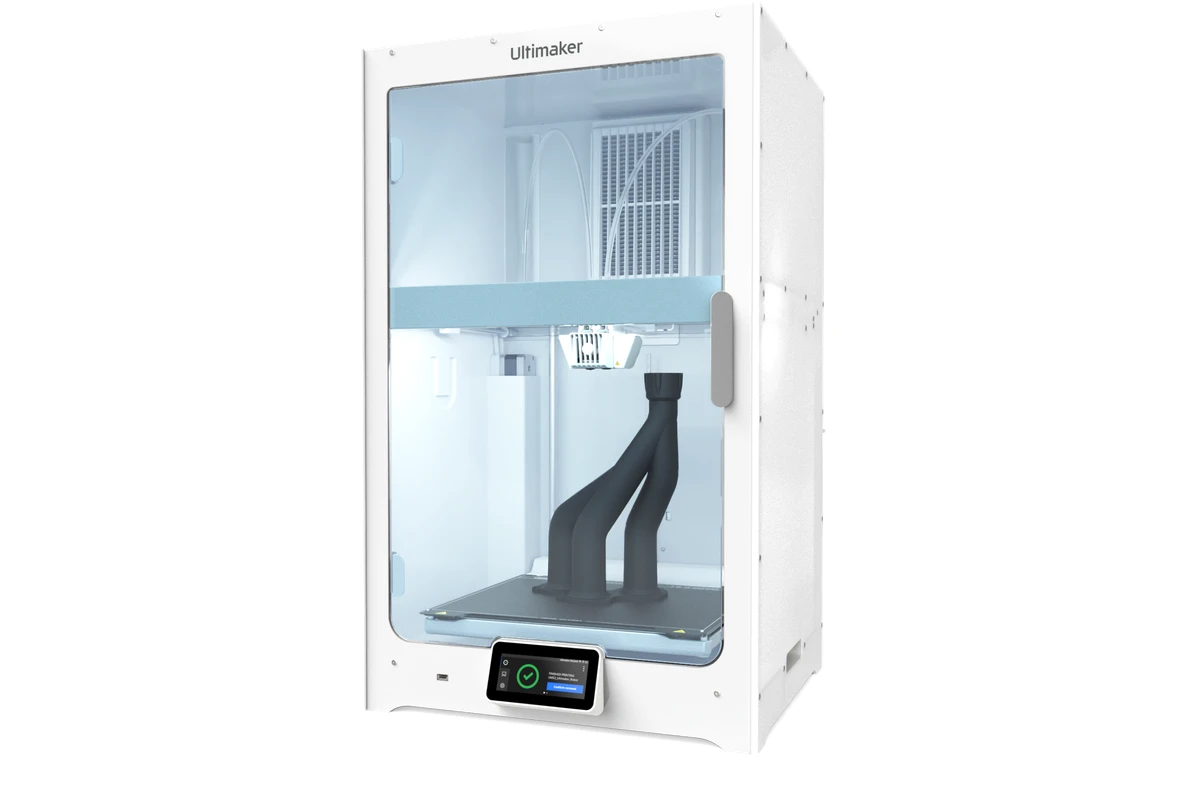
Corporate engineering environments, high-end product prototyping, and advanced dual-extrusion parts.
TechnologyFDM (Dual Extrusion)
Build Volume330 x 240 x 300 mm
Max Speed24 mm³/s volumetric flow
Material CompatibilityFull industrial range including soluble support materials (PVA) and carbon composites
Pros
Integrated Air Manager for temperature control and safety filtering; dual extrusion allows complex water-soluble support structures; massive, reliable software ecosystem.
Cons
Very high initial purchase price; slower raw print speeds compared to modern consumer-born CoreXY machines.
Why It’s a Good Choice for Small Businesses
The UltiMaker S7 is a classic commercial 3d printer for small business operations working with enterprise clients. Its standout feature is true dual extrusion. You can print incredibly complex geometries using a secondary soluble support material that dissolves completely in water. This saves hours of manual labor removing plastic supports, ensuring clean finishes on intricate functional prototypes.
Best For
Mass production of small resin parts or large-scale high-fidelity dental models.
TechnologyMSLA (Resin)
Build Volume330 x 185 x 300 mm
Screen8K Monochrome LCD
Max Speed600 layers/hour
Pros
Enormous build plate for a resin machine; rugged all-metal construction; lift-up door saves valuable workshop space.
Cons
Heavy machine; resin vats hold a massive amount of material, increasing upfront fluid costs.
Why It’s a Good Choice for Small Businesses
When your business model focuses on a 3d printer for mass production, small build plates become a major bottleneck. The Phrozen Sonic Mega 8K S provides a massive workspace. You can layout dozens of custom rings, dental molds, or artisan keycaps on a single plate, curing them all simultaneously. It provides massive throughput gains for established shops looking to scale their manufacturing output.
Best For
Large-scale multi-material manufacturing, multi-color logos, and waste-free production printing.
TechnologyFDM (CoreXY with Tool Changer)
Build Volume360 x 360 x 360 mm
Max Speed200+ mm/s
Material CompatibilityAlmost all printable polymers up to 300°C
Pros
Zero-waste material changes via mechanical tool-changing heads; enormous build volume; segmented bed heating saves power on smaller parts.
Cons
High cost for the full five-head version; large physical footprint; long assembly backlog times.
Why It’s a Good Choice for Small Businesses
Unlike multi-material systems that purge huge amounts of plastic into a “waste block” every time colors swap, the Prusa XL physically switches separate toolheads. For a 3d printer for custom manufacturing, this saves hundreds of dollars in wasted filament over a single month of production. The large build volume allows you to accept large industrial engineering commissions that smaller setups cannot accommodate.
Best For
Affordable processing of engineering-grade materials like ABS, ASA, and Nylon.
TechnologyFDM
Build Volume305 x 305 x 280 mm
Max Speed600 mm/s
Material CompatibilityPLA, PETG, ABS, ASA, PA, PC, Carbon Fiber composites
Pros
Actively heated chamber up to 65°C prevents part warping; great build volume for price; high-temperature nozzle (up to 370°C).
Cons
Industrial aesthetic is bulky; software slicing profiles require manual tweaking for optimal results.
Why It’s a Good Choice for Small Businesses
Many lucrative 3d printing side hustle ideas require materials tougher than standard PLA. Printing ABS or Nylon requires an actively heated chamber to prevent warping and layer splitting. The Qidi Tech Plus 4 offers an actively heated environment at a fraction of the cost of legacy industrial systems. This makes it an ideal best 3d printer for small business for beginners looking to venture into high-performance mechanical parts.
Best 3D Printers by Business Type
Different business models call for distinct toolsets. Matching your machinery to your target market protects your bottom line.
Best for Selling Products on Etsy
The Bambu Lab P1S paired with an AMS system is ideal for an Etsy store. It handles colorful, artistic products at breakneck speeds, letting you restock popular listings overnight.
Best for Print Farms
The Original Prusa MK4S dominates this category. Its structural reliability and central management software let a single employee run dozens of printers with minimal human intervention.
Best for Rapid Prototyping
The UltiMaker S7 fits engineering offices perfectly. Its dual extrusion water-soluble supports allow designers to print functional mechanics without compromising internal tolerances.
Best for Custom Manufacturing
The Prusa XL excels here. Its multi-toolhead system easily handles complex mechanical parts that combine rigid structural plastics with flexible gaskets in a single printing job.
Best Resin Printer for Small Businesses
The Elegoo Saturn 4 Ultra delivers the ultimate balance of speed, 12K detail, and price for custom jewelry makers and independent artists.
Best Budget Option for Startups
For teams watching every dollar, the Bambu Lab A1 or P1S delivers immediate, professional results without demanding deep technical knowledge or massive initial capital investments.
Related: Best Budget 3D Printers in 2026: Affordable Options for Every Maker
FDM vs Resin: Which Is Better for Making Money?
Understanding the architectural differences between FDM (filament-based) and Resin (liquid photopolymer) printing shapes your production workflows.
FDM vs. Resin 3D Printing – Technical Comparison
| Aspect |
FDM (Fused Deposition Modeling) |
Resin (SLA / DLP / LCD) |
| Material Form |
Filament spools (PLA, ABS, PETG, Nylon, etc.) |
Liquid photopolymer resin (standard, tough, flexible, castable, etc.) |
| Printing Accuracy / Detail |
Lower (±0.1–0.3 mm); visible layer lines, poor fine details |
Very high (±0.01–0.05 mm); ultra-fine layers, can capture hair-thin details |
| Surface Quality |
Textured surface; requires sanding or chemical smoothing for a glossy finish |
Inherently smooth like injection-molded parts; almost no layer lines |
| Mechanical Properties |
High strength and toughness; suitable for load-bearing and impact-resistant parts |
Brittle (standard resins); engineering resins improve strength but cost more |
| Post-Processing |
Simple – remove supports, light sanding; ready to use quickly |
Extensive – alcohol washing → UV post-curing → support removal; requires protective gear |
| Printable Size |
Typically larger (common build volumes up to 300×300×400 mm or more) |
Usually smaller (large-format resin printers are expensive) |
| Print Speed |
Slower (layer-by-layer extrusion; large parts may take hours to days) |
Faster (whole layers cured at once; DLP/LCD especially quick for a given layer) |
| Material Cost |
Low (~$20/kg for PLA) |
Higher (~$30–$80/L for standard resin; engineering resins cost more) |
| Printer Cost |
Low entry-level (~$200); industrial models still relatively affordable |
Entry-level higher (~$300+); high-quality machines expensive |
| Environmental & Safety |
Low odor (some filaments have slight smell); waste can be recycled |
Strong fumes (requires ventilation); resin is toxic and needs careful disposal |
| Support Removal |
Easy – snap or cut off; may leave marks |
Requires cutting and sanding; supports are harder and more brittle |
| Best-For Applications |
Enclosures, brackets, toys, tools, functional prototypes, large structural parts |
Jewelry molds, miniatures, dental/medical models, figurines, high-detail prototypes |
Material Form
FDM
Filament spools (PLA, ABS, PETG, Nylon, etc.)
Resin
Liquid photopolymer resin (standard, tough, flexible, castable, etc.)
Printing Accuracy / Detail
FDM
Lower (±0.1–0.3 mm); visible layer lines, poor fine details
Resin
Very high (±0.01–0.05 mm); ultra-fine layers, can capture hair-thin details
Surface Quality
FDM
Textured surface; requires sanding or chemical smoothing for a glossy finish
Resin
Inherently smooth like injection-molded parts; almost no layer lines
Mechanical Properties
FDM
High strength and toughness; suitable for load-bearing and impact-resistant parts
Resin
Brittle (standard resins); engineering resins improve strength but cost more
Post-Processing
FDM
Simple – remove supports, light sanding; ready to use quickly
Resin
Extensive – alcohol washing → UV post-curing → support removal; requires protective gear
Printable Size
FDM
Typically larger (common build volumes up to 300×300×400 mm or more)
Resin
Usually smaller (large-format resin printers are expensive)
Print Speed
FDM
Slower (layer-by-layer extrusion; large parts may take hours to days)
Resin
Faster (whole layers cured at once; DLP/LCD especially quick for a given layer)
Material Cost
FDM
Low (~$20/kg for PLA)
Resin
Higher (~$30–$80/L for standard resin; engineering resins cost more)
Printer Cost
FDM
Low entry-level (~$200); industrial models still relatively affordable
Resin
Entry-level higher (~$300+); high-quality machines expensive
Environmental & Safety
FDM
Low odor (some filaments have slight smell); waste can be recycled
Resin
Strong fumes (requires ventilation); resin is toxic and needs careful disposal
Support Removal
FDM
Easy – snap or cut off; may leave marks
Resin
Requires cutting and sanding; supports are harder and more brittle
Best-For Applications
FDM
Enclosures, brackets, toys, tools, functional prototypes, large structural parts
Resin
Jewelry molds, miniatures, dental/medical models, figurines, high-detail prototypes
When to Choose an FDM Printer
Select FDM if your business relies on functional parts, structural strength, or large objects. FDM utilizes robust materials like PETG, ABS, or carbon fiber. Post-processing is typically simple: pull the part off the build plate and it is ready to ship or paint.
When to Choose a Resin Printer
Go with resin if your products depend on intricate, crisp surface details with zero visible layer lines. Resin printing is the gold standard for dental models, jewelry castings, and detailed tabletop gaming miniatures.
Profitability Comparison
FDM printers feature cheaper raw materials and near-zero post-processing labor costs, which yields stable profit margins on utility items. Resin printing allows for significantly higher markups because of the extreme detail levels, but it requires chemical wash stations, UV curing boxes, and manual cleaning work. This adds clear labor time to your operating expenses.
Related: 10 Best Large Format 3D Printers: Features, Costs, and Top-Rated Machines in 2026
Key Costs to Consider Before Starting a 3D Printing Business
A successful business plan looks at all structural expenditures. Many startups fail because they ignore hidden secondary costs.
Initial Equipment Investment
This includes the purchase price of your primary machines, but your checklist should also budget for safety enclosures, heavy-duty ventilation systems, storage racks, and tools like flush cutters or deburring blades.
Filament or Resin Costs
To preserve your profit margins, source materials in bulk. Buying single 1kg spools at retail rates drains cash. Secure wholesale relationships or buy larger 3kg to 5kg spools for production lines.
Maintenance and Replacement Parts
3D printers are mechanical devices with moving parts that wear down. You must factor in routine expenses for replacement items:
- Nozzles and PTFE tubes
- Flexible steel build plates
- Resin vat release films (FEP/PFA sheets)
- Replacement LCD screens for resin printers
Electricity and Operating Expenses
Running multiple machines 24 hours a day impacts your utility bills. Additionally, budget for packaging materials, shipping software subscriptions, sliced software licenses, and e-commerce platform fees.
Related: 10 Best Beginner 3D Printers in 2026 (Easy Setup + Hands-On Tested)
01
Choose High-Margin Products
Avoid printing generic items that anyone can buy cheap at a local store. Focus on niche markets where custom variations command premium prices—such as bespoke camera rigs, vintage car reproduction knobs, or personalized medical accessories.
02
Reduce Print Failures
A failed print wastes electricity, consumes material, and robs you of production time. Prevent these losses by performing weekly preventative maintenance, checking your belt tensions, keeping your build plates perfectly clean, and storing your filaments in dedicated dry boxes.
03
Optimize Material Usage
Use your slicing software intelligently. Lower your infill percentages on non-structural areas and use specialized infill patterns like gyroid, which provide great strength while consuming less plastic.
04
Scale With Multiple Printers
It is generally better to have four $500 printers running simultaneously than one $2000 printer. Multiple machines diversify your operational risk; if one unit breaks down, your production line continues running at 75% capacity while you complete repairs.
Final Verdict: Which 3D Printer Should You Choose?
If you want a versatile, high-speed powerhouse that creates custom products right out of the box, buy the Bambu Lab X1-Carbon or its streamlined sibling, the P1S. They offer the fastest route to reliable production for most web stores and physical workshops.
If your goals center around a rugged print farm that operates non-stop with minimal upkeep, buy a fleet of Original Prusa MK4S units. For businesses requiring microscopic detailing, dental parts, or casting master patterns, the Elegoo Saturn 4 Ultra offers elite resolution at an accessible entry price.
Frequently Asked Questions
01
What is the best 3D printer for a small business?
The Bambu Lab X1-Carbon and Prusa MK4S are currently the top choices. The Bambu Lab provides incredible speed and simple multi-color options, while the Prusa offers open-source flexibility and unmatched long-term mechanical reliability for print farms.
02
Is 3D printing a profitable business?
Yes, provided you focus on custom, high-value niche products rather than generic trinkets. Successful businesses hit high profit margins by offering custom parts, rapid prototyping services, or specialized replacement items for industries with broken supply chains.
03
What is a good 3D printer for commercial use?
A great commercial unit must have auto-calibration, a robust motion chassis, and remote monitoring capabilities. Printers like the UltiMaker S7 or the Formlabs Form 4 are engineered specifically for enterprise business workspaces requiring absolute material consistency.
04
Do you need an LLC for a 3D printing business?
While you can start as a sole proprietorship, forming a Limited Liability Company (LLC) is highly recommended. It isolates your personal assets from your business liabilities, which is important when manufacturing functional items or custom commercial components.
05
Should a small business choose an FDM or resin 3D printer?
Choose FDM if you need tough, structural parts or want low-maintenance workflows with common plastics like PLA and PETG. Choose resin if your business model demands micro-level details and perfectly smooth finishes, such as custom jewelry or dental guides.
06
How much does it cost to start a 3D printing business?
A lean home-based setup can launch for under $1,000 using a printer like the Bambu Lab P1S, a few bulk material spools, basic processing tools, and safety gear. Scaling to a dedicated commercial workspace with multiple high-end machines can range from $5,000 to $20,000.
07
Which 3D printer offers the best ROI for a small business?
The Bambu Lab P1S offers an incredible return on investment. Its low upfront price combined with its high-speed output allows small startups to recover their equipment costs within their first few weeks of consistent commercial production.