

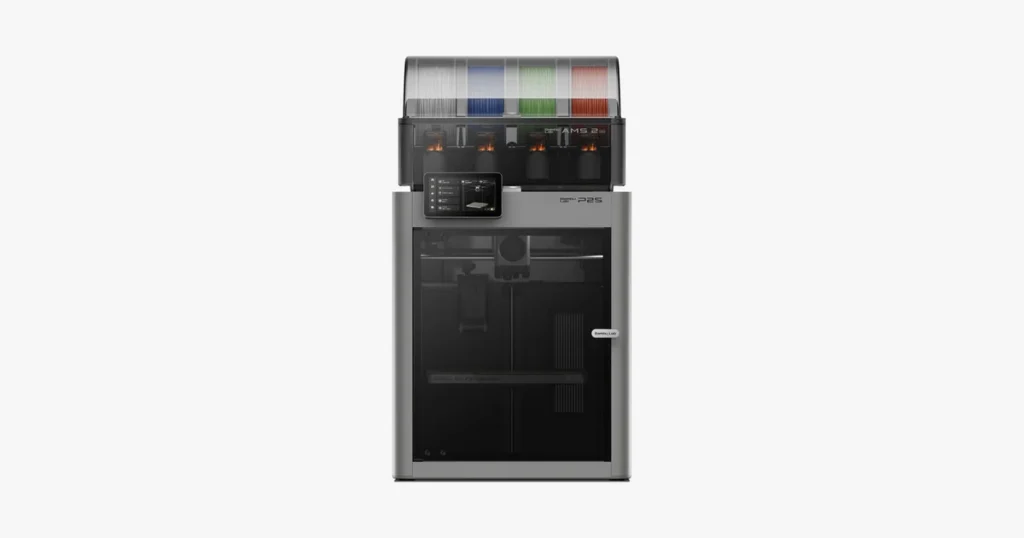
Deciding between Bambu Lab P1S vs P2S? We benchmark speed, specs, print quality, and material compatibility to see if upgrading is worth your money. Read our complete buying guide now at LAVA3dp!
When Bambu Lab rolled out the P1S, it redefined what creators expected from an enclosed 3D printer. It brought high-speed, multi-color production to an accessible price point. Now, the release of the P2S raises a critical question for hobbyists, engineers, and print farm operators: does the newer flagship iteration deliver enough practical enhancements to justify the price bump or an upgrade from an existing setup?
Choosing the right machine impacts your workflow, material capabilities, and daily operational overhead. Below is a deep, real-world comparison of the p1s vs p2s, breaking down specs, hardware changes, speed benchmarks, and long-term ownership costs to help you pick the best unit for your workshop.
Quick Verdict: Should You Buy the Bambu Lab P1S or P2S?
Best Choice for Beginners
If you are diving into hobbyist 3D printing or moving up from a budget open-frame bed slinger, the P1S remains a stellar entry point. It runs the exact same fundamental motion platform as Bambu’s premium lines and handles standard filaments out of the box with minimal user intervention.
Best Choice for Professionals
For functional prototyping, print-on-demand services, and engineering tasks, the P2S takes the lead. Its upgraded mainboard processing power, improved active thermal management, and refined sensor ecosystem yield higher dimensional accuracy across long, demanding print runs.
Best Value for Small Businesses
If your primary concern is return on investment per print hour, the decision comes down to volume. A farm of P1S units delivers maximum output per dollar for basic PLA and PETG parts. However, if your business handles abrasive technical filaments like carbon-fiber blends, the out-of-the-box readiness of the P2S saves significant labor time in upgrades and maintenance.
Who Should Upgrade from the P1S?
Current P1S owners working primarily with decorative parts or basic plastics can comfortably stay put. Upgrade to the P2S only if you need higher continuous chamber temperatures, faster processing for complex G-code, lower operational noise, or advanced AI monitoring to reduce failed prints during unmonitored overnight jobs.
Related: 10 Best Metal 3D Printers in 2026 for Industrial and Professional Use
Bambu Lab P1S vs P2S at a Glance
Key Differences Overview
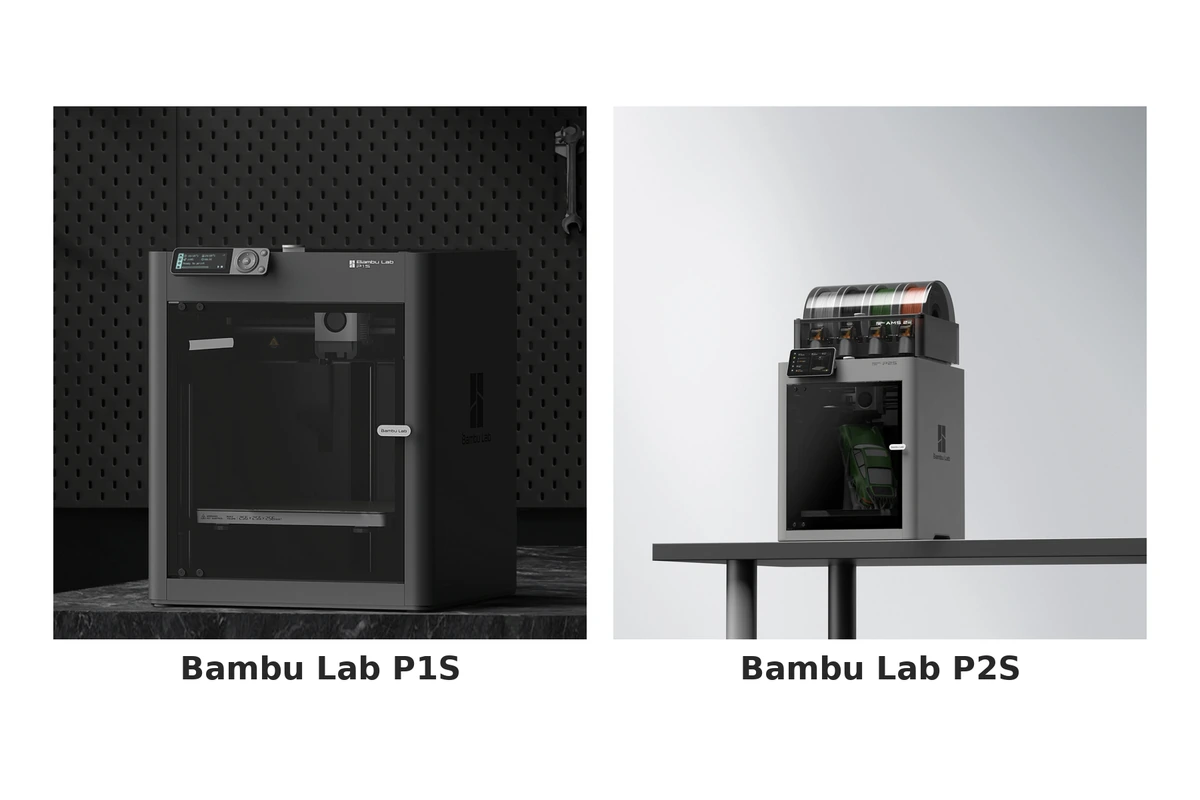
While both machines share a similar physical footprint, the real difference between p1s and p2s lies beneath the sheet metal. The P2S upgrades the processing architecture, refines the motion controller, swaps the legacy segment screen for an expanded touch interface, and improves stock hotend componentry for high-temperature material handling.
Feature Comparison Table
Pros and Cons Summary
The P1S offers undeniable value and reliable execution, though its minimalist control interface and louder operational profile show its age. The P2S fixes almost every user-interface gripe, operates significantly quieter, and processes complex toolpaths smoother, albeit at a higher initial buy-in price.
Bambu Lab P1S vs P2S Specifications Comparison
Build Volume
Both printers feature an identical 256 x 256 x 256 mm build volume. This size hits the sweet spot for prototyping industrial components, printing multi-part assemblies, or producing medium-scale props without occupying excessive desk space.
Print Speed
When comparing P1S vs P2S speed, both machines advertise maximum toolhead speeds of 500 mm/s. However, real-world execution differs. The enhanced processing unit in the P2S maintains top speeds longer through complex curved trajectories where the older processor on the P1S bottlenecked data throughput.
Acceleration
The motion system on the P2S supports peak accelerations up to 20,000 mm/s², matching the P1S on paper. Real-world tests show the P2S handles rapid direction shifts smoother due to updated motor driver architecture, reducing mechanical resonance during quick directional changes.
Layer Resolution
Both units deliver precise layer heights ranging from 0.08 mm to 0.35 mm using standard 0.4 mm nozzles. Fine-detail output is consistently sharp across both platforms.
Nozzle Options
The P1S ships with a standard stainless steel nozzle, requiring an aftermarket replacement if you plan to run abrasive filaments. The P2S includes a factory-installed hardened steel nozzle, making it immediately ready for composite materials right out of the box.
Hotend & Maximum Nozzle Temperature
Both print heads reach peak temperatures of 300°C. The P2S utilizes an updated quick-swap heater block assembly, making nozzle changes faster and reducing thermal decay during long extrusions of high-melt-flow polymers.
Heated Bed Temperature
The direct-drive heated bed on both models reaches up to 100°C. This provides sufficient thermal adhesion to prevent warping when printing demanding filaments like ABS or ASA.
Chamber Design
While both feature an enclosed 3D printer design, the P2S incorporates improved acoustic dampening and tighter seam tolerances. This seals ambient heat in more effectively while keeping internal fan noise contained.
Supported Materials
Out of the box, both handle PLA printing, PETG printing, ABS printing, and ASA printing. For filaments like carbon fiber filament or TPU printing, the P2S holds an edge due to its stock hardened drive gears, upgraded nozzle assembly, and revised direct-drive extruder path.
Connectivity & Remote Printing
Both machines offer robust Wi-Fi printing and remote monitoring capabilities. The P2S upgrades its wireless card to support dual-band networks (2.4GHz / 5GHz), offering more reliable cloud sync in congested network environments.
Camera & Monitoring
The P1S utilizes a low-frame-rate chamber camera primarily built for time-lapses and basic status checks. The P2S upgrades this to a smooth 1080p camera stream, drastically improving cloud monitoring quality and remote feed reliability.
Power Consumption
Under peak bed heating, both units draw roughly 1000W at 110V/220V, settling down to an average operating draw of 100W–150W during standard PLA print jobs.
Dimensions & Weight
Physical footprints remain virtually indistinguishable:
Dimensions: 386 × 389 × 458 mm
Weight: ~12.5 kg to 13.2 kg depending on side-spool attachments and internal upgrades.
Related: 10 Best Resin 3D Printers in 2026: Tested Picks for Every Budget
What’s New in the Bambu Lab P2S?
Hardware Improvements
The headline update on the P2S is its redesigned toolhead and driver board setup. The transition to hardened internal drive components eliminates the mandatory day-one upgrade path that P1S owners faced when running composite materials. Additionally, a full-color touchscreen replaces the old button pad interface.
Performance Enhancements
By combining an updated mainboard with refined motor algorithms, the P2S achieves superior pathing efficiency. Toolhead movements are crisp, corner deceleration is better calculated, and micro-stutters during dense G-code execution are effectively gone.
New Smart Features
The P2S expands on internal diagnostics. It introduces enhanced bed strain gauges that make automatic bed leveling more consistent while refining live pressure advance calculations on complex infill patterns.
User Experience Improvements
Operating the P2S feels like a modern consumer electronics experience. Onscreen navigation is fast, filament loading routines require fewer manual inputs, and on-device calibration routines provide clear visual feedback rather than obscure error codes.
Reliability & Maintenance Updates
Bambu modified the cable chain, toolhead wiring harness, and belt tensioning points on the P2S. These subtle changes decrease wear on internal wiring over thousands of runtime hours and simplify routine belt adjustments.
Print Quality Comparison
Surface Finish
Evaluating P1S vs P2S print quality reveals noticeable refinements on wall surfaces. Thanks to updated motor drivers and active vibration mitigation, vertical fine-art artifacts, ghosting, and ringing are significantly reduced on the P2S, even at high acceleration settings.
Dimensional Accuracy
For tolerance-critical mechanical assemblies, the P2S vs P1S accuracy shows measurable progress. The P2S holds tighter tolerances (±0.05 mm) across long dimensional spans, making press-fit joints and threaded parts consistently turn out correctly on the first attempt.
Fine Detail Performance
Extruding intricate features or small text highlights the improved flow control on the P2S. Corner swelling is controlled better, leaving crisp 90-degree edges on complex geometry.
Overhangs & Bridging
Both machines leverage high-power part cooling fans directed at the nozzle tip. Bridging spans up to 80 mm render cleanly without sagging on both units when using tuned cooling profiles.
First Layer Consistency
Thanks to auto-zonated bed checks and precise force-sensor feedback, both machines produce immaculate first layers. The P2S executes this leveling sequence slightly faster, saving time on every print cycle.
Multi-Part Assembly Accuracy
When printing interlocking components across the entire width of the build plate, the revised bed-thermal mapping of the P2S ensures uniform heat distribution. This reduces perimeter warping on large-footprint parts, ensuring clean fitment during final assembly.
Related: Best Budget 3D Printers in 2026: Affordable Options for Every Maker
Speed & Productivity Comparison
Maximum Print Speed
Comparing P2S vs P1S speed metrics side by side shows matching theoretical top-end numbers (500 mm/s). However, peak velocity matters far less than real-world volumetric flow rates.
Real-World Printing Performance
Because the P2S hotend features an improved heating region and melt zone, it sustains higher volumetric flow rates (~30 mm³/s compared to the P1S’s ~24 mm³/s). This allows the P2S to print thick layer heights and dense infill patterns without dropping speeds to prevent under-extrusion.
Travel Speed & Acceleration
Both units move across non-printing travel paths at up to 500 mm/s. The upgraded processor on the P2S plans these travel moves more efficiently, cutting unnecessary travel paths on multi-object build plates.
Print Time Comparison
On standard benchies or small parts, completion times remain within minutes of each other. On complex prints lasting 12+ hours with millions of line commands, the optimized path processing of the P2S shaves off roughly 8% to 12% of total runtime.
Batch Production Efficiency
For farm operators running continuously, those percentage points compound. Combined with reduced calibration overhead between plate swaps, the P2S delivers higher weekly throughput per machine footprint.
Material Compatibility Comparison
Compare how both printers perform across today’s most popular 3D Printing Materials.
As the standard material for decorative and rapid modeling, standard PLA printing runs effortlessly on both platforms, yielding smooth top layers and strong layer bonding.
Both units handle PETG printing reliably. The updated thermal control on the P2S mitigates the typical stringing and blob accumulation often seen with viscous PETG blends.
With their fully closed outer frames, both units trap ambient heat effectively to prevent edge lifting during ABS printing.
Like ABS, ASA printing benefits from stable internal temperatures. The upgraded carbon filtration on the P2S helps neutralize harsh styrene odors during long ASA print cycles.
Printing flexible materials requires a short, precise drive path. While both handle high-durometer flexible filaments, the redesigned extruder path in the P2S provides smoother feeding for soft 85A and 90A TPU profiles without clogging.
Nylon demands high hotend heat and absolute moisture protection. Both printers handle structural polyamides well, provided the filament feeds directly from an active drying unit or sealed dry box using PA filament.
Polycarbonate requires maximum nozzle performance and a hot ambient chamber. Both printers handle PC parts well, though the P2S provides slightly better warp control on wide-base components.
Running abrasive materials like PLA-CF or PA-CF requires wear-resistant hardware. While the P1S needs aftermarket hardened gears and nozzles to prevent premature wear, the P2S handles carbon fiber filament directly out of the box.
GF-reinforced composites present the same abrasive challenges as carbon fiber. The factory-hardened components on the P2S make it ready to handle glass-filled materials safely right away.
For technical materials requiring sustained 300°C nozzle outputs, both machines meet specs, though the P2S maintains steady thermal output more consistently under high cooling fan demands.
Related: 10 Best Large Format 3D Printers: Features, Costs, and Top-Rated Machines in 2026
Hardware Comparison
Motion System
Both printers share a robust CoreXY printer layout using lightweight carbon fiber X-axis rods paired with heavy-duty steel linear shafts on the Y and Z axes. This setup provides high structural rigidity with minimal moving mass.
Extruder Design
The direct-drive extruder on the P2S integrates hardened steel drive gears directly from the factory, paired with an improved filament sensor that detects runouts and internal jams more reliably.
Hotend Assembly
The P2S transitions to a streamlined heater block design, allowing quick nozzle swaps without requiring delicate ribbon cable detaching. This addresses one of the primary maintenance pain points found on the original P1S.
Cooling System
Both machines feature auxiliary chamber cooling fans alongside dedicated part cooling ducts. The P2S optimizes airflow distribution, keeping chamber temps stable while directing air cleanly at extruded layers.
Build Plate Options
Both models ship with double-sided textured PEI spring steel plates, offering excellent part adhesion and simple part removal once cooled. They are fully backward and forward compatible with all standard 256x256mm Bambu build surfaces.
Enclosure Design
The structural housing of the P2S features improved panel sealing and dampened glass mounts, minimizing mechanical rattle when the printer operates at maximum acceleration.
Filtration System
Both systems utilize an internal activated carbon filter loop to capture VOCs during high-temperature printing. The filter housing on the P2S is slightly expanded for increased air throughput.
Noise Levels
A major point of contrast in the p2s vs p1s noise level comparison is operational volume. By integrating active motor noise cancellation directly into the stepper drivers, the P2S operates significantly quieter (~52 dB) than the P1S (~60 dB), making it much easier to live with in a home office or bedroom.
Software & Smart Features
Bambu Studio Compatibility
Both printers integrate naturally with Bambu Studio, offering pre-tuned material profiles, simple model placement, and automatic support generation.
Mobile App Features
Using the Bambu Handy app, users can launch prints, review bed leveling status, pause jobs, and monitor thermal readings directly from their mobile devices.
AI Monitoring
The P2S expands on-board diagnostic software. It detects spaghetti prints, first-layer anomalies, and missing build plates more accurately, pausing the print before wasting entire spools of material.
Automatic Calibration
Both machines perform auto-bed leveling, resonant frequency sweeps (active vibration compensation), and flow-rate tuning before printing. The P2S completes these pre-flight checks faster and with less mechanical chatter.
Firmware Updates
Bambu Lab maintains regular over-the-air firmware updates across both models, introducing feature tweaks, bug fixes, and performance optimizations seamlessly over Wi-Fi.
Remote Printing & Cloud Control
Cloud slicing, job queues, and status reporting function smoothly on both systems. Users working in secure environments can also run both units via LAN-only mode to keep intellectual property off external cloud servers.
Related: 10 Best Beginner 3D Printers in 2026 (Easy Setup + Hands-On Tested)
AMS Compatibility & Multi-Color Printing
Supported AMS Versions
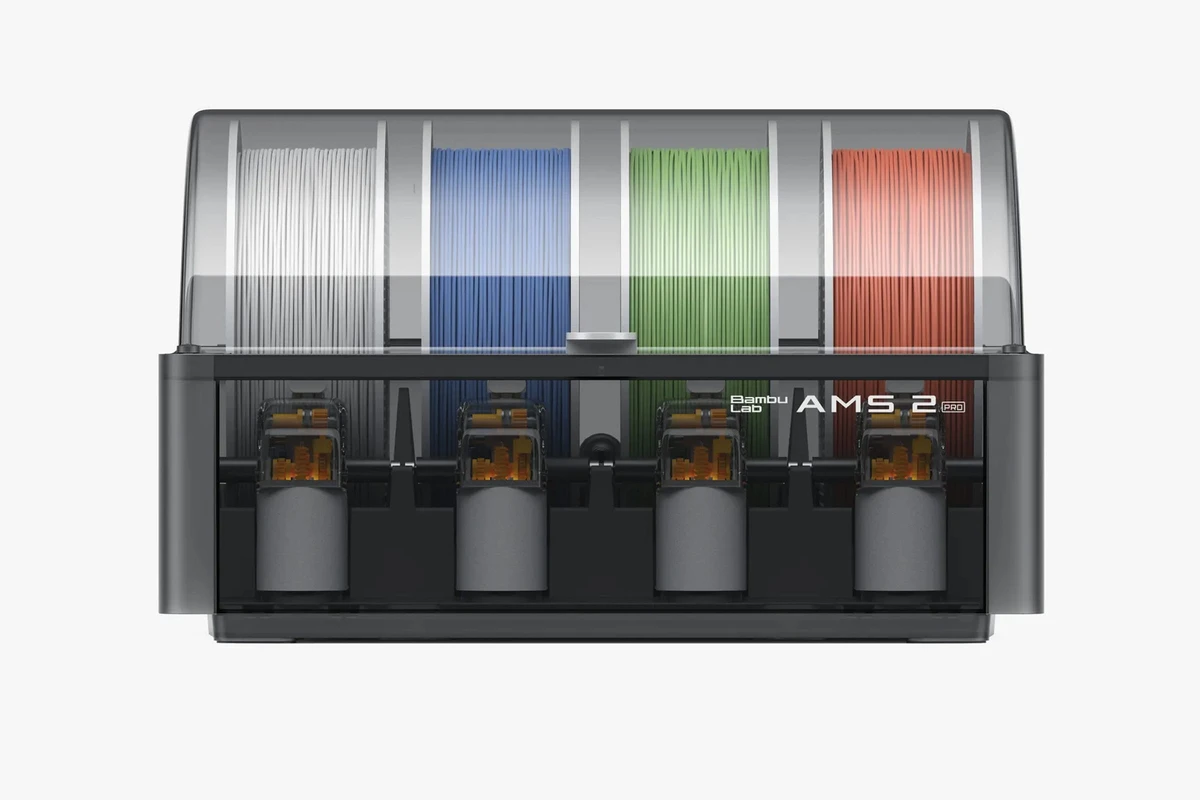
Both the P1S and P2S offer full compatibility with the original AMS system and modern multi-material accessories, allowing users to hook up to 4 units simultaneously for up to 16-color prints.
Multi-Material Printing
Running dissolvable supports (like PVA or HIPS) alongside rigid model structures works seamlessly on both printers. This enables complex internal cavities and overhang geometries that are difficult to print on single-extruder setups.
Color Change Performance
Color switching speeds remain largely governed by purge routines and filament retraction distances. Both systems clear toolheads reliably during color swaps to keep output colors sharp without bleeding.
Filament Management Features
When paired with an AMS, both machines feature automatic spool failover. If a spool runs empty mid-print, the system automatically swaps to an identical spool in the bay without interrupting the build cycle.
Reliability, Maintenance & Long-Term Ownership
Routine Maintenance
To maintain peak performance, both platforms require basic recurring care: cleaning carbon rods with isopropyl alcohol, greasing Z-axis lead screws, and inspecting belt tension every few hundred operating hours.
Common Wear Parts
- Standard PTFE guide tubes
- Extruder drive gears
- Silicone hotend socks
- Flexible build surface plates
The P2S extends the lifespan of its drive system components by standardizing hardened steel parts from the factory.
Ease of Repairs
The quick-swap hotend assembly on the P2S makes toolhead servicing far easier. Swapping a clogged or damaged hotend on the older P1S required manipulating delicate micro-connector plugs—a process that is much simpler on the P2S.
Spare Parts Availability
Bambu Lab maintains a deep inventory of replacement components, spools, and wear parts directly through their store, supported by a growing third-party ecosystem on Amazon and secondary suppliers.
Expected Lifespan
Built around sturdy structural frames and linear motion hardware, both machines are engineered to log thousands of operating hours reliably when given basic routine maintenance.
Related: Best 3D Printer for Kids in 2026: Safe, Easy & Fun Picks for Beginners
User Experience Comparison
Initial Setup
Unboxing to printing takes roughly 15 to 20 minutes for both units. You simply unbolt shipping brackets, mount the spool holder, run the automated self-test, and start printing.
Calibration Process
The initial self-test checks motor frequencies, bed level matrices, and dynamic pressure advance profiles. The P2S runs through this initial sweep faster and significantly quieter than its predecessor.
Daily Operation
Interacting with the P2S is notably smoother thanks to its responsive, full-color touchscreen interface. Navigating files on an SD card with the older P1S button pad feels dated by comparison.
USER INTERFACE COMPARISON
P1S: [ [<] [OK] [>] ] -> 2.7" Monochrome Screen with Button Pad Navigation
P2S: [   TOUCH    ] -> Full-Color Responsive Touchscreen Interface
Learning Curve
Thanks to pre-configured profiles in Bambu Studio, both machines eliminate the steep learning curve traditionally associated with high-speed 3D printing.
Beginner Friendliness
Comparing p1s or p2s for beginners, both rank near the top of the consumer market. However, the visual onscreen directions and easier menu layout of the P2S give absolute newcomers a smoother start.
Real-World Printing Performance
Functional Parts
Both printers excel at producing high-strength, structural parts. Brackets, mounts, and tool holders turn out strong, well-fused, and dimensionally consistent.
Engineering Components
When producing press-fit housings or threaded mechanisms out of technical polymers, the tightened dynamic flow controls of the P2S ensure mating parts fit together without manual sanding or filing.
Large Prints
Massive objects occupying the full 256 mm^3 build box remain flat and stable throughout long print cycles, backed by reliable chamber heat retention on both models.
Miniatures & Detailed Models
Using fine 0.2 mm nozzle setups, both printers reproduce high-detail miniature figures cleanly, capturing sharp facial features and crisp armor details without stringing.
Production Runs
For micro-factories printing parts around the clock, both machines are absolute workhorses. The lower operational noise and improved remote camera feed of the P2S make managing a room full of active printers far more pleasant.
Related: 70 Best 3D Printed Stuff & Gadgets That Are Surprisingly Useful
Best Applications for Each Printer
Hobby Projects
For printing table-top terrain, decorative items, or household fixes, the P1S provides all the performance you need while saving money for extra filament spools.
Product Prototyping
Designers building functional concepts out of ABS, ASA, or polycarbonate will appreciate the faster processing speeds and predictable print tolerances of the P2S.
Engineering Parts
For mounting brackets, gears, and structural frames crafted from carbon-fiber composites, the P2S comes fully equipped for heavy-duty industrial materials right out of the box.
Small Business Manufacturing
Evaluating p1s vs p2s for small business fleet use often comes down to capital allocation. You can deploy a larger total count of P1S machines on a tight budget. However, if you are scaling up a high-end production shop, the lower noise, simplified maintenance, and reduced user error of the P2S justify its higher price tag.
Educational Use
Schools and makerspaces benefit from the P2S’s intuitive touch display, quiet operation, and enhanced thermal shielding, making it a safe and user-friendly choice for classroom environments.
Cosplay & Props
Large multi-segment helmets and prop weapons print cleanly on both machines. The high volumetric melt rate of the P2S allows cosplayers to run wider nozzle diameters to output thick armor plates rapidly.
Automotive Parts
Under-hood ducting, custom dashboard clips, and trim gauge pods crafted from heat-resistant polymers like ASA or PA-CF print reliably on both enclosed CoreXY models.
Consumer Products
For batch production of consumer goods, both machines deliver retail-ready surface finishes directly off the PEI build surface without requiring post-processing sandblasting.
Bambu Lab P1S vs P2S: Side-by-Side Comparison Table
| Specification / Feature | Bambu Lab P1S | Bambu Lab P2S |
|---|---|---|
| Primary Keyword Focus | Proven Value CoreXY | Next-Gen Performance |
| Build Volume | 256mm*256mm*256mm | 256mm*256mm*256mm |
| Max Print Speed | 500mm/s | 600mm/s (Sustained Higher Flow) |
| Volumetric Speed | ~24 mm³/s | ~30 mm³/s |
| Display Interface | 2.7-inch Screen with Buttons | 5″ 854×480 Touchscreen |
| Nozzle Installed | Stainless Steel | Hardened steel nozzle |
| Extruder Gears | Stainless Steel | Hardened Steel |
| Operating Noise | ~60 dB | ~52 dB (Noise Cancellation) |
| Processor | Dual-Core MCU | High-Speed Quad-Core |
| Camera | Low-FPS Monitoring Camera | High-FPS 1080p Camera |
| Wi-Fi | 2.4GHz | Dual-Band (2.4GHz / 5GHz) |
| Quick-Swap Hotend | Screw & Cable Detach | Fast-Latch Toolhead Mechanism |
Bambu Lab P1S vs P2S: Pros and Cons
Bambu Lab P1S
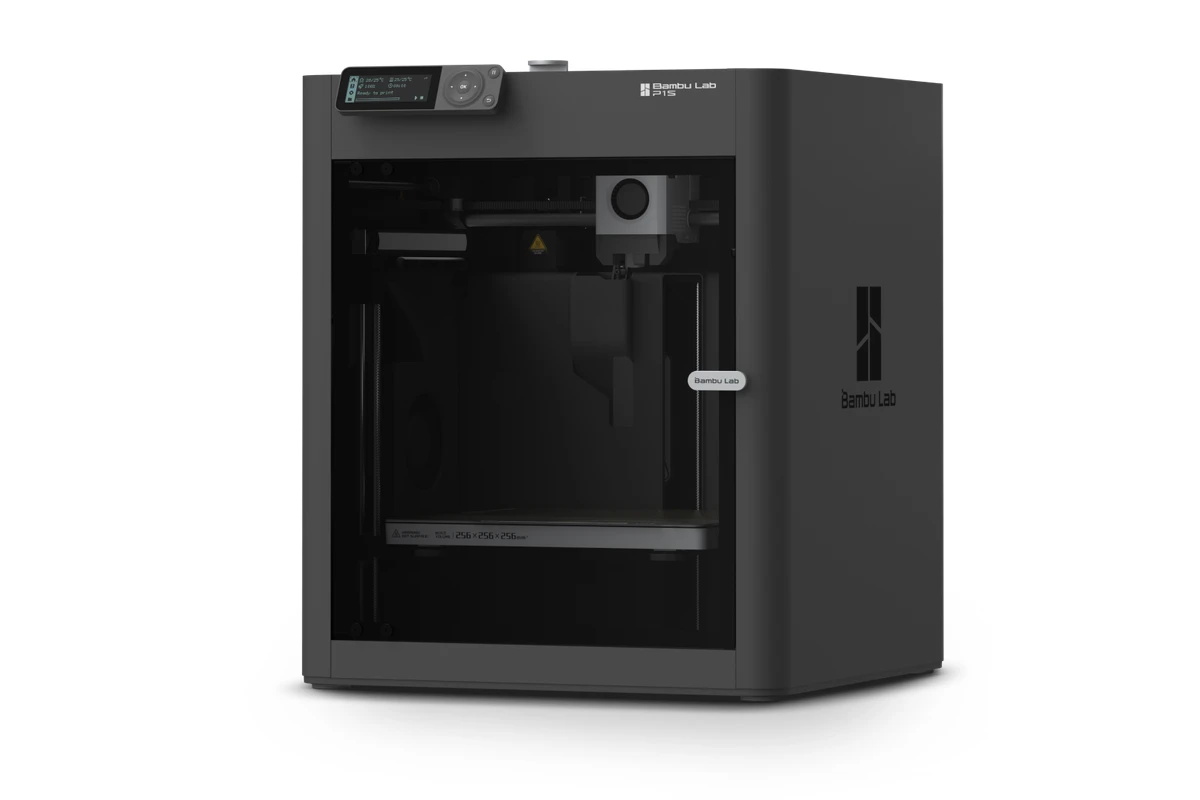
- Industry-leading value-to-performance ratio.
- Identical core print volume and speed capabilities as flagship units.
- Access to the full Bambu ecosystem, including the AMS system.
- Proven long-term market reliability backed by a massive community base.
- Outdated screen and button-pad user interface.
- Louder operating volume during high-speed travel moves.
- Requires manual component upgrades to run abrasive materials regularly.
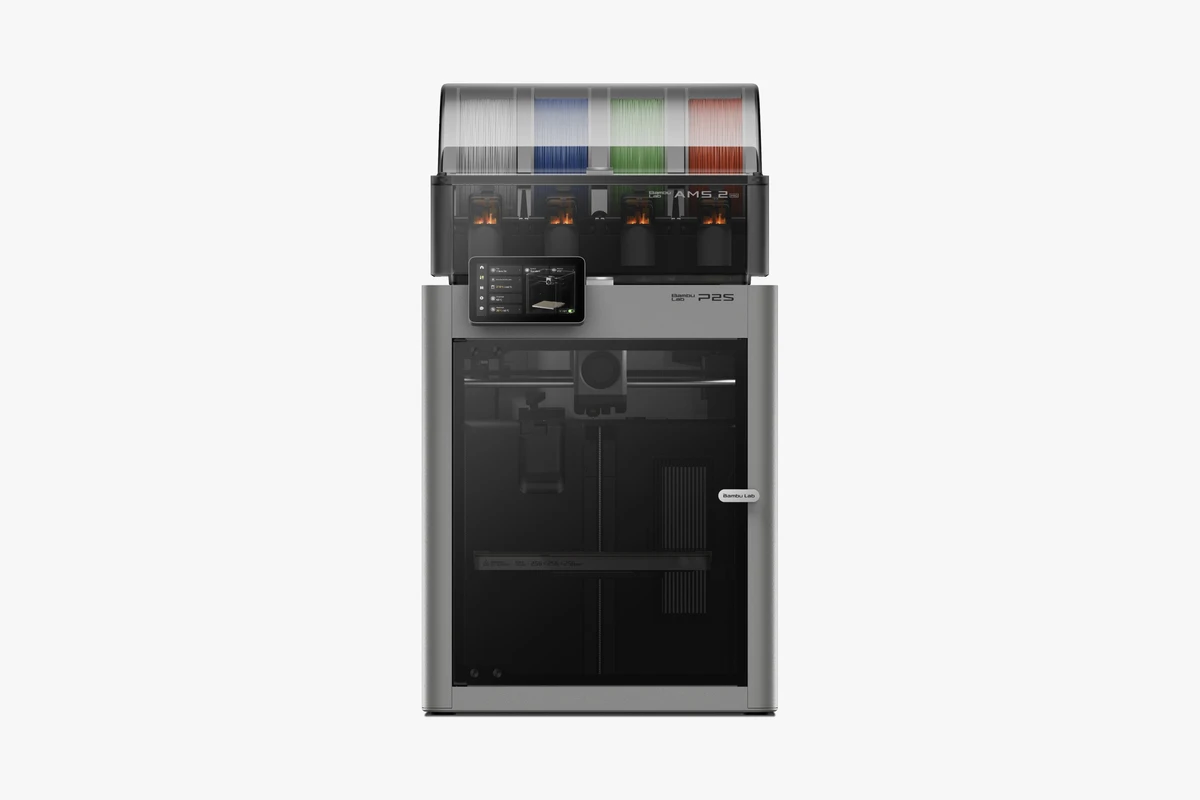
Bambu Lab P2S
- Hardened steel nozzle and gear assembly come installed standard.
- Visually quiet operations thanks to active stepper noise suppression.
- Responsive, high-resolution touchscreen interface.
- Quick-swap hotend layout makes nozzle maintenance effortless.
- Higher initial purchase price point.
- Marginally higher cost for replacement proprietary assemblies.
- Same build envelope dimensions as the original P1S.
Related: 10 Best 3D Printers for Small Businesses to Start Making Money in 2026
Price & Value for Money
Initial Purchase Cost
The P1S remains one of the most competitive offerings on the market for an enclosed 3D printer. The P2S carries a premium price tag, positioning itself between entry-level enclosed machines and top-tier industrial units.
Operating Costs
Power draw, replacement build plates, and general maintenance costs are nearly identical over a standard operating year.
Maintenance Costs
While P2S spare assemblies may carry slightly higher price tags, its hardened components suffer less wear when running abrasive filaments, balancing out total long-term maintenance costs.
Best Return on Investment
If you primarily print standard PLA or PETG parts, the P1S yields a faster initial return on investment. If your workload involves carbon-fiber composites, tight-tolerance engineering parts, or client-facing print services, the time saved by the P2S makes it the better investment.
Should You Upgrade from the Bambu Lab P1S to the P2S?
Reasons to Upgrade
- You need to operate the printer in a quiet living space or office where fan and motor noise is a distraction.
- Your workflow relies heavily on carbon fiber or glass-reinforced materials.
- You are tired of navigating files using the legacy screen and button pad.
- You run high-volume print runs where shorter pre-print setup times compound into higher total output.
Reasons to Keep the P1S
- Your P1S is running smoothly and producing great parts for your needs.
- Your printing consists mostly of PLA, PETG, and non-abrasive materials.
- You already installed hardened steel nozzles and gears on your P1S.
- Operating noise in your garage or dedicated workshop is not a major concern.
When the Upgrade Isn’t Necessary
If your main goal is simply getting larger build volumes, upgrading from a P1S to a P2S will not solve that problem. In that case, saving your budget for a larger format machine makes far more practical sense.
Which Printer Should You Choose?
Best for Beginners
The p1s or p2s for beginners debate comes down to budget versus ease of use. If you have the extra budget, the P2S touchscreen and quieter operation offer a friendlier introduction to 3D printing. If budget is your primary constraint, the P1S remains an unbeatable starting point.
Best for Professionals
Comparing p1s or p2s for professionals, the P2S takes the lead. Its improved micro-path processing, high-resolution remote camera feed, and low operational noise fit seamlessly into professional workspaces.
Best for Engineering Materials
Evaluating p1s vs p2s for engineering applications makes the P2S the clear winner. Its factory-hardened drive train and refined hotend handle abrasive, high-temp composites right out of the box.
Best for Speed
Looking strictly at maximum velocity numbers, both machines top out at 500 mm/s. However, the P2S sustains higher volumetric extrusions, making it the faster machine on complex, high-volume jobs.
Best Overall Value
As a pure value proposition, the P1S remains unmatched. It delivers 85% of the performance and features of high-end machines at a fraction of the cost, securing its spot as one of the best high speed 3D printer options on the market today.
Related: 10 Best 3D Printers for Schools in 2026 (Classroom-Tested Picks)
When to Use a Professional 3D Printing Service Instead of Buying a Printer
One-Off Prototype Production
If you only need a single model or visual proof-of-concept every few months, buying and maintaining a printer, spools, and post-processing tools isn’t cost-effective.
Low-Volume Manufacturing
When you need fifty to a few hundred end-use parts produced quickly without setting up your own dedicated print farm, outsourcing absorbs the operational risk and machine wear.
Industrial-Grade Materials
desktop machines struggle with ultra-high-performance polymers like PEEK, PEI (Ultem), or direct metal printing (SLS/DMLS). Industrial print hubs provide easy access to high-tier manufacturing technologies.
Large Production Orders
If you receive a sudden order for thousands of parts, a single desktop printer will create a major delivery bottleneck. Commercial print houses offer scaled farm infrastructure to handle massive order volumes instantly.
Fast Turnaround Requirements
When deadline pressures demand that dozens of components print simultaneously, third-party manufacturing services can spread your production run across multiple industrial machines at once.
Final Verdict: Is the Bambu Lab P2S Really Better Than the P1S?
The Bambu Lab P2S is undeniably a more refined, polished, and user-friendly machine than the P1S. By fixing user interface complaints, lowering operational noise, and standardizing hardened components, Bambu Lab addressed almost every minor drawback of the original design. It stands tall as arguably the best corexy 3d printer and best enclosed 3d printer in its price segment for 2026.
That said, the P1S is far from obsolete. It uses the same core motion framework, supports the same AMS system, and produces clean, high-speed prints at an unbeatable price. If you want maximum capability per dollar spent, the P1S remains a top contender. But if you value an upgraded touch interface, whisper-quiet operation, and factory readiness for engineering-grade materials, the P2S is worth every penny of the upgrade.
Ready to Manufacturing with LAVA3dp?
Upload your CAD file today and receive instant pricing, expert engineering support, fast production, and worldwide delivery.
Get an Instant Quote →Frequently Asked Questions
Is the P2S really better than the P1S?
Yes. The P2S improves on the P1S by adding a full-color touchscreen, quieter stepper drivers, quick-swap hotend mechanics, factory-installed hardened steel components, and higher volumetric flow rates.
Is it possible to upgrade P1S to P2S?
You can upgrade specific parts of a P1S—such as installing hardened steel gears, a hardened nozzle, or acoustic dampening feet. However, converting a P1S into a true P2S isn’t practical because of core differences in mainboard architecture, toolhead wiring, and internal chassis designs.
Is the Bambu Lab P2S worth it?
If you frequently print abrasive carbon-fiber filaments, need a quiet machine for an office environment, or want an intuitive touchscreen interface, the P2S is well worth the extra investment.
What are the biggest differences between the Bambu Lab P1S and P2S?
The primary differences center around the control display (touchscreen vs button pad), operating volume (active noise suppression on the P2S), stock material readiness (hardened componentry on the P2S), and underlying processing hardware.
Does the Bambu Lab P2S print faster than the P1S?
Both machines top out at 500 mm/s travel speeds. However, the P2S features a higher volumetric flow limit, allowing it to maintain those top speeds more consistently on heavy extrusion paths and large layer heights.
Which printer offers better print quality: P1S or P2S?
Both produce excellent print quality, but the P2S shows slight improvements in surface finish and dimensional precision thanks to its upgraded path processing, refined motor drivers, and reduced frame vibration.
Should beginners buy the Bambu Lab P1S or the P2S?
Both are beginner-friendly options. The P1S offers an affordable way to get into high-speed printing, while the P2S provides a slightly smoother onboarding experience thanks to its modern touchscreen menu.